Adding your app
This refers to the Adding your app step in the app build flow, where you choose how users will add your app.
A common issue is choosing an option that doesn't align with your intended setup, often due to misunderstanding the available options.
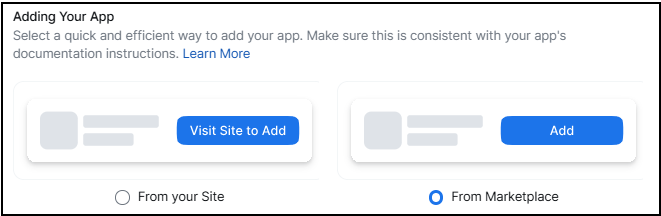
The options are:
-
From the Marketplace
Display an Add button on your app listing page. Users will click Add, authorize the app, and then proceed to the redirect URL you specify.
-
From your site
Use this option if you want to restrict app authorization to users who have an account or device with your company. This is especially useful if your app requires users to log in via an account-specific or tenant-specific subdomain.
For example, https://my-organization.example.com.
Provide the URL for your app's site. Users will click Visit Site to Add on your app listing page and be redirected to your site for authorization.
For noAuth apps you must select From your site, which will redirect the user to your app's site for information about integration or onboarding.
Your site must:
- Allow logged-in users to authorize the integration.
- Let unauthenticated users authenticate and then authorize the integration.
- Provide unauthenticated users with product information and a path to become a customer.