App Icon & App Name
App Icon
The app icon is the image that represents your app on the Marketplace. Provide an 160 x 160 pixel sized image for your icon.
Your app icon should reflect your brand only. Do not use the word "Zoom" or any Zoom trademarks (logos, icons, wordmarks) within your icon. For more information, see the Zoom Partner Branding and Messaging Guide.
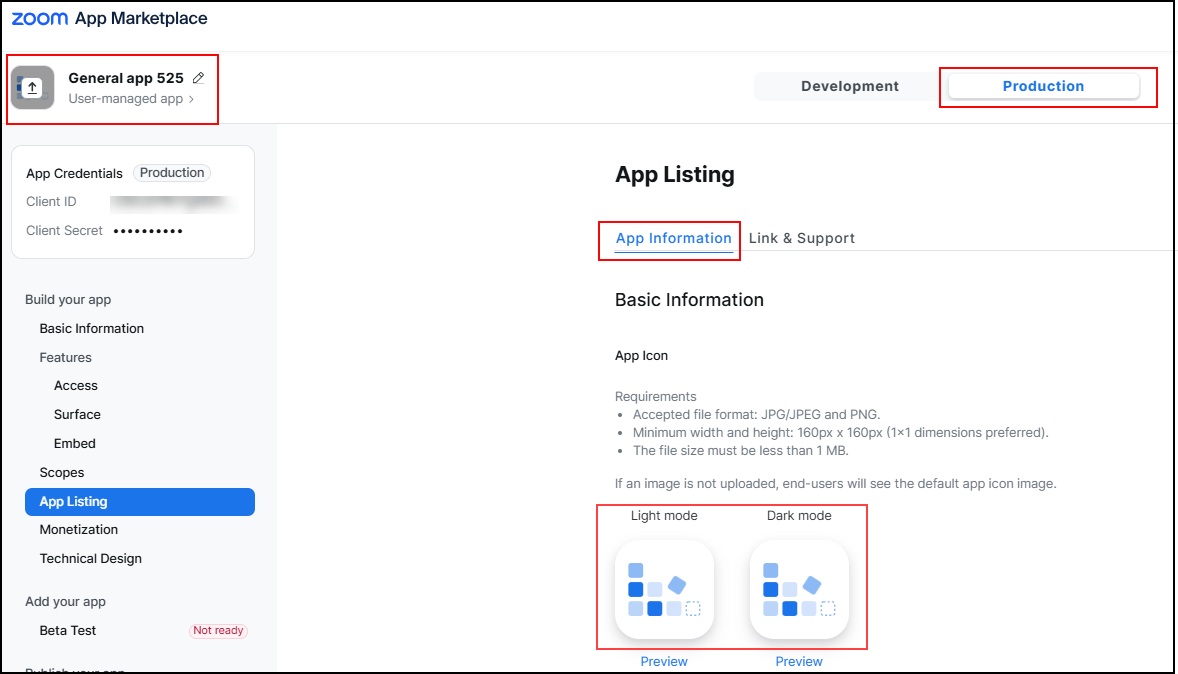
On the App Listing page, you can update the image file by clicking:
- the icon next to the app name.
- the icon for either Light mode or Dark mode.
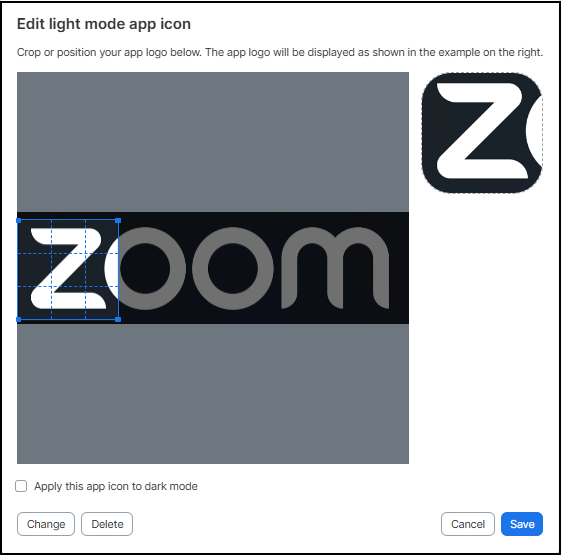
In the edit screen, you can crop the image you've uploaded, upload another image (Change), and apply the icon to dark or light mode.
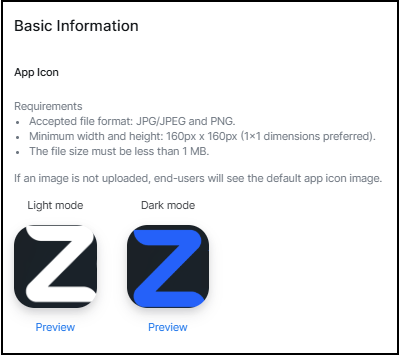
This example shows separate images were chosen for light and dark modes.
App name and branding requirements
When naming your app, ensure that it:
- Creates a distinct brand. Choose a unique, simple, and descriptive name (50 characters max) that highlights your app's functionality. You may also use your company or brand name.
Your app name and related URLs must not:
- Include "Zoom," variations of "Zoom," or names similar to Zoom products or services. However, you may use "Zoom" to indicate compatibility (e.g., Awezum App for Zoom). Your app must clearly indicate it is from a non-Zoom company.
- Suggest or imply Zoom endorses your app.
- Impersonate another person, account, or entity.
- Be a generic term or easily confused with an existing company or app.
- Use "official" unless authorized by the relevant entity.
- Contain illegal content or violate intellectual property or privacy rights.
Zoom may remove or require revisions to any content, including app names, that violate these requirements, the Marketplace Developer Agreement, the Zoom Terms of Service, or Community Standards, or for any other reason at its sole discretion.