Markdown
You can use Markdown syntax to add style, linking, and user interaction to Chatbot messages in the Zoom Client.
With the Markdown syntax, you can also use the @ symbol to notify or mention a person or group of people in a Zoom Chat channel.
Using Markdown in messages
To enable Markdown, set "is_markdown_support": true in the Chatbot message request body.
You can apply Markdown to the header, subheader, text (without using the "link" property), and form field (when "editable" is set to false) message types.
The footer message type also supports the "link" Markdown style.
NOTE: When using Markdown, setting the message "style" ("color", "bold", "italic") is unsupported.
For the header, sub header, and text, add the Markdown as a string for the value of the "text" key.
{
    "robot_jid": "{{bot_jid}}",
    "to_jid": "{{to_jid}}",
    "account_id": "{{account_id}}",
    "is_markdown_support": true,
    "content": {
        "head": {
            "text": "_this header is italic_",
            "sub_head": {
                "text": "~this sub header has a strikethrough~"
            }
        },
        "body": [
            {
                "type": "message",
                "text": "*this text is bold*"
            }
        ]
    }
}
For the form field, add the Markdown as a string for the value of the "value" key.
{
    "robot_jid": "{{bot_jid}}",
    "to_jid": "{{to_jid}}",
    "account_id": "{{account_id}}",
    "is_markdown_support": true,
    "content": {
        "body": [
            {
                "type": "fields",
                "items": [
                    {
                        "key": "Code",
                        "value": "``console.log('this form field value is monospace')`",
                        "editable": false
                    }
                ]
            }
        ]
    }
}
For the footer, add the Markdown as a string for the value of the "footer" key.
{
    "robot_jid": "{{bot_jid}}",
    "to_jid": "{{to_jid}}",
    "account_id": "{{account_id}}",
    "is_markdown_support": true,
    "content": {
        "body": [
            {
                "type": "section",
                "sections": [],
                "footer": "<https://zoom.us>"
            }
        ]
    }
}
Supported Markdown reference
Here is the supported Markdown functionality reference. Choose each respective style to see how it looks in Zoom Chat.
| Style | Syntax | Works With |
|---|---|---|
| [Bold](#bold") | `**this text is bold**` | - [Header](/docs/chat/customizing-messages/message-with-header) - [Sub Header](/docs/chat/customizing-messages/message-with-sub-header) - [Text](/docs/chat/customizing-messages/message-with-text) - [Form Field](/docs/chat/customizing-messages/message-with-form-field) |
| [Italic](#italic") | `_this text is italic_` | - [Header](/docs/chat/customizing-messages/message-with-header) - [Sub Header](/docs/chat/customizing-messages/message-with-sub-header) - [Text](/docs/chat/customizing-messages/message-with-text) - [Form Field](/docs/chat/customizing-messages/message-with-form-field) |
| [Strikethrough](#strikethrough") | `~this text has a strikethrough~` | - [Header](/docs/chat/customizing-messages/message-with-header) - [Sub Header](/docs/chat/customizing-messages/message-with-sub-header) - [Text](/docs/chat/customizing-messages/message-with-text) - [Form Field](/docs/chat/customizing-messages/message-with-form-field) |
| [Monospace](#monospace") | `this text is monospace` | - [Header](/docs/chat/customizing-messages/message-with-header) - [Sub Header](/docs/chat/customizing-messages/message-with-sub-header) - [Text](/docs/chat/customizing-messages/message-with-text) - [Form Field](/docs/chat/customizing-messages/message-with-form-field) |
| [Block quote](#block-quote") | `> this text is a block quote` | - [Header](/docs/chat/customizing-messages/message-with-header) - [Sub Header](/docs/chat/customizing-messages/message-with-sub-header) - [Text](/docs/chat/customizing-messages/message-with-text) - [Form Field](/docs/chat/customizing-messages/message-with-form-field) |
| [Link](#link") |
` |
- [Header](/docs/chat/customizing-messages/message-with-header) - [Sub Header](/docs/chat/customizing-messages/message-with-sub-header) - [Text](/docs/chat/customizing-messages/message-with-text) - [Form Field](/docs/chat/customizing-messages/message-with-form-field) - [Footer](/docs/chat/customizing-messages/message-with-footer) |
| [Chat link](#chat-link") | `<#{channel_jid or user_jid}|Name Here>` | - [Header](/docs/chat/customizing-messages/message-with-header) - [Sub Header](/docs/chat/customizing-messages/message-with-sub-header) - [Text](/docs/chat/customizing-messages/message-with-text) - [Form Field](/docs/chat/customizing-messages/message-with-form-field) |
| [Profile card](#profile-link") |
` |
- [Header](/docs/chat/customizing-messages/message-with-header) - [Sub Header](/docs/chat/customizing-messages/message-with-sub-header) - [Text](/docs/chat/customizing-messages/message-with-text) - [Form Field](/docs/chat/customizing-messages/message-with-form-field) |
| [Mention all (@all)](#mention-all-all") | `` | - [Header](/docs/chat/customizing-messages/message-with-header) - [Sub Header](/docs/chat/customizing-messages/message-with-sub-header) - [Text](/docs/chat/customizing-messages/message-with-text) - [Form Field](/docs/chat/customizing-messages/message-with-form-field) |
| [Mention individual (@name)](#mention-individual-name") | `` | - [Header](/docs/chat/customizing-messages/message-with-header) - [Sub Header](/docs/chat/customizing-messages/message-with-sub-header) - [Text](/docs/chat/customizing-messages/message-with-text) - [Form Field](/docs/chat/customizing-messages/message-with-form-field) |
| [Image](#image") |
` |
- [Header](/docs/chat/customizing-messages/message-with-header) - [Sub Header](/docs/chat/customizing-messages/message-with-sub-header) - [Text](/docs/chat/customizing-messages/message-with-text) - [Form Field](/docs/chat/customizing-messages/message-with-form-field) |
| [Inline image](#inline-image") |
`This text has an inline image |
- [Header](/docs/chat/customizing-messages/message-with-header) - [Sub Header](/docs/chat/customizing-messages/message-with-sub-header) - [Text](/docs/chat/customizing-messages/message-with-text) - [Form Field](/docs/chat/customizing-messages/message-with-form-field) - [Footer](/docs/chat/customizing-messages/message-with-footer) |
To escape Markdown syntax, put a \ in front of the character. For example, to display * in a message, add a slash in front of it \*.
Example request body
{
    "robot_jid": "{{bot_jid}}",
    "to_jid": "{{to_jid}}",
    "account_id": "{{account_id}}",
    "is_markdown_support": true,
    "content": {
        "head": {
            "text": "_this header is italic_",
            "sub_head": {
                "text": "~this sub header has a strikethrough~"
            }
        },
        "body": [
            {
                "type": "section",
                "sections": [
                    {
                        "type": "message",
                        "text": "*this text is bold*"
                    },
                    {
                        "type": "fields",
                        "items": [
                            {
                                "key": "Code",
                                "value": "`console.log('this form field value is monospace')`",
                                "editable": false
                            }
                        ]
                    }
                ],
                "footer": "<https://zoom.us>"
            }
        ]
    }
}
Render in Zoom Chat
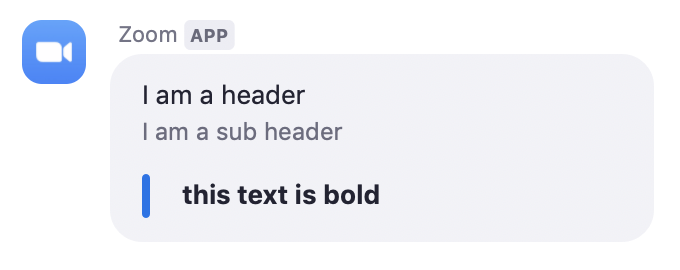
Bold
Makes the text bold.
Syntax:
_this text is bold_
Example:
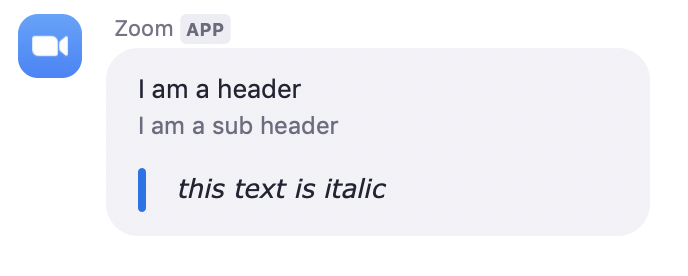
Italic
Makes the text italic.
Syntax:
_this text is italic_
Example:
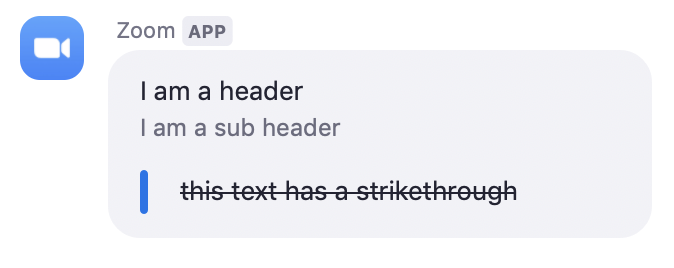
Strikethrough
Gives the text a strikethrough.
Syntax:
~this text has a strikethrough~
Example:
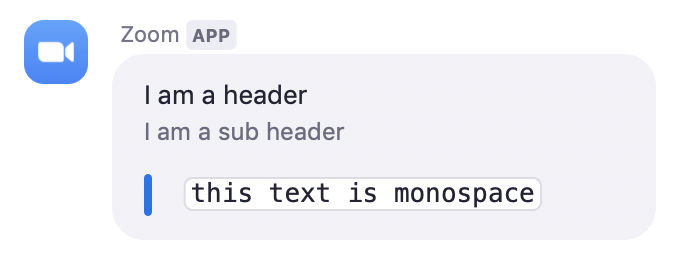
Monospace
Makes the text monospace, good for code snippits.
Syntax:
` `this text is monospace` `
Example:
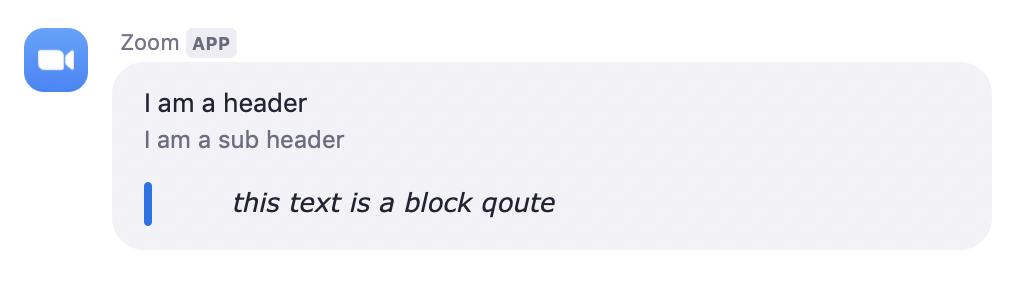
Block quote
Indents and gives the text italics.
Syntax:
> this text is a block quote
Example:
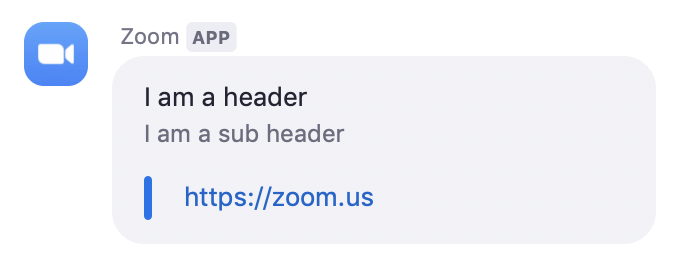
Link
Displays a clickable url.
Syntax:
<https://zoom.us>
Example:
Chat link
Adds a Zoom Chat message link to text. Displays a channel when hovered. Navigates to a chat channel when clicked.
Syntax:
<#{channel_jid or user_jid}|Name Here>
Example:

Profile card
Adds a profile card to text. Displays the users profile when hovered. Navigates to a chat with the user when clicked.
Syntax:
<profile:{user_jid}|Name Here>
Example:
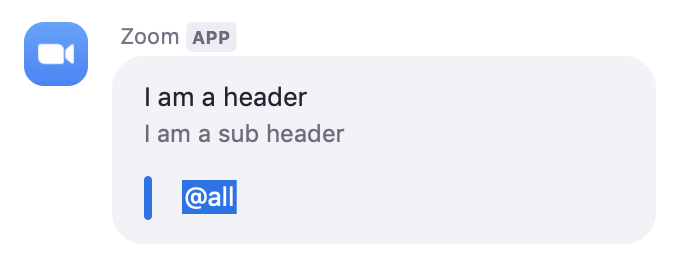
Mention all (@all)
Notifies everyone in a channel.
Syntax:
<!all>
Example:
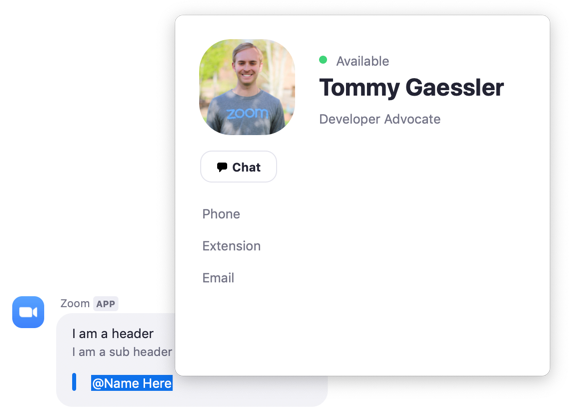
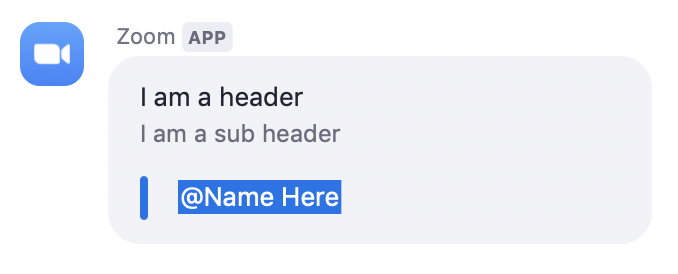
Mention individual (@name)
Notifies an individual user in a channel.
Syntax:
<!user_jid|Name Here>
Example:
Image
Sends an image. Alternative text can be added for accessibility and
screen readers by adding a | and text after the image url.
Syntax:
<img:https://marketplace.zoom.us/competition/images/zoom.png|zoom logo>
Example:

Inline image
Sends an inline image. Alternative text can be added for accessibility
and screen readers by adding a | and text after the image url.
Syntax:
This text has an inline image <img:https://marketplace.zoom.us/competition/images/zoom.png|zoom logo>
Example: