App shortcuts in Zoom Chat leverage a WebView and the Apps SDK can be leveraged to get chat context and send messages from the client side. You can add up to 20 shortcuts for an app. You have the option to add app shortcuts to a message, the compose textarea, or both.
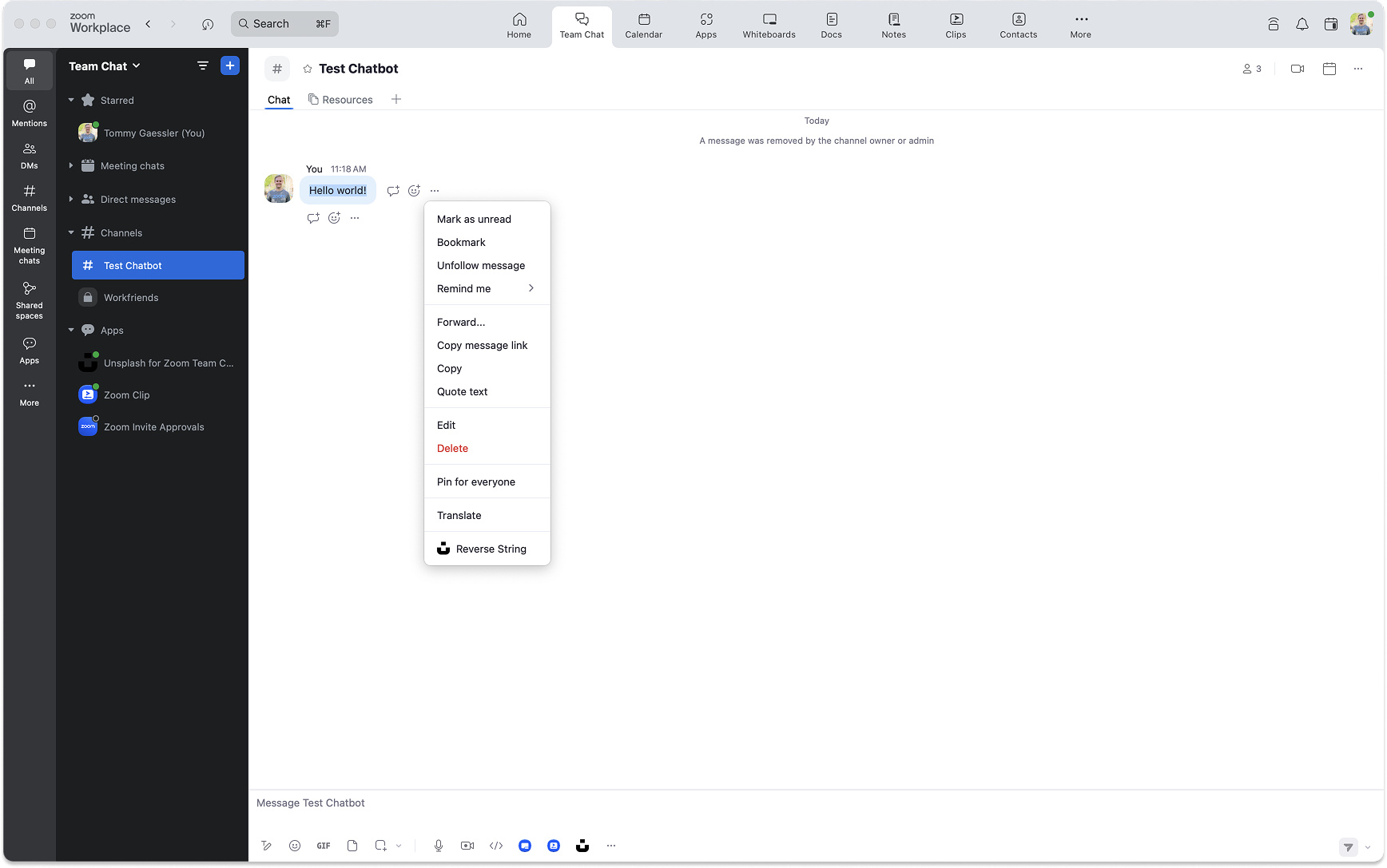
App shortcuts
To enable App shortcuts, navigate to the Features -> Surface page. Then toggle App Shortcuts.
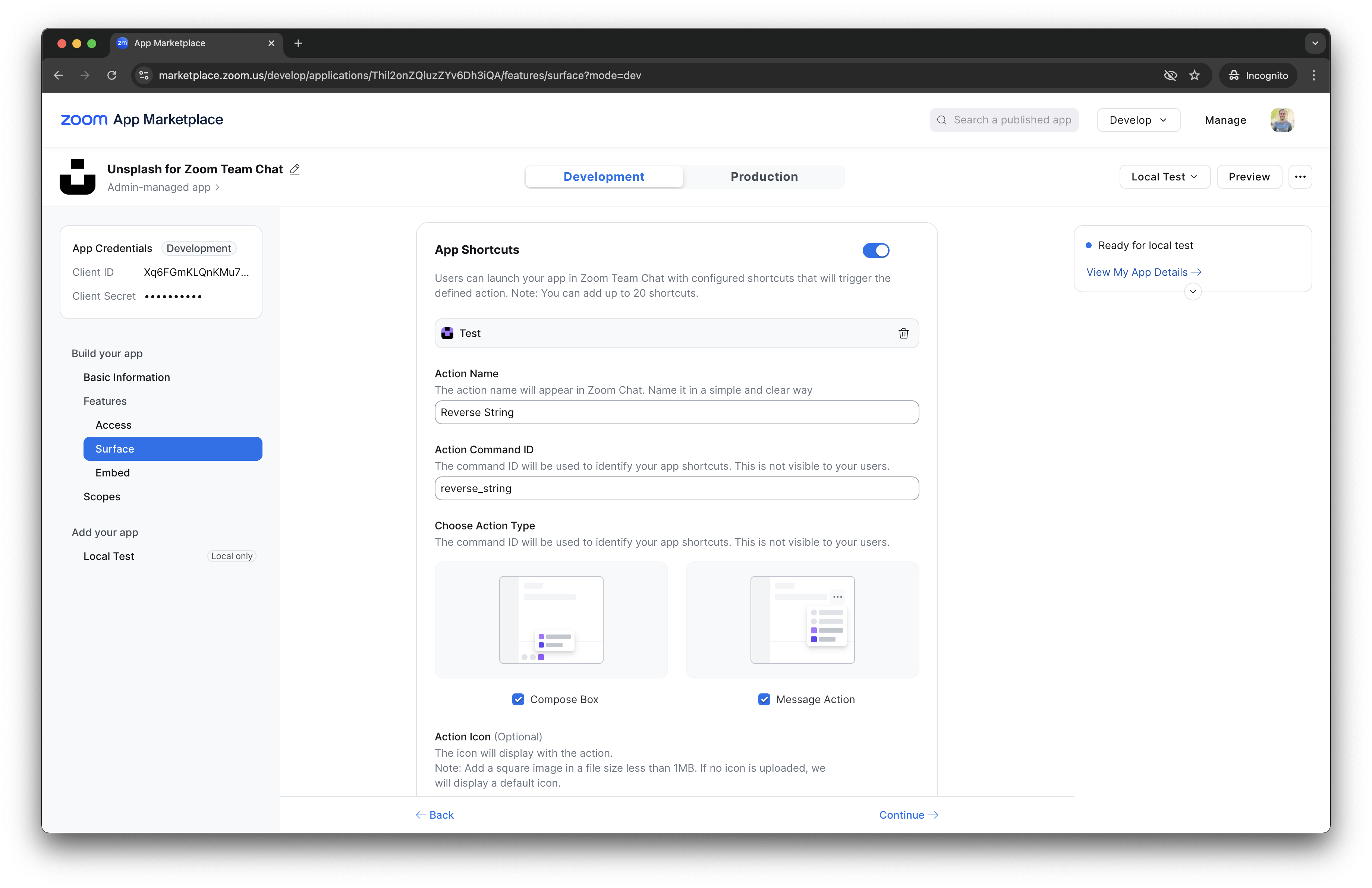
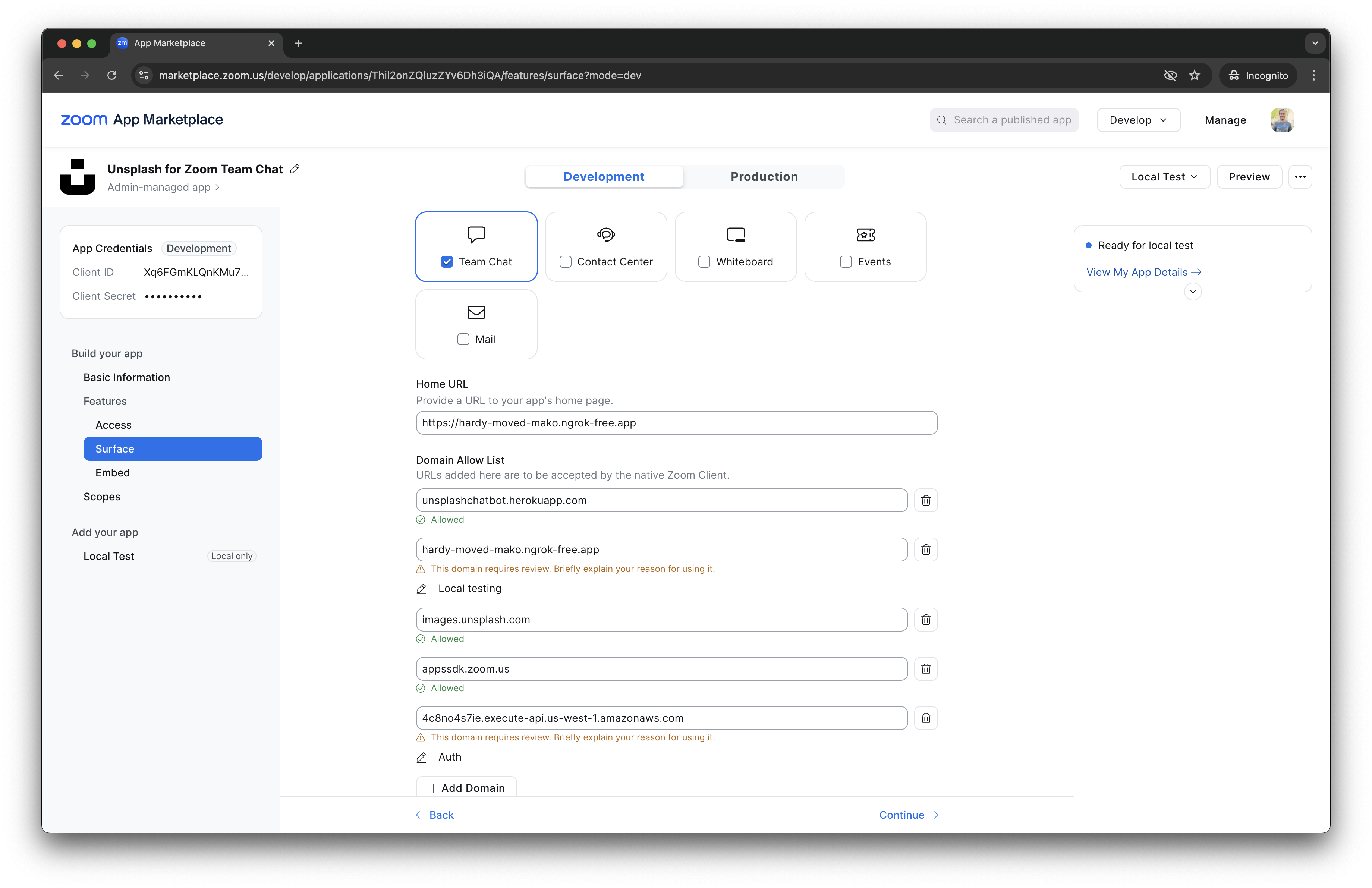
When the shortcut is used your app's Home URL will be opened.
-
Make sure any URLs you want to load in your WebView are added to the Domain Allow List.
-
If you see an OWASP headers error, check out this document.
To potentially save you some time, here is a working ngrok command to set the correct headers:
ngrok http 4000 --response-header-add "content-security-policy: self;" --response-header-add "Strict-Transport-Security: max-age=31536000" --response-header-add "X-Content-Type-Options: nosniff" --response-header-add "Referrer-Policy: origin"
Client side:
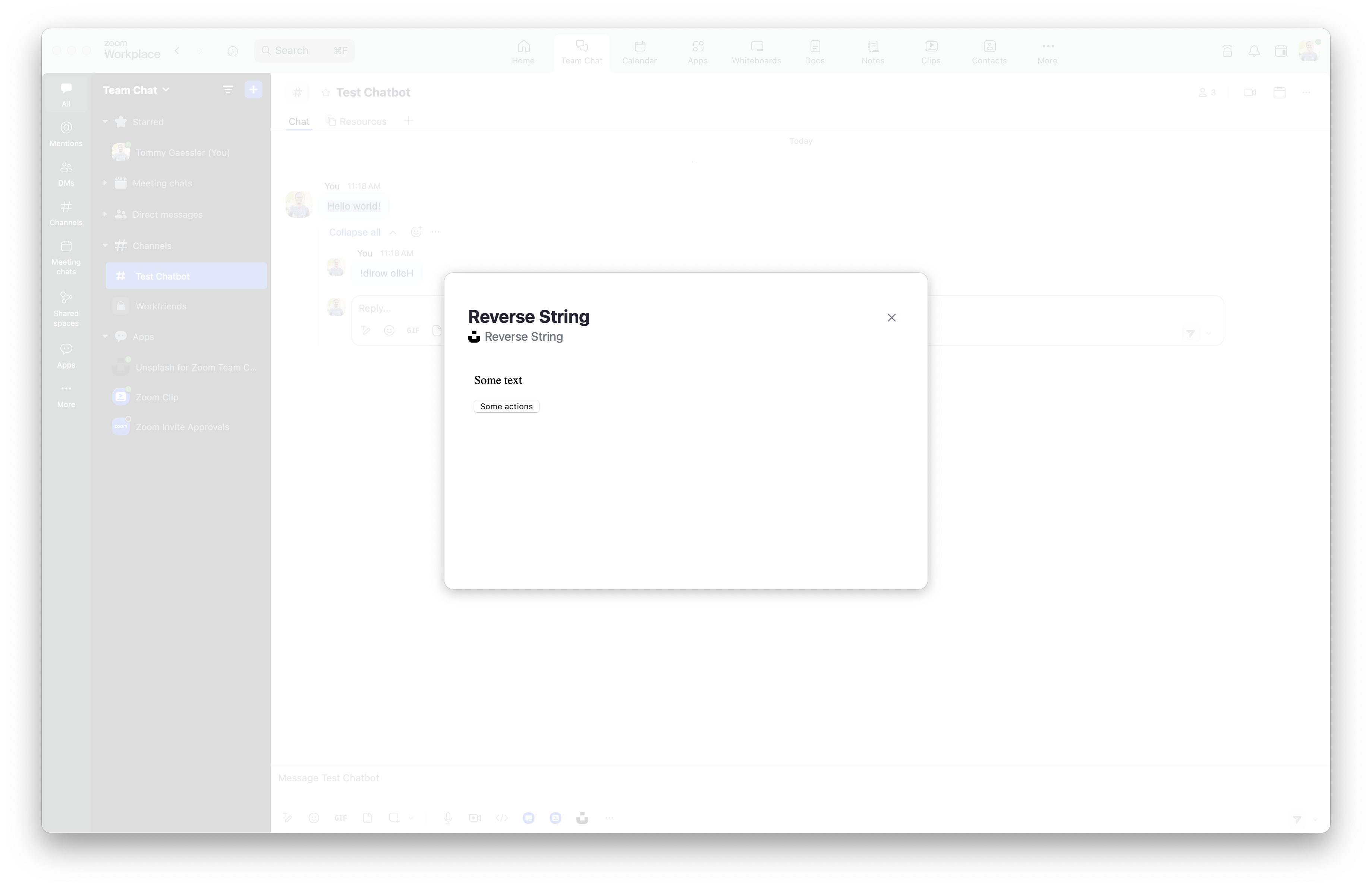
<p>Some text</p>

<button>Some actions</button>
Apps SDK
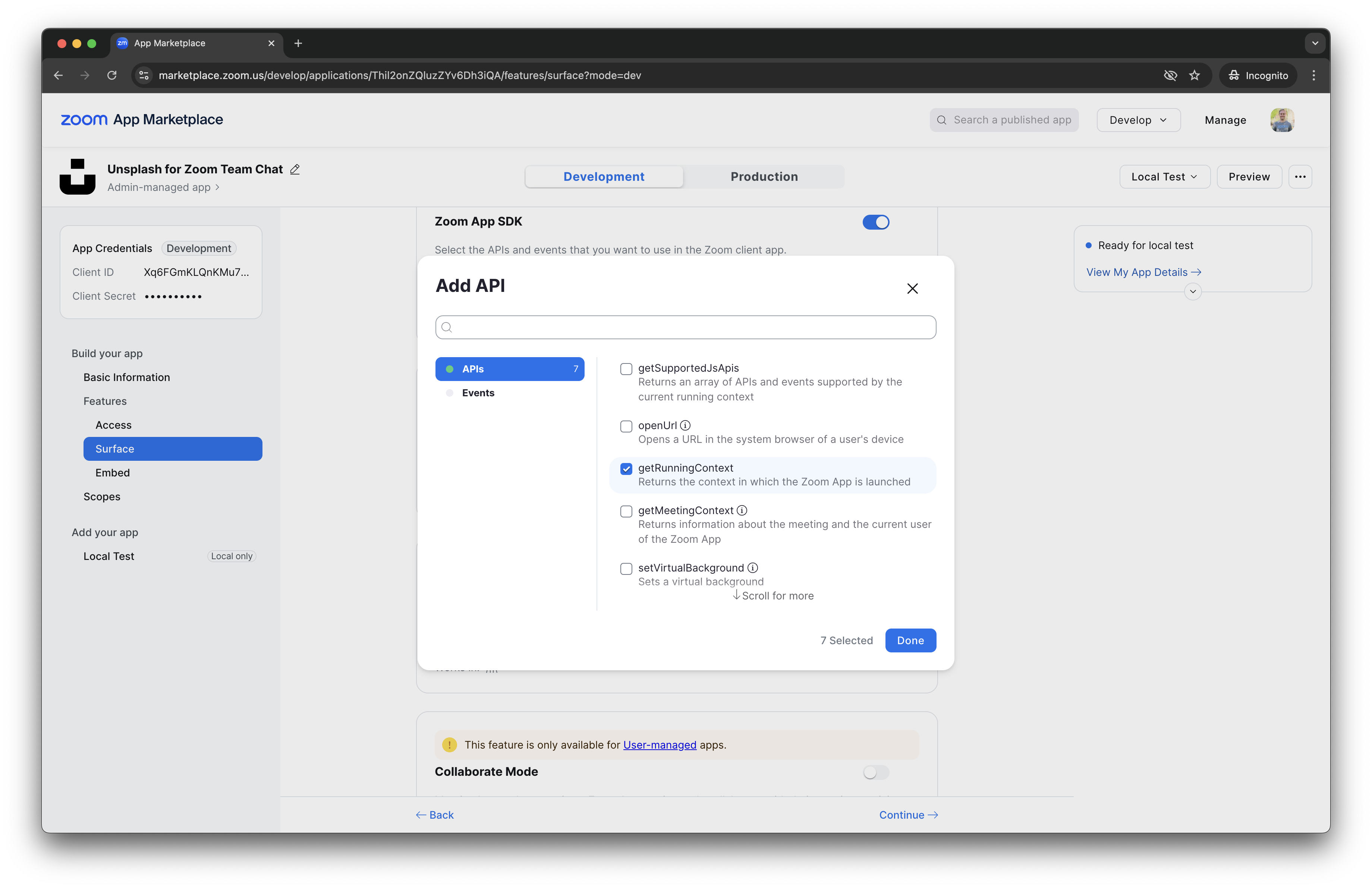
To use the Apps SDK inside your shortcut WebView, navigate to the Features -> Surface page. Then toggle Zoom Apps SDK.
Then, add the following APIs: getRunningContext, getChatContext, composeCard, sendMessageToChat.
Message shortcut
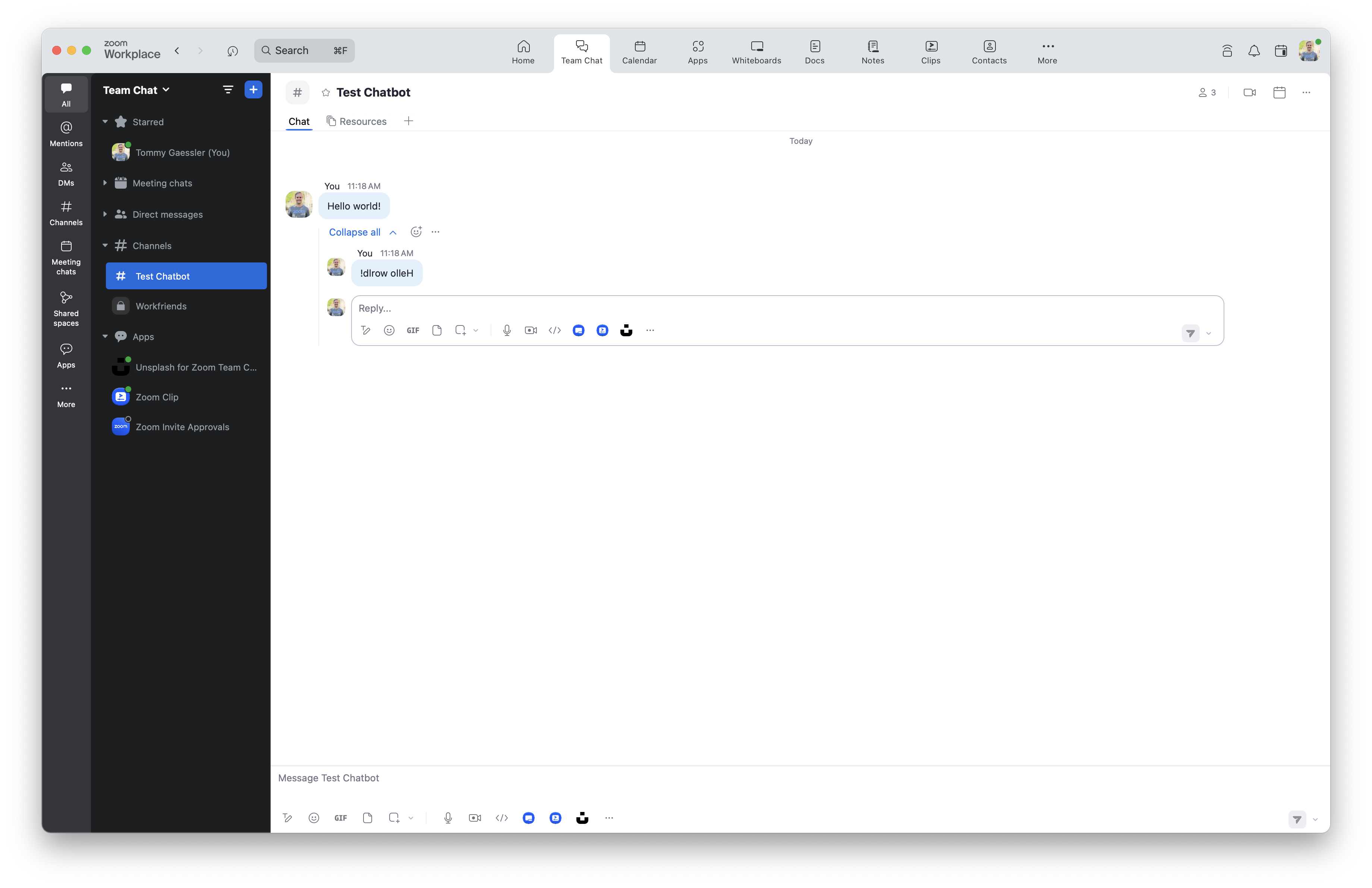
Here is an example shortcut on an existing message that reverses it.
Client side:
import zoomSdk from "@zoom/appssdk"

zoomSdk.config({
  version: '0.16.26',
  capabilities: ['getRunningContext', 'getChatContext', 'composeCard', 'sendMessageToChat']
}).then((appInfo) => {
  if(appInfo.runningContext === "inChat") {
    zoomSdk.getChatContext().then((chatContext) => {
      if(chatContext.compose) {
        // compose shortcut
      } else {
        // existing message shortcut
        zoomSdk.sendMessageToChat({ message: chatContext.content.split("").reverse().join("") })
      }
    })
  }
})
Compose shortcut
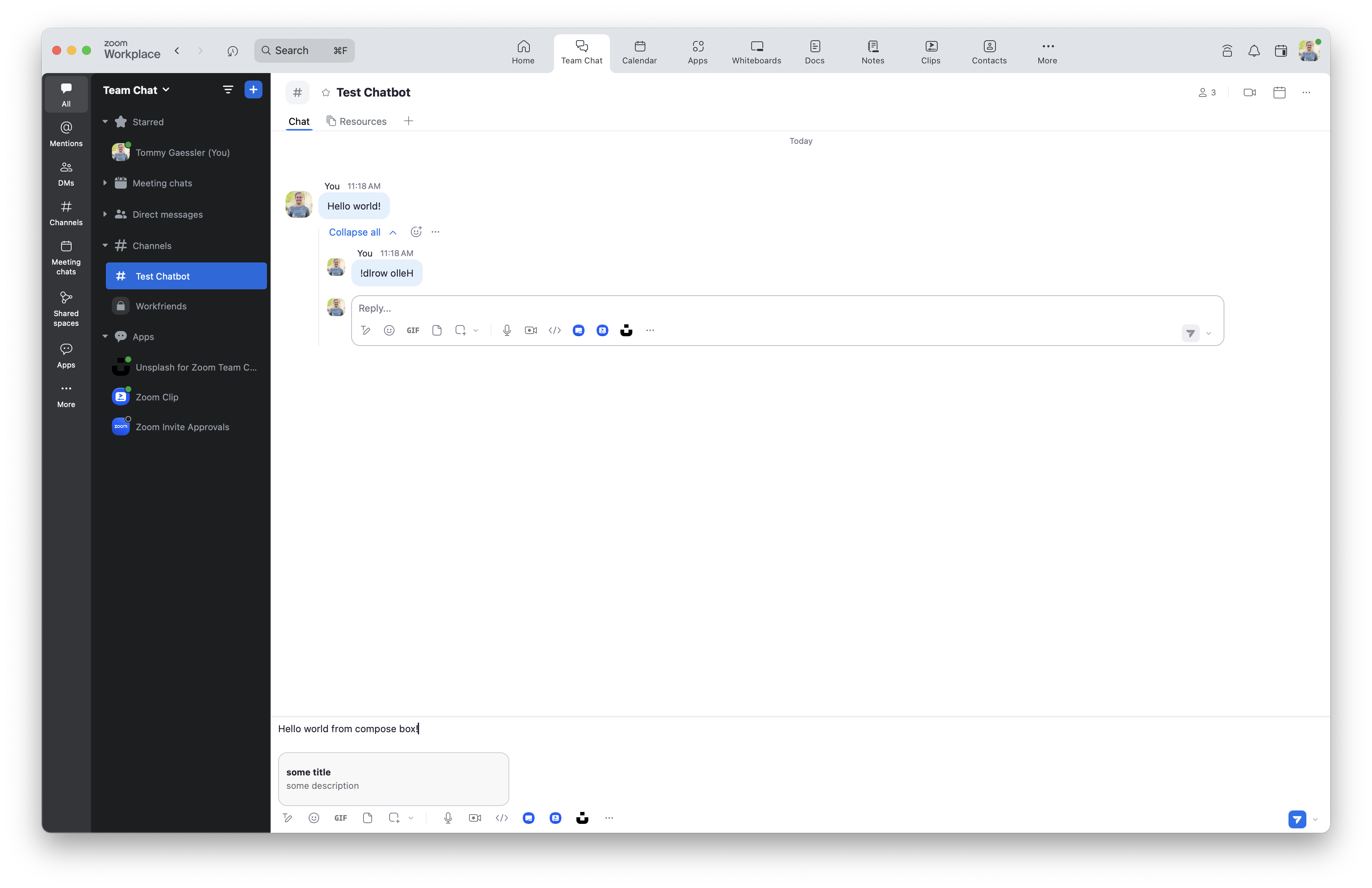
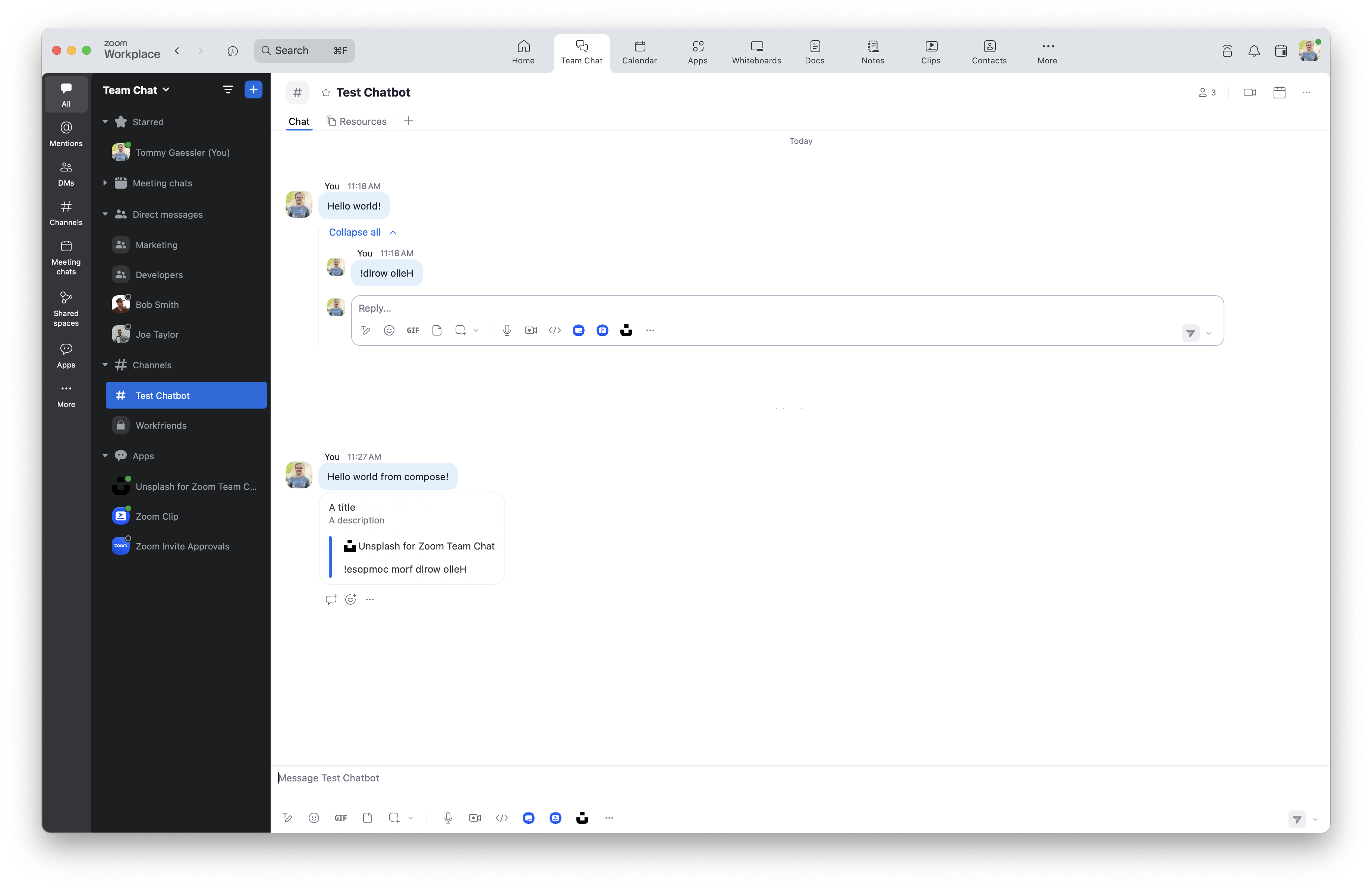
Here is an example shortcut in the compose box that takes the content of the compose box, reverses it, and attaches it as a Zoom Chat card message type. Due note, the zoomSdk.composeCard() function requires additional validation including a signature and timestamp that must be generated on the server side..
Client side:
import zoomSdk from "@zoom/appssdk"

zoomSdk.config({
  version: '0.16.26',
  capabilities: ['getRunningContext', 'getChatContext', 'composeCard', 'sendMessageToChat']
}).then((appInfo) => {
  if(appInfo.runningContext === "inChat") {
    zoomSdk.getChatContext().then((chatContext) => {
      if(chatContext.compose) {
        // compose shortcut

        var content = JSON.stringify({
          "content": {
            "head": {
              "text": "A title",
              "sub_head": {
                "text": "A description"
              }
            },
            "body": [
              {
                "type": "message",
                "text": chatContext.content.split("").reverse().join("")
              }
            ]
          }
        })

        // generate signature and timestamp by encrypting content body on server side, example below
        // API request from client side to server side to generateSignature(content)

        zoomSdk.composeCard({
          "type": 'interactiveCard',
          "message": content,
          "signature": body.signature,
          "timestamp": body.timestamp,
          "previewCard": JSON.stringify({ "title": "A title", "description": "A description" })
        })
      } else {
        // existing message shortcut
        zoomSdk.sendMessageToChat({ message: chatContext.content.split("").reverse().join("") }
      }
    })
  }
})
Server side:
import crypto from 'crypto';

function generateSignature(content) {

  const timestamp = Date.now().toString()
  const message = `v0:${timestamp}:${JSON.stringify(content)}`

  const hashForVerify = crypto.createHmac('sha256', process.env.ZOOM_CLIENT_SECRET).update(message).digest('hex')

  const signature = `${hashForVerify}`

  const body = {
    signature: signature,
    timestamp: timestamp
  }

  return body
}

generateSignature(content)
Message preview:
Zoom Chat card message:
For a full example on App Shortcuts and Apps SDK, check out this sample .