These guidelines show you how to optimize your knowledge base content for improved searchability and user experience with Zoom Virtual Agent. They can enhance your website content's performance in ````javascript // Custom API Demo const EMAIL = 'example.user@zoom.us'; const CONFLUENCE_API_TOKEN = 'CONFLUENCE_API_TOKEN'; const CONFLUENCE_BASE_URL = 'https://zoomvideo.atlassian.net '; const CONFLUENCE_PAGE_ID = 2727675125; const CONFLUENCE_SPACE_NAME = 'ZVA'; and provide users with a seamless and intuitive browsing experience.
We'll explore best practices for setting up your knowledge base website to ensure it's easily searchable by javascript // Custom API Demo const EMAIL = 'example.user@zoom.us'; const CONFLUENCE_API_TOKEN = 'CONFLUENCE_API_TOKEN'; const CONFLUENCE_BASE_URL = 'https://zoomvideo.atlassian.net'; const CONFLUENCE_PAGE_ID = 2727675125; const CONFLUENCE_SPACE_NAME = 'ZVA'; web syncs. Additionally, we'll delve into tips for formatting both the overall structure of your knowledge base and individual articles to maximize visibility and usability in the javascript
// Custom API Demo
const EMAIL = 'example.user@zoom.us';
const CONFLUENCE_API_TOKEN = 'CONFLUENCE_API_TOKEN';
const CONFLUENCE_BASE_URL = 'https://zoomvideo.atlassian.net ';
const CONFLUENCE_PAGE_ID = 2727675125;
const CONFLUENCE_SPACE_NAME = 'ZVA'; platform.
Knowledge base level
This section provides suggestions on how to organize your knowledge base.
Sub-knowledge bases (devices or products)
Offering fewer articles to search makes it easier to diagnose problems, especially when you know the origin of the problem. This guidleline helps increase ````javascript // Custom API Demo const EMAIL = 'example.user@zoom.us'; const CONFLUENCE_API_TOKEN = 'CONFLUENCE_API_TOKEN'; const CONFLUENCE_BASE_URL = 'https://zoomvideo.atlassian.net '; const CONFLUENCE_PAGE_ID = 2727675125; const CONFLUENCE_SPACE_NAME = 'ZVA'; peformance.
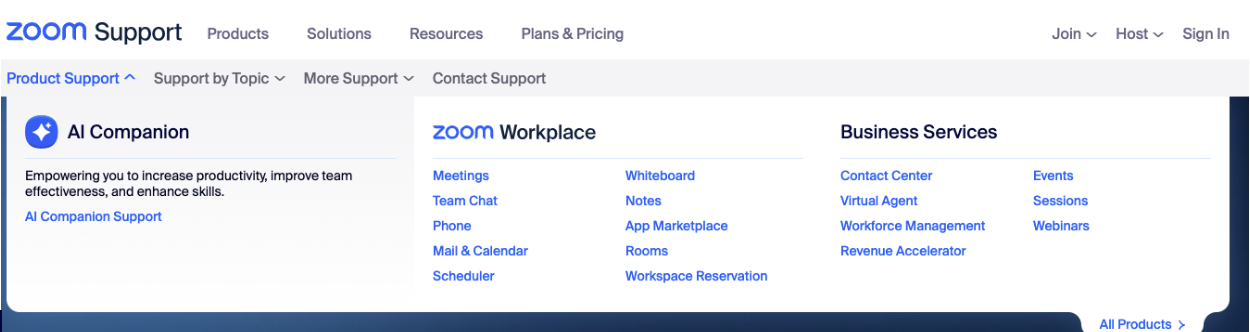
Categories organized by need or motivation
This type of organization reduces the number of articles to review. The blocking of text helps you quickly scan important categories visually.
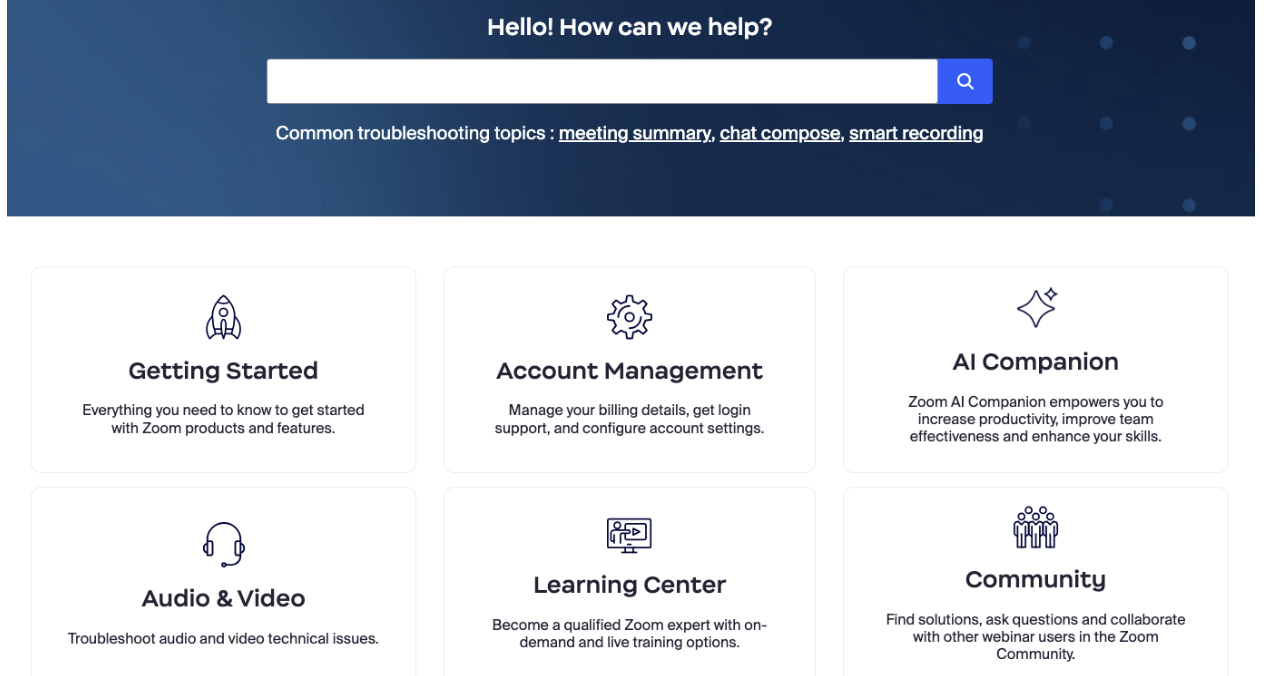
Navigation breadcrumbs
Breadcrumbs make navigation easier because you can see where topics are and where they came from in the hierarchy. Breadcrumbs are especially helpful for knowledge centers with many layers and subcategories.
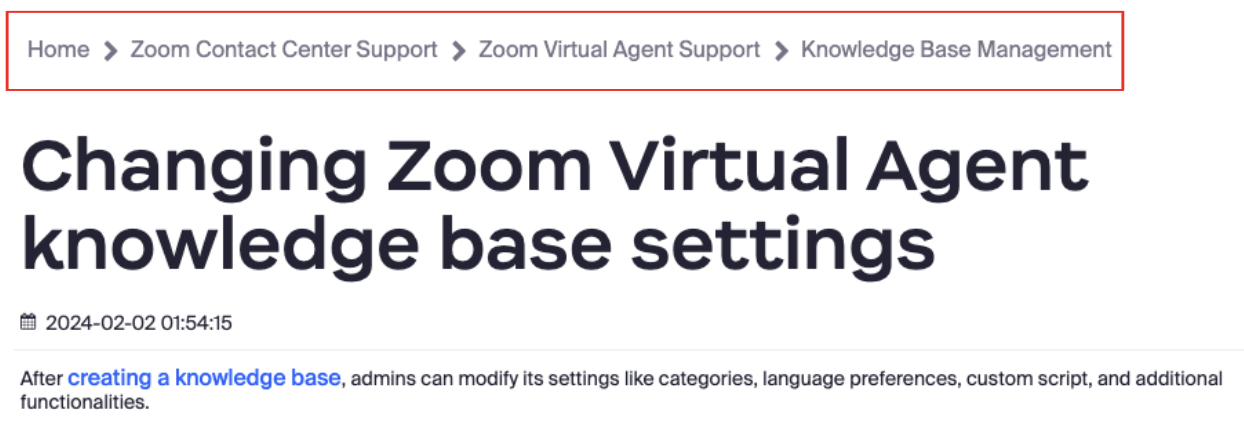
Dedicated list of FAQ
FAQs are questions that are asked most often. They give you quick access to common policies (such as returns or exchanges) without using the search bar.
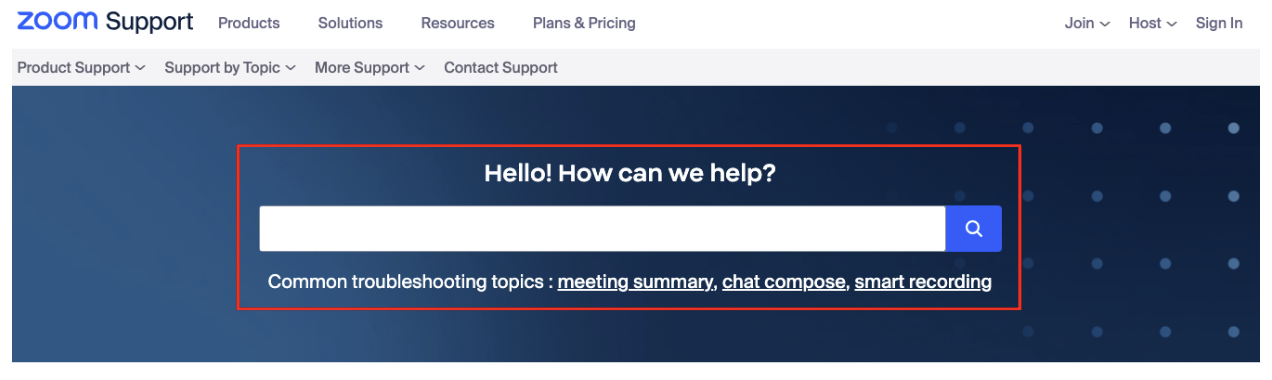
Prominent search bar on each knowledge base page
A noticeable search bar makes it easier to find your way around the knowledge base without having to click as much. You'll need a process to manage tags and keywords to make sure search results stay relevant.
Article level
This section provides suggestions on how to set up individual articles so that they are more easily searchable.
Short titles with main keywords
This approach makes it simpler for you to read content. This guidleline helps ````javascript // Custom API Demo const EMAIL = 'example.user@zoom.us'; const CONFLUENCE_API_TOKEN = 'CONFLUENCE_API_TOKEN'; const CONFLUENCE_BASE_URL = 'https://zoomvideo.atlassian.net '; const CONFLUENCE_PAGE_ID = 2727675125; const CONFLUENCE_SPACE_NAME = 'ZVA'; show answers more easily at the top of the modal window.
Titles and subtitles in natural first person language
You can understand and skim through content with more ease. This guidleline helps Zoom Virtual Agent provide smarter and more relevant answers.
Answers to questions at the beginning
You can find solutions faster when quickly scanning an article. This guidleline helps Zoom Virtual Agent deliver more accurate answers.
In-article subheadings
You can more easily navigate through a long article with related topics. This guideline helps Zoom Virtual Agent offer more context with solutions.
Screenshots with annotations to guide user
Images tend to be easier to grasp than words, especially when you need to follow many steps or handle software instructions.
Links to related resources
A list of related articles makes it easier to find a variety of related information.
In-article navigation (Table of contents)
You can quickly jump to different parts of the article to find answers faster.
Web page technical setup
This table provides best practices you can apply to the technical setup of your web page.
| Page element | Suggestion |
|---|---|
| HTML | Use semantic html tags like header, nav, article, aside, footer to structure content logically.Employ meta tags like title, meta name="description", and meta name="keywords" to provide relevant information to search engines.Use bold, italic, underline tags inside article content.Use list tags for lists.Avoid using tables for layout purposes; instead, reserve them for tabular data. |
| CSS | When using a WYSIWYG (What You See Is What You Get) editor, be mindful of generated CSS code. Review it to ensure it aligns with your design standards and doesn't introduce unnecessary complexity. Note that only very limited inline styles are supported (text-align). Keep CSS files external and minimize inline styles for better maintainability. Ensure CSS is well-organized and commented for easier understanding. Use responsive design techniques to ensure your website is mobile-friendly. |
| Deep links | Utilize anchor tags with descriptive anchor text for internal linking. Ensure deep links lead to relevant and meaningful content, especially with single page FAQs. When you expand an FAQ item, update the URL so you can deep link to it. Avoid orphan pages by linking them to the main navigation or related content. |
| JavaScript | Use JavaScript sparingly and ensure critical content is accessible without it. Optimize JavaScript code for performance to prevent slow page loading times. Ensure graceful degradation for users with JavaScript disabled. |
| Sitemaps | Create XML sitemaps to help search engines discover and index your content. Regularly update your sitemap to reflect changes and additions to your content. |
| Make sure page titles are meaningful and change when the content changes | Craft descriptive and concise page titles that accurately represent the content. To maintain relevance, update page titles whenever the content changes . Avoid keyword stuffing and prioritize user readability. |
| Use the root HTML language attribute to specify the language of the content (e.g. en-US or es) | Set the lang attribute in the root html tag to indicate the primary language of your website, e.g., <html lang="en" for English.Ensure the lang attribute matches the language of the content on each page. This action helps search engines properly understand and index your content for relevant language-specific queries. |