Endpoint: N/A
Granular Scopes: N/A
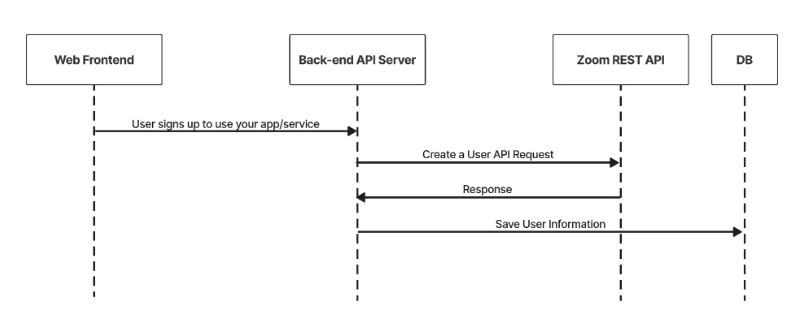
This is the workflow to join a meeting using Zoom Meeting Web SDK.
- After creating a meeting, save the meeting's id and password to your database. You'll use the id to generate the SDK signature and the password to join the meeting.
- Generate the signature to authenticate the SDK. Take note of the following values:
- For
rolekey, use 0 for the participant value. - For
mnkey, use the value of themeeting id. - You can use this sample code to generate the signature.
- For
- Initialize the SDK using the
initmethod. - Join the meeting using the
client.joinmethod. EachZoomMtg joinmethod call needs to be insideZoomMtg initmethod success callback. For the join method, take note of the following values:- For meetingNumber value, use the value of
meeting id. The value must be the same used in the SDK signature.
- For meetingNumber value, use the value of
For more information, see the code sample for join meeting.
Init SDK & Client.Join
ZoomMtg.init({
  leaveUrl: leaveUrl, // https://example.com/thanks-for-joining
  success: (success) => {
    ZoomMtg.join({
      sdkKey: sdkKey,
      signature: signature, // role in SDK signature needs to be 0
      meetingNumber: meetingNumber,
      passWord: passWord,
      userName: userName,
      success: (success) => {
        console.log(success)
      },
      error: (error) => {
        console.log(error)
      }
    })
  },
  error: (error) => {
    console.log(error)
  }
})