A unique join URL for each participant is be provided for each registered participant
Endpoint: N/A
Granular Scopes: N/A
-
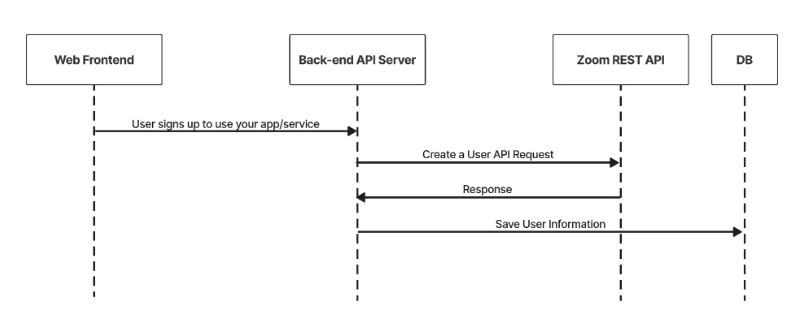
When a user is required to attend this meeting, you use the add a meeting registrant API endpoint. Adding registrants provides a unique join URL for each participant.
An email address, first name, and last name is required. The recommended ISV email address format supplied does not need to be the end user's actual email address. This email address can be in a secondary id format, such as
john.smith@isv.yourcompanydomain.com.There is no email verification required, we force approve the registration in this step.
-
For each registrant added you need to send the unique Join URL to the user or save it in your DB for later use.
-
When it is time for the meeting to start, the host needs to launch the meeting using the
start_url.Each registered participant joins the meeting using their unique
join_url. This then prompts them to join the meeting using their installed Zoom client.This unique url can be used once concurrently.
API Call
CURL command:
curl --location --request POST 'https://api.zoom.us/meetings/{meetingid}/registrants' \
    --header 'Content-Type: application/json' \
    --data-raw '{
      "first_name": "jane",
      "last_name": "doe",
      "email": "example@isv.domain.com",
      "auto_approve" : true
    }'
Sample response:
{
    "id": 85746065,
    "join_url": "https://example.com/j/11111",
    "occurrences":
    [
        {
            "duration": 60,
            "occurrence_id": "1648194360000",
            "start_time": "2022-03-25T07:46:00Z",
            "status": "available"
        }
    ],
    "registrant_id": "fdgsfh2ey82fuh",
    "start_time": "2021-07-13T21:44:51Z",
    "topic": "My Meeting"
}