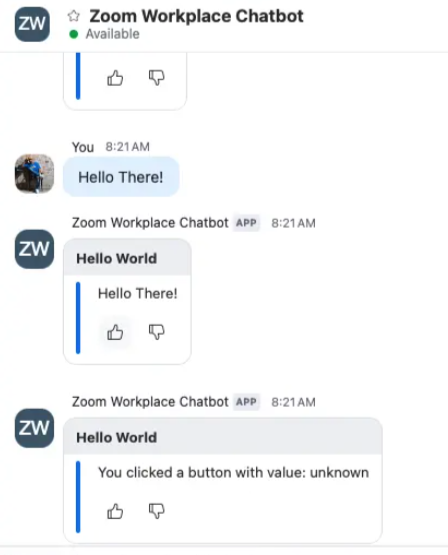
In this section, you’ll add logic to handle button clicks from interactive messages sent by your Zoom Chatbot. When a user clicks a button—such as a thumbs-up or thumbs-down—your bot will capture the value and respond accordingly in chat.
By the end of this section, you’ll have:
- Support for handling interactive message button clicks.
- Dynamic chatbot responses based on user input.
- A visual confirmation of the button value in Chat.
Add a handler for interactive message actions
Extend your webhook event handler to respond to the interactive_message_actions event. This allows your bot to capture the value of a clicked button and send a follow-up message to the chat.
File path
routes/zoom-webhookHandler.js
Code Snippet
case 'interactive_message_actions':
  console.log('Processing interactive message action from Zoom Team Chat');
  sendChatMessage(toJid, `You clicked a button with value: ${payload?.actionItem?.value || 'unknown'}`);
  break;
Test your chatbot’s reaction handling
- Launch your chatbot in Chat.
- Click the thumbs-up or thumbs-down button. The chatbot should reply with the value of the button you clicked.
This interaction pattern gives users immediate feedback and enables lightweight input collection inside Chat—ideal for surveys, approvals, or quick actions.
Example: