Chatbot APIs
Chatbot APIs can be used for sending, editing, and deleting messages. The main difference between Slack and Zoom Chatbot APIs is that Slack recommends using content-type: application/x-www-form-urlencoded whereas Zoom recommends using content-type: application/json.
Send messages
Migrate from the Slack send message API to Zoom send chatbot message API.
Request URL:
POST: https://slack.com/api/chat.postMessage
Request header:
{ "Authorization": "Bearer SLACK_CHATBOT_TOKEN" }
Request body:
{
    "blocks": [
        {
            "type": "header",
            "text": {
                "type": "plain_text",
                "text": "Hello World",
                "emoji": true
            }
        }
    ]
}

Request URL:
POST: https://api.zoom.us/v2/im/chat/messages
Request header:
{ "Authorization": "Bearer ZOOM_CHATBOT_TOKEN" }
Request body:
{
    "robot_jid": "Wk9PTV9ST0JPVF9KSUQ@xmpp.zoom.us",
    "to_jid": "Wk9PTV9VU0VSX0lE@xmpp.zoom.us",
    "account_id": "Wk9PTV9BQ0NPVU5UX0lE",
    "content": {
        "head": {
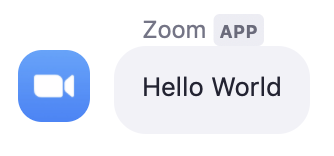
            "text": "Hello World"
        }
    }
}
Edit messages
Migrate from the Slack edit message API to Zoom edit chatbot message API.
Request URL:
POST: https://slack.com/api/chat.update
Request header:
{ "Authorization": "Bearer SLACK_CHATBOT_TOKEN" }
Request body:
{
    "channel": "abc123",
    "ts": "123123123",
    "blocks": [
        {
            "type": "header",
            "text": {
                "type": "plain_text",
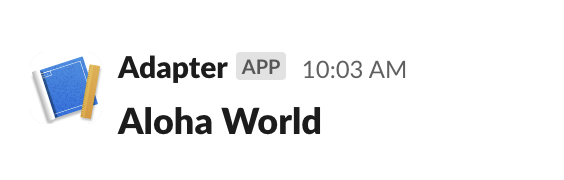
                "text": "Aloha World",
                "emoji": true
            }
        }
    ]
}
Request URL:
PUT: https://api.zoom.us/v2/im/chat/messages/MESSAGE_ID
Request header:
{ "Authorization": "Bearer ZOOM_CHATBOT_TOKEN" }
Request body:
{
    "robot_jid": "Wk9PTV9ST0JPVF9KSUQ@xmpp.zoom.us",
    "to_jid": "Wk9PTV9VU0VSX0lE@xmpp.zoom.us",
    "account_id": "Wk9PTV9BQ0NPVU5UX0lE",
    "content": {
        "head": {
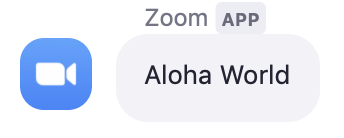
            "text": "Aloha World"
        }
    }
}
Delete messages
Migrate from the Slack delete message API to Zoom delete chatbot message API.
Request URL:
POST: https://slack.com/api/chat.delete?channel=U0xBQ0tfQ0hBTk5FTF9JRA&ts=123123123
Request header:
{ "Authorization": "Bearer SLACK_CHATBOT_TOKEN" }
Request URL:
DELETE: https://api.zoom.us/v2/im/chat/messages/MESSAGE_ID?robot_jid=Wk9PTV9ST0JPVF9KSUQ@xmpp.zoom.us&account_id=Wk9PTV9BQ0NPVU5UX0lE
Request header:
{ "Authorization": "Bearer ZOOM_CHATBOT_TOKEN" }
Send messages via incoming webhooks
Request URL:
POST: https://hooks.slack.com/services/U0xBQ0tfSU5DT01JTkdfV0VCSE9PS19JRA/U0xBQ0tfSU5DT01JTkdfV0VCSE9PS19JRA/U0xBQ0tfSU5DT01JTkdfV0VCSE9PS19JRA
Request body:
{
    "blocks": [
        {
            "type": "header",
            "text": {
                "type": "plain_text",
                "text": "I am a header",
                "emoji": true
            }
        },
        {
            "type": "section",
            "text": {
                "type": "plain_text",
                "text": "I am a message with text",
                "emoji": true
            }
        }
    ]
}
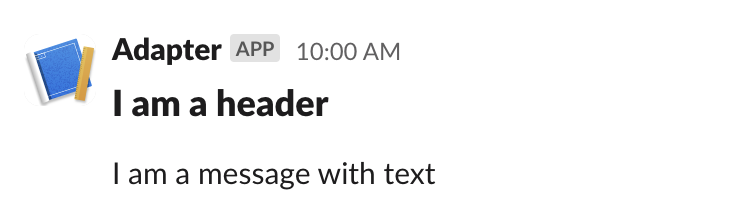
Zoom incoming webhooks are configured outside the Zoom developer portal using the Incoming Webhook chatbot. Zoom incoming webhooks use a static verification token that does not expire, or for more advanced security, a dynamic signature.
After installing the Incoming Webhook chatbot, enter this slash command to generate a URL:
/inc connect NAME
Request URL:
POST: https://integrations.zoom.us/chat/webhooks/incomingwebhook/Wk9PTV9JTkNPTUlOR19XRUJIT09LX0lE?format=full
Request header:
{ "Authorization": "Bearer ZOOM_INCOMING_WEBHOOK_TOKEN" }
Request body:
{
    "content": {
        "head": {
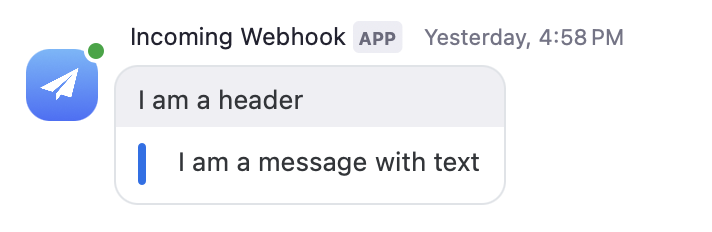
            "text": "I am a header"
        },
        "body": [
            {
                "type": "message",
                "text": "I am a message with text"
            }
        ]
    }
}