Check review status
During the app review process, you can view feedback from the Marketplace Review Team and respond through review notes. Review notes are displayed as a speech bubble icon in the app status panel. The icon is only displayed when there is a new note or response needing your attention.
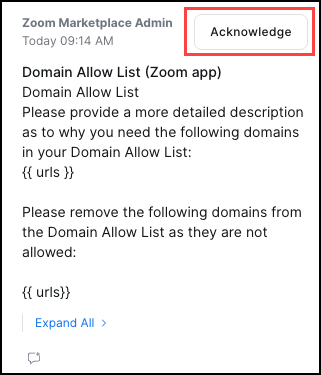
In this example, the review team has sent a note about the functional review of your app.

Expand the panel as needed to view and reply to the note.
You are required to review all notes from the Review Team and respond to or acknowledge them before resubmitting your app.
To send your reply back to the review team, you must go to the App Submission page and resubmit your app for review. This is only the mechanism for sending app changes and review note responses to the review team.

Monitored email inbox
Ensure you provide a monitored email inbox so that Zoom teams can contact you about your published app. Enter the email information in the app build flow on the App Listing page > Developer Contact Information. This email is for use by Zoom teams only, and is not shared with customers.
Reporting of security test results
Security testing results are communicated via Notes.
- PASS means that the attested TDD meets acceptable use criteria and that the application passes the minimum requirement for securely handling Zoom data.
- FAIL means the application does not meet acceptable security standards. The Marketplace Security team may, in its discretion, suggest actions you can take to remediate the issues.
- WARNINGS are reported for analysis and consideration. An application with zero FAILs but one or more WARNINGS receives a PASS.
Attention
The results of the security review are confidential and may not be shared with third parties without Zoom's prior written consent.
Resources
- For security review assistance, contact marketplace.security@zoom.us.
- For functional review assistance, contact integration.testers@zoom.us.
- Build flow screens - Persistent info