Meeting settings
The code on this page only works with the default UI.
When you host a meeting, you'll be able to configure the meeting based on your needs.
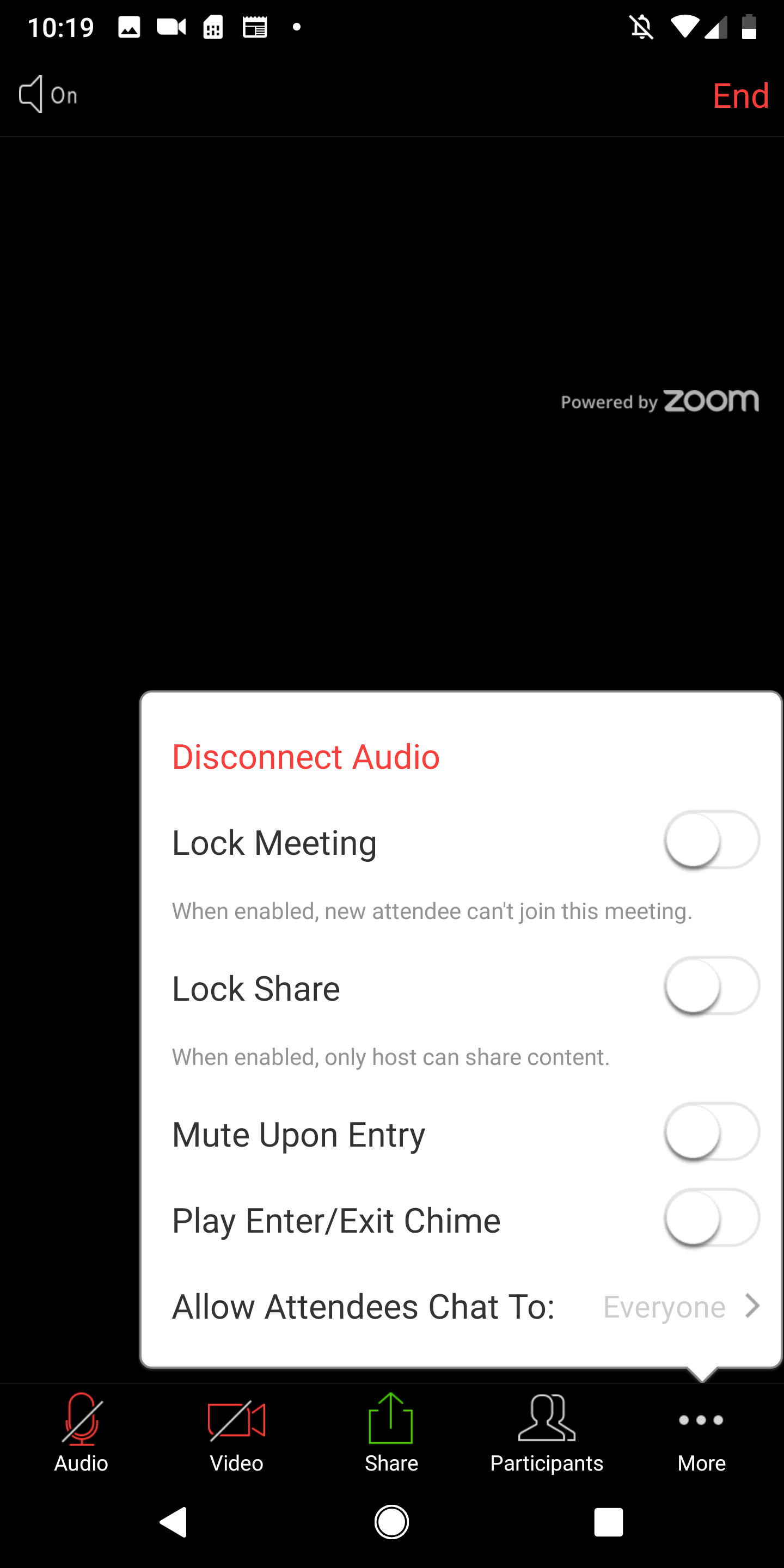
In this section, we'll cover the functions shown in the screenshots. Our SDK provides many more functions that let you configure your meeting. Refer to our SDK reference for more information.
Lock the meeting
To block new participants joining your meeting at any time,
pass a boolean value to
inMeetingService.lockMeeting() like this:
// Lock the meeting
inMeetingService.lockMeeting(true);
// Unlock the meeting
inMeetingService.lockMeeting(false);
Note: You need to instantiate an inMeetingService object before
calling this function.
Lock sharing
If you would like to forbid your participant to share contents, or not
allow them to share anything, firstly, you need to get an
inMeetingShareController instance from your inMeetingService object.
InMeetingShareController inMeetingShareInstance = inMeetingServiceObject.getInMeetingShareController();
Then, simply call lockShare function and pass a boolean value
(True/False) to lock participants' ability to share contents.
// Lock share
inMeetingShareInstance.lockShare(true);
// Unlock share
inMeetingShareObject.lockShare(false);
Mute upon entry
If you would like to mute every participant when he/she enters the
meeting room, similar to lockShare, firstly you need to get an
inMeetingAudioController instance from inMeetingService object:
inMeetingAudioController inMeetingAudioInstance = inMeetingServiceObject.getInMeetingAudioController();
Then, simply call setMuteOnEntry function and pass a boolean value to mute or unmute participants upon entry.
// mute participants upon entry
inMeetingAudioInstance.setMuteOnEntry(true);
// unmute participants upon entry
inMeetingAudioInstance.setMuteOnEntry(false);
Play the enter or exit chime
When a participant enters or exits the meeting room, a chime sound plays. To disable the chime, pass a boolean value to enable or disable the chime sound.
// enable chime
inMeetingService.setPlayChimeOnOff(true);
// disable chime
inMeetingService.setPlayChimeOnOff(false);