Troubleshooting Server-to-Server OAuth access tokens
Server-to-Server (S2S) OAuth apps are internal applications on the Zoom Developer Platform that allow you to programmatically access data from and about your account via Zoom Open API endpoints. While S2S OAuth apps mirror much of the functionality and use of the recently deprecated JWT app type, one significant difference that can trip some users up is how S2S access tokens are generated. In this blog post, we'll review how to troubleshoot common user errors during the token retrieval process.
Server-to-Server OAuth token generation error "unsupported grant type"
When you see the "unsupported grant type" error, there are several possible root causes, but they are usually some iteration of the following two:
Misconception #1: You are using the right credentials from your Server-to-Server OAuth app, but you are following the access token request process for OAuth 2.0. This is incorrect and you should reference this documentation instead.
Misconception #2: You are following the S2S OAuth token generation steps correctly, but are using the wrong app type application credentials. We will review that scenario more in-depth below.
Sometimes developers mistakenly overlook that S2S OAuth token generation requires the S2S OAuth app type, and try to complete the process with OAuth or another app type (such as Meeting SDK or Zoom Apps) that has OAuth app credentials.
Let's reproduce this scenario.
First, I grab application credentials (client id and client secret) from one of my OAuth test apps:
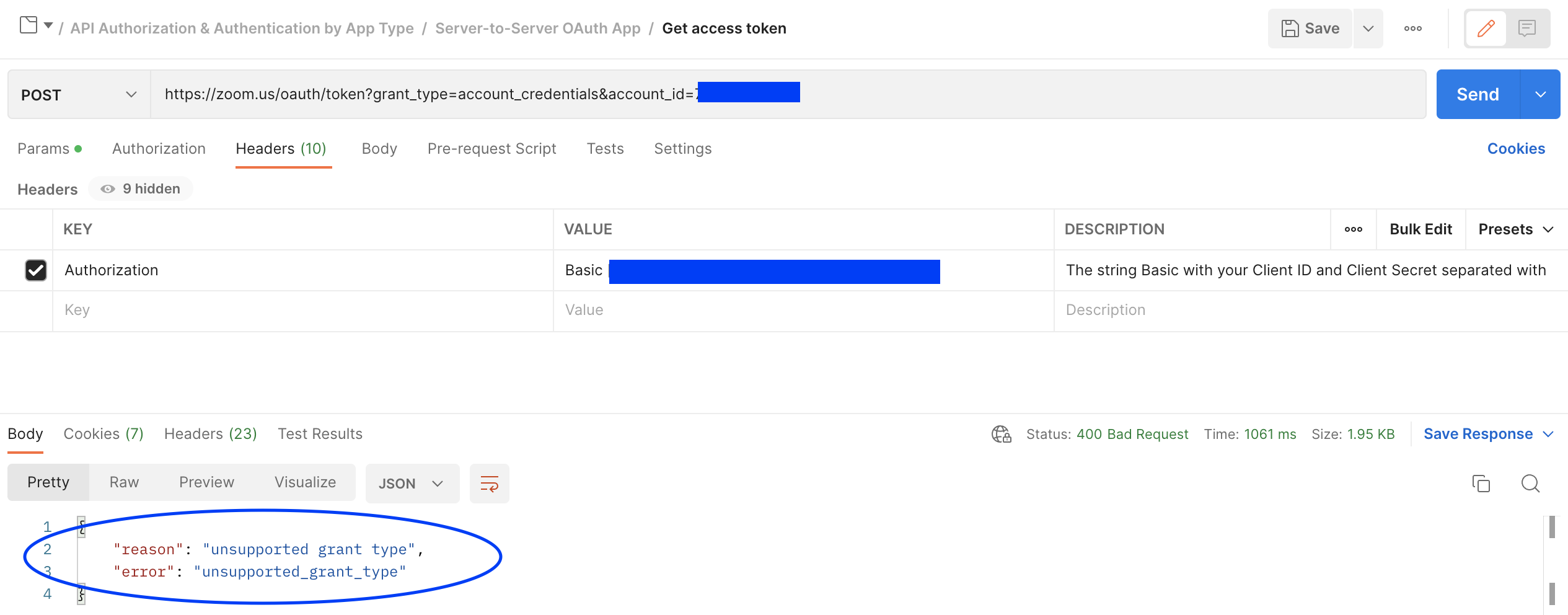
Then, I use my forked branch of the Zoom Public Workspace on Postman to attempt S2S OAuth access token generation by making a HTTP POST request to https://zoom.us/oauth/token?grant_type=account_credentials&account_id={account_id}:
Despite hitting the necessary endpoint with the correct account id and including a base 64-encoded client id and client secret, I receive the "unsupported grant type" error.
To fix: You must use the client credentials from your created S2S OAuth app.
Server-to-Server OAuth token generation error "bad request"
You may see this error when you have the correct client_id and client_secret, but the wrong or missing value for the account_id query parameter. For instance, if you take the account number you see under "profile" on the Zoom web portal and pass it to the token retrieval endpoint thinking it is the same as your account id:
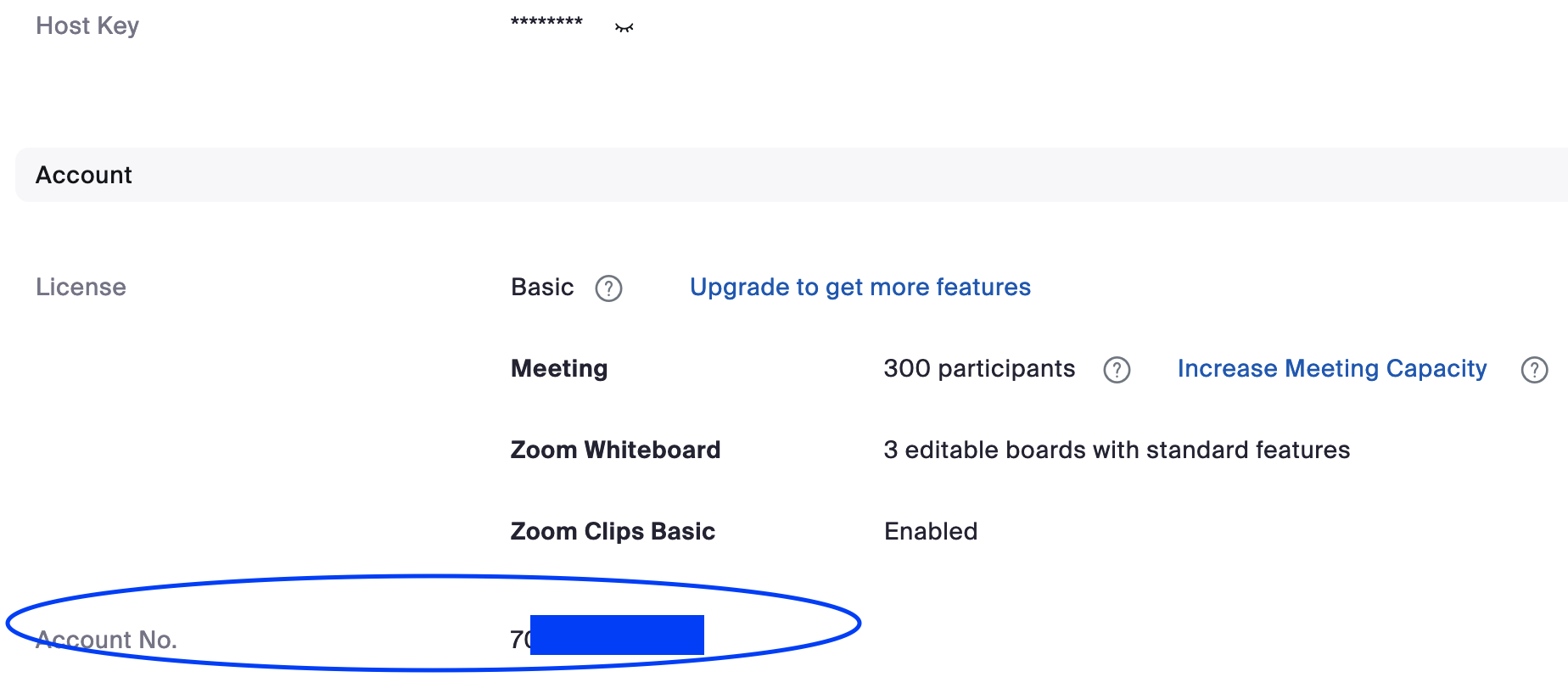
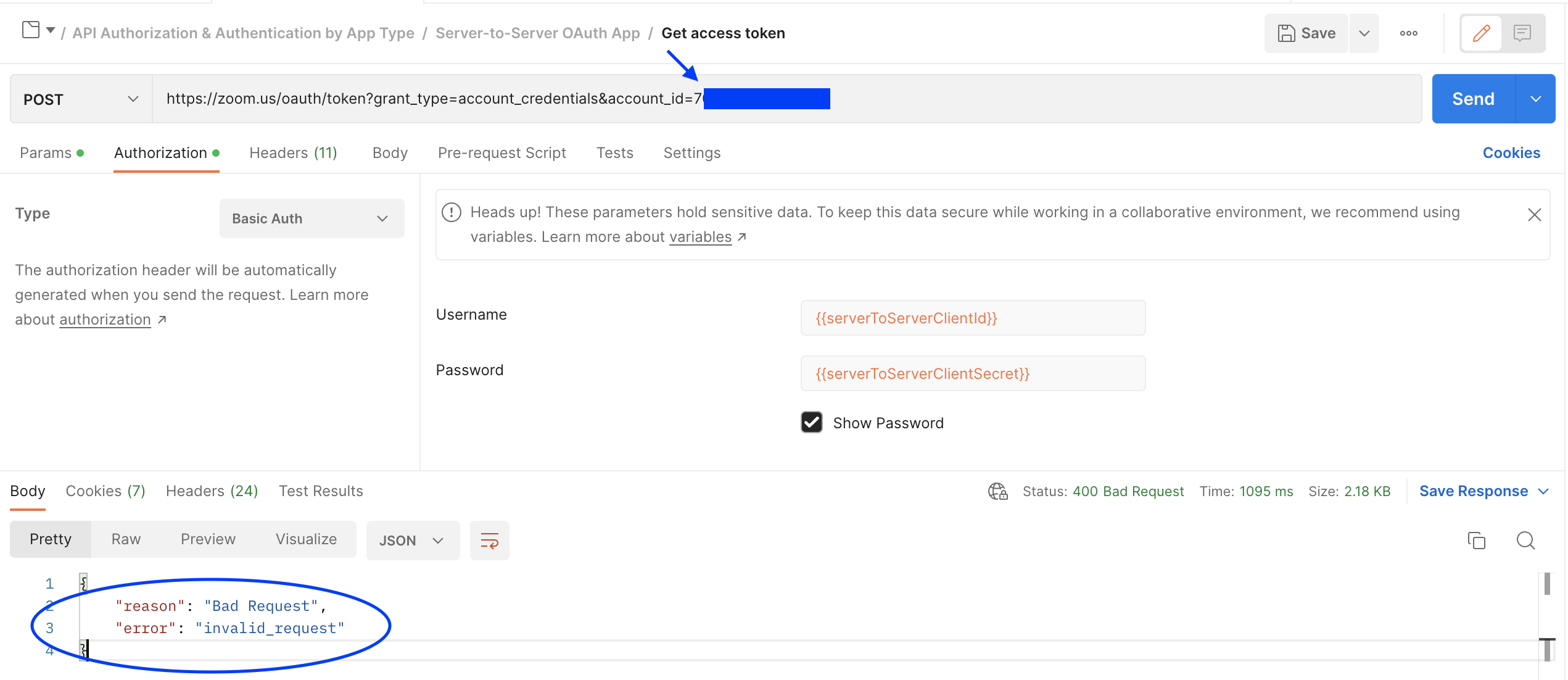
To fix: Find the correct account id value listed among your application credentials for your S2S OAuth app or by querying the get a user Zoom Meeting API endpoint. Then use that value when making a HTTP POST request to https://zoom.us/oauth/token?grant_type=account_credentials&account_id={account_id}.
Server-to-Server OAuth token generation error "invalid client id or client secret"
If using the Zoom Public Workspace, you may run into this error if you have both the "Authorization" and "Headers" tabs enabled with incorrect/conflicting information.
This often happens when users fork the repo and forget to populate their application credentials in the collection variables, per the workspace tips on the overview page. It's easy to overlook the variables in the "Authorization" tab if you go straight to populating your base64 encoded S2S OAuth client_id:client_secret in the "Headers" tab. Unfortunately, this means when the request is sent, it will return the "invalid client id or client secret" error because the "Authorization" and "Headers" tabs are both enabled and sending conflicting information to the token retrieval server:
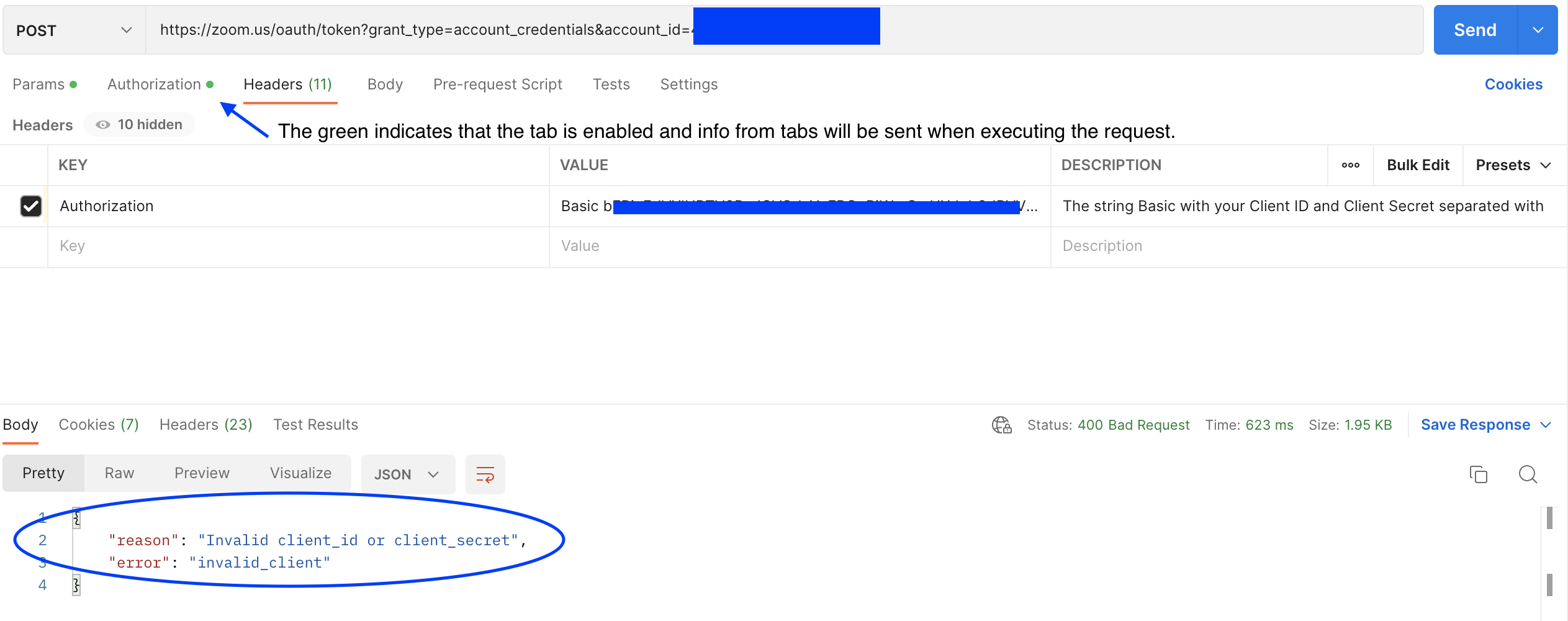
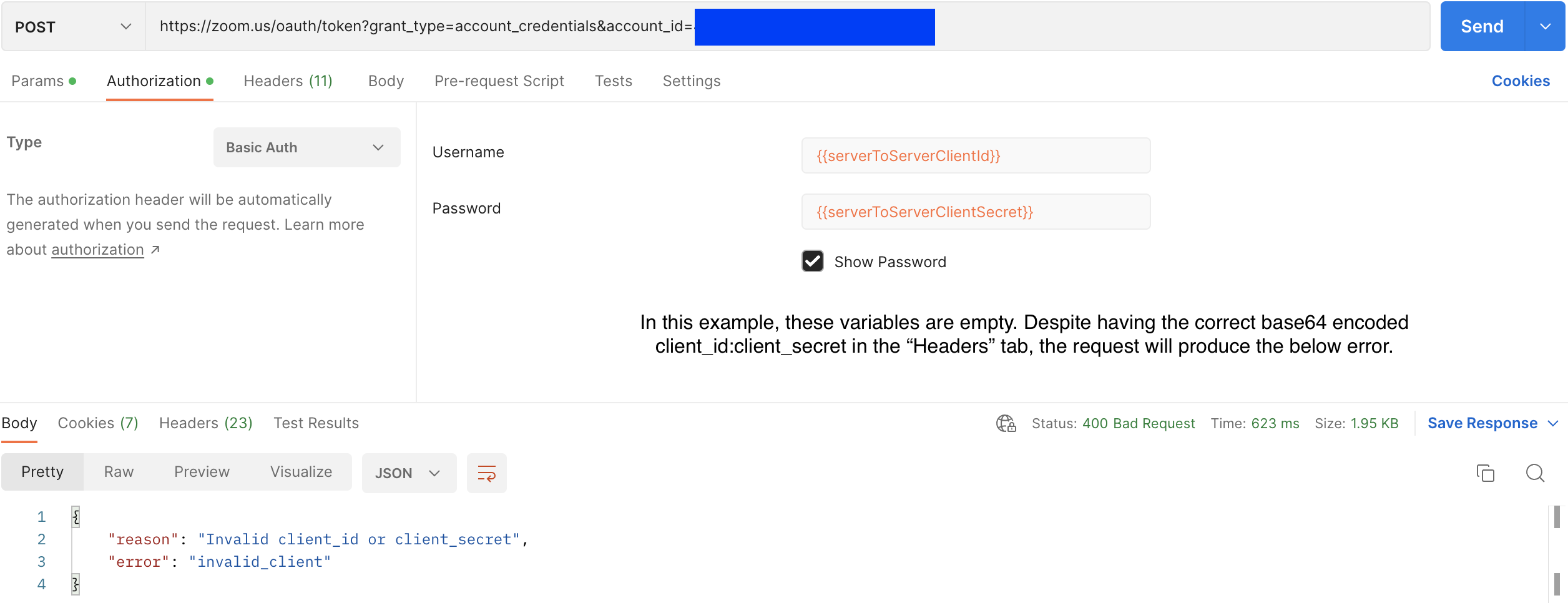
To fix: Use EITHER the "Authorization" tab with your populated S2S client id and secret OR the "Headers" with base64 encoded clientid:client_secret. You can also keep both "Authorization" and "Headers" tabs enabled, _but the values need to be correct in both tabs for a successful request.
Server-to-Server OAuth token generation error "Account does not enabled REST API"
Many users have run into the following error when seemingly successfully retrieving a S2S OAuth access token using Postman's "Authorization" GUI and attempting to use that token for Zoom API endpoints. See example from the Zoom Developer Forum here.
Even though this setup will return an access token, it is not generated correctly (and therefore, invalid) because the GUI doesn't account for account_id as one of the necessary query parameters that needs to be appended to the https://zoom.us/oauth/token? endpoint along with grant_type=client_credentials.
For your reference, make a full comparison of how standard OAuth access tokens are generated compared to S2S OAuth access tokens. I also recommend expanding the "Documentation" button when using the Zoom Public Workspace to double check that you are using the request correctly:

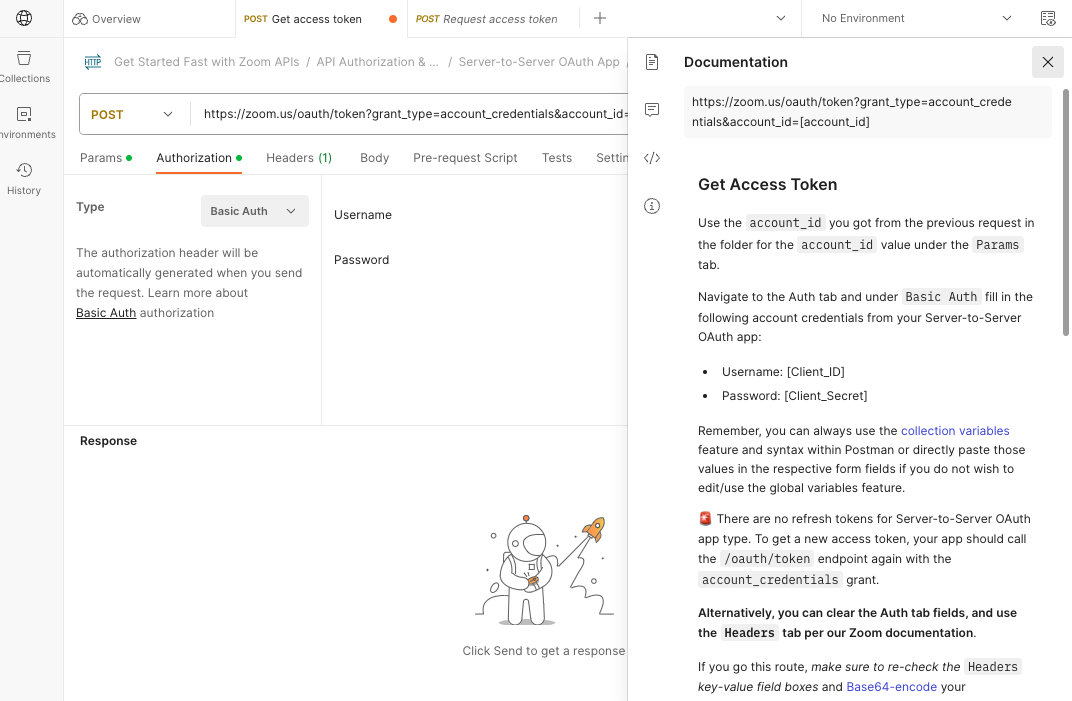
To fix: Follow the correct documented procedure linked throughout for creating Server-to-Server access tokens.
Conclusion
These are the most common S2S OAuth token generation user errors we have encountered, and hope this troubleshooting guide helps build your confidence when using Server to Server OAuth apps! Additionally check out the following resources that can help further reduce user error:
- S2S OAuth app prerequisites
- Github sample app: S2S OAuth Starter App
- Github sample app: Zoom Server-to-Server OAuth Token Generation
- Zoom Developer Forum: PHP and cURL code snippets for S2S OAuth
- Zoom docs code samples