

You may have received several emails from Zoom this past year regarding JWT app type deprecation in the Zoom Marketplace. Whether you've tried to set up a JWT-based integration to Zoom, or have received an update notification, this guide will walk you through what you need to know regarding the migration process.
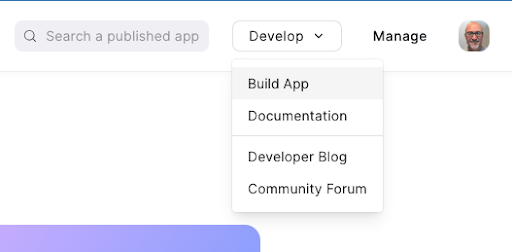
June 1st, 2023 was the first deadline in our deprecation process. On this date, Zoom disabled the ability to create new JWT apps in the Zoom Marketplace. When you log into the Zoom Marketplace and click the Develop, Build App option in the top right corner of the screen:
You'll notice that the Create button for the JWT app type is no longer available.
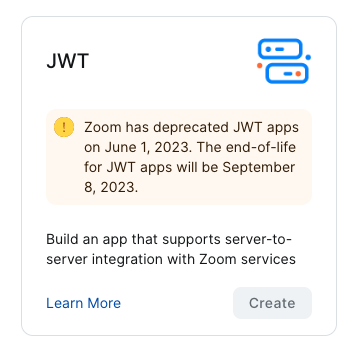
This means that you cannot create a new JWT app type in your account. If you already have a JWT app type on your account, you'll see a View button that will take you to your existing JWT app type.
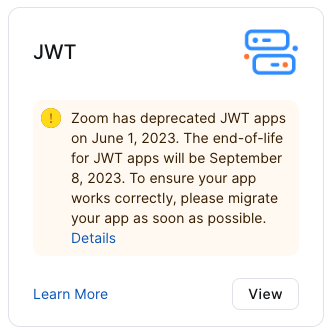
You may already have a JWT app type if you use an integration created by a third-party developer. If that was the case, ensure that the app's developer has already migrated their app to OAuth.
The next date to be aware of is September 8, 2023, the projected end-of-life date for all JWT apps. Developers must migrate their JWT-based solutions to the new server-to-server OAuth or OAuth app types before September 8th. If you're a Zoom customer using a JWT-based integration, you must update your integration or work with the third-party developer to ensure their migration to OAuth.
Access program-specific migration guides for integrations developed by Zoom below:
- Azure Automated Provisioning (SCIM)
- Salesforce for Zoom App
- Epic and Epic FHIR
- Zoom Rooms JSON RPC API
What if I don't know how my JWT App is being used in my account?
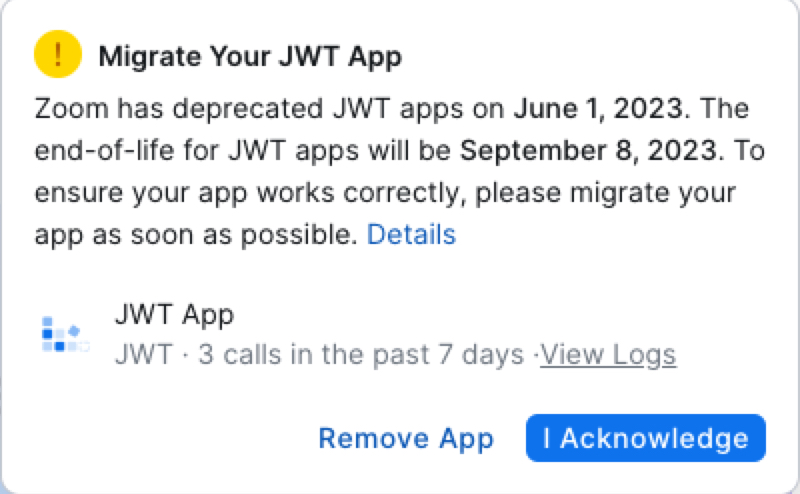
When you login to the Marketplace, view the notification banner displaying your JWT App Name. If there's only one type of app or integration using your JWT credentials, then it's likely the app has a descriptive name, such as "Azure SCIM JWT". If this is the case, follow the migration guide for that app or integration, or contact the third-party developer who created the app.
If the JWT app doesn't have a descriptive name, follow the steps below to try to determine if and how your JWT app is being used.
-
Review the call logs for your JWT app . The number of API calls made using your JWT app credentials during the last 7 days is shown in the JWT Deprecation notification banner:

The call logs will show you which API endpoints are being used by your JWT app. This won't show who is making the API calls, but you can review the types of endpoints the app is using to make an assessment.
-
If you're able to determine what apps or integrations are using your JWT app credentials, follow the JWT app type migration guide or the Migrating to server-to-server OAuth from JWT webinar to migrate your apps, or work with the third-party developer who created the app.
-
Once you've migrated your apps, or if you've assessed that there will be limited to no disruption to your business or business operations, we recommend deactivating your JWT app for a period of time. To do this, navigate to created apps in your marketplace account and click the name of your JWT App:
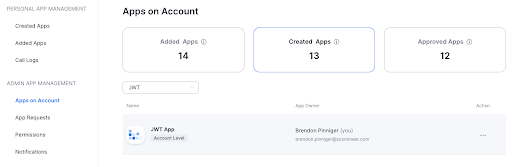
Next click the Manage app tab and click the Disable button:
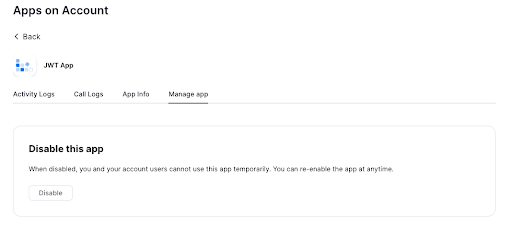
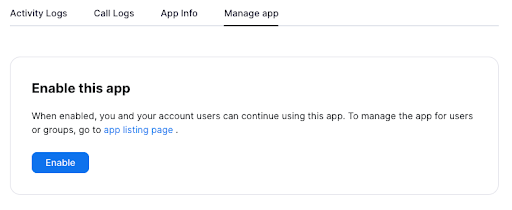
Any apps using the JWT credentials will break upon access. You can easily reactivate the JWT app if necessary.
-
Once you're confident that the JWT app is no longer needed, remove the app from your account. Removing the app will permanently delete it from your account.
⚠️ Note: There is no way to recover or restore the app once it's been removed.
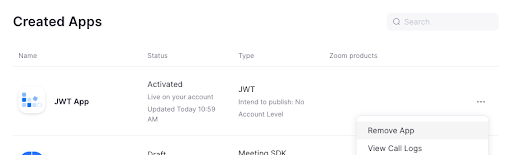
To remove the JWT app, click the Remove App button in the JWT Deprecation notification banner (see the screenshot at the beginning of this post), or navigate to the created apps in your account, click the ellipsis (3 dots) next to the JWT App, and select Remove App.
Need support?
If you have questions, check out the Developer Forum or register for Zoom Developer Open Hours .