Host user experience
When hosting a meeting or webinar where Realtime Media Streams (RTMS) is available, you'll see a variety of disclosures and notifications, request modals, and other visual indicators. These help you control and monitor what data is being shared and with whom.
Disclosures and notifications
You may see these disclosures and notifications while hosting a meeting or webinar.
RTMS disclosure
This standard disclosure is displayed for you as the host and all participants: "The content of this meeting is being sent to one or more apps."

If you're hosting a webinar, you'll see "The content of this webinar is being sent to one or more apps.".
App Activity Notifications
As the host, you'll see these App Activity Notifications (AAN) if RTMS-enabled apps are accessing content.
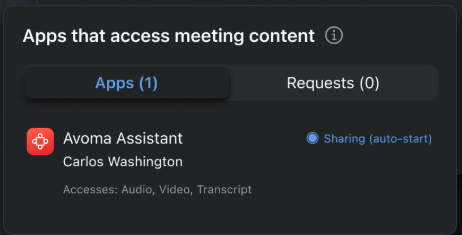
RTMS set to auto-start
You'll see this AAN when RTMS-enabled apps are set to auto-start by the account admin.
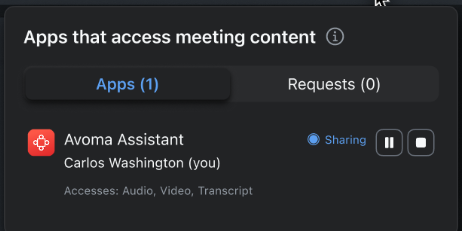
RTMS started by host
You'll see this AAN when you start RTMS.
In this example image, you are Carlos Washington and the host.
Request modals
You may see these modals when hosting a meeting or webinar.
Note
You won't see a request modal for an app you've selected Always allow in my meetings for.
Single app
You'll see this modal if you require approval to share content, and
- The admin sets apps to auto-start from a different account than the host.
- Participants from the same or different accounts request to use an app during a meeting or webinar, initiated via the app using the JS SDK APIs.
You can then choose Allow or Deny. Selecting the arrow next to Allow also lets you choose Always allow in my meetings, so the app doesn't need to request your approval again in meetings and webinars you host.
Multiple apps
You'll see this modal if you require approval to share content, and
- Multiple apps are requested by one or more participants.
- Multiple external admins set apps to auto-start for multiple participants from different accounts.
- Participants from the same or different account request to share content.
You can then choose Allow or Deny. Selecting the arrow next to Allow also lets you choose Always allow in my meetings, so the app doesn't need to request your approval again in meetings and webinars you host.
Visual indicators
When RTMS is enabled in a meeting or webinar, and at least one app is accessing content, you'll see these notifications.
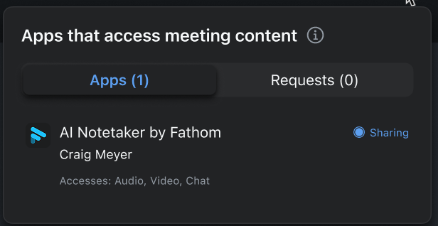
Apps actively sharing
You'll see this AAN when an approved app is actively sharing content.
It shows the name of the app, the app's user, and the status as sharing.
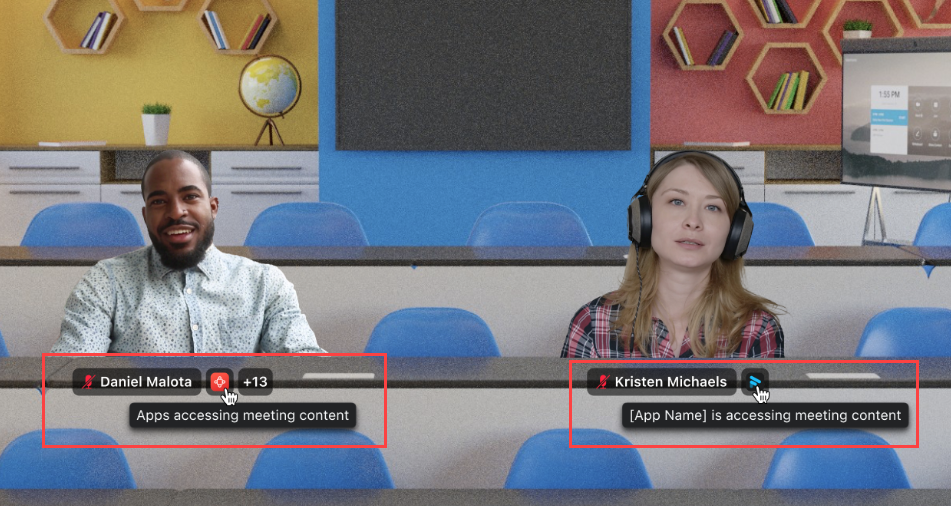
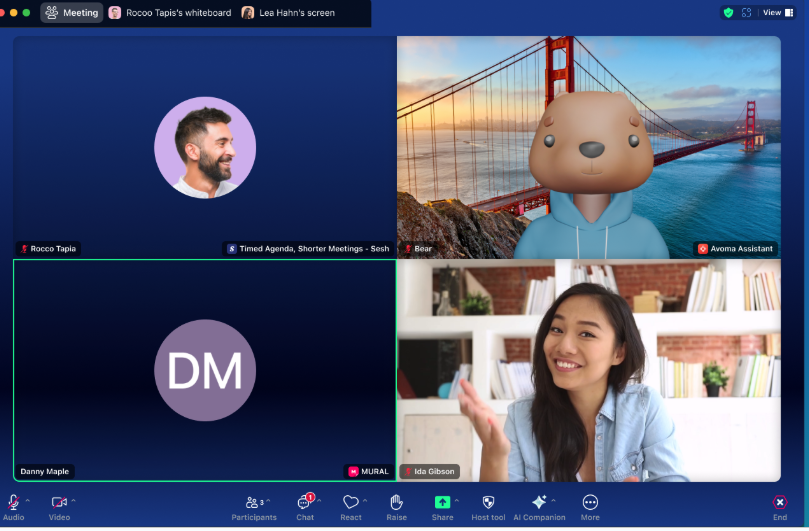
Video tiles
The video tiles view of active apps is the same for all participants, including you as the host.
The name of the app used by the participant is displayed in their video tile.
Immersive view
The immersive view of active apps is the same for all participants, including you as the host.
The name of the app used by the participant is displayed below their video image.