When your app goes international, you might need to provide your app in different languages for your users. Our Meeting SDK for iOS natively supports over a dozen languages, including English, simplified or traditional Chinese, Japanese, German, French, Spanish, or Vietnamese.
See the full list of supported languages .
To add languages other than the supported
languages, define the string resource in
Localizable.string file.
Step 1: Locate the Localizable.string file, normally located
in the /Supporting Files/Localizable.strings folder in the
MobileRTCSample:
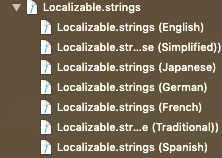
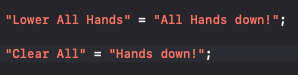
Step 2: Change the desired sentence to be the new string, our default file does not contain all strings, you can add new string as long as the string matches the string shown in the UI. For example:
Step 3: Build and run your application and observe your changes in the UI:
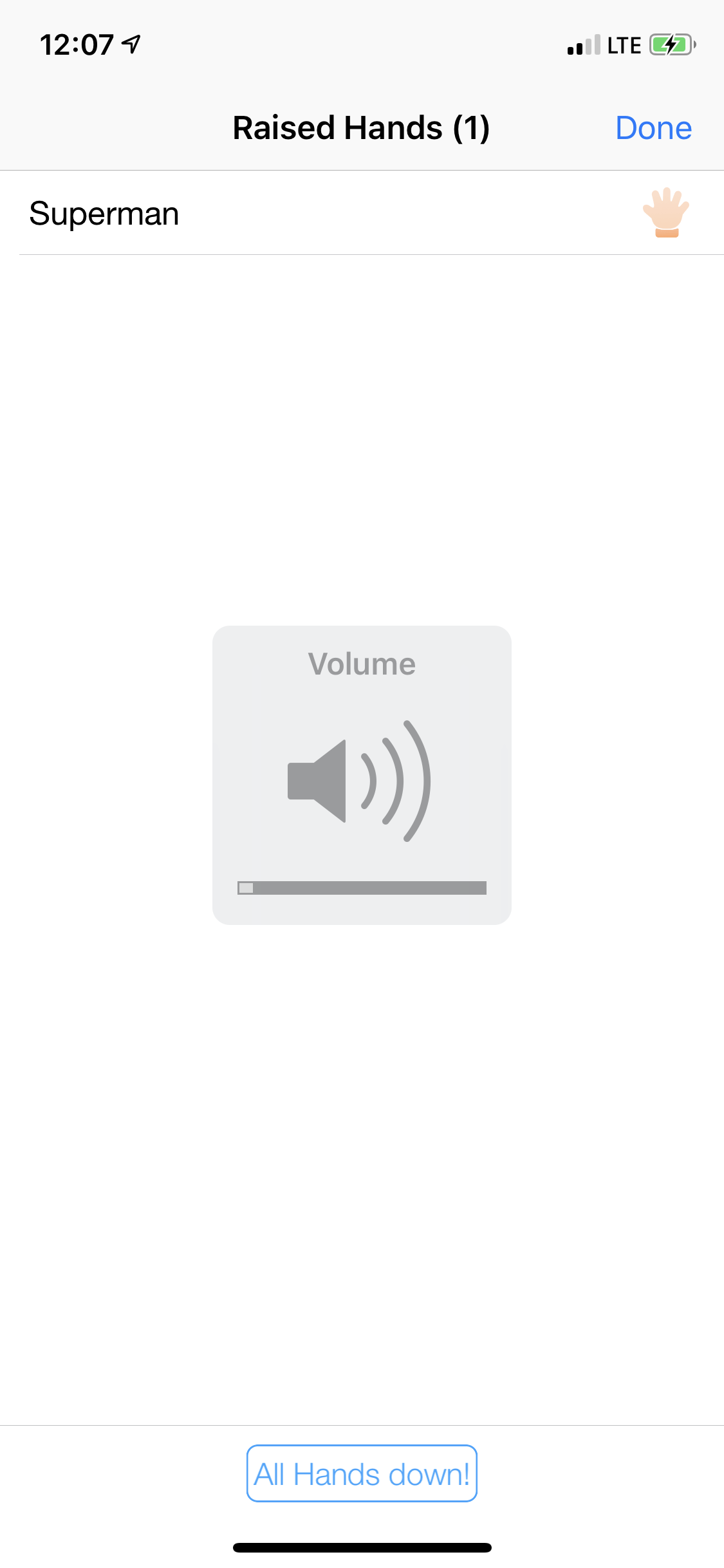
The key point is: The key of the string should be matched with the one in Meeting SDK UI, for example:
"Waiting..." = "Sample Waiting...";
"Zoom" = "SDK Sample";
"Leave" = "Exit";
"Leave Meeting" = "Exit Meeting";
You can edit the strings to be your own version and you can set up the languages by doing the following:
- Get supported language, currently our SDK supports the following languages: English, German, Spanish, Japanese, French, Chinese Simplified, and Chinese Traditional.
Get supported language
[[MobileRTC sharedRTC] supportedLanguages];
MobileRTC.shared().supportedLanguages()
- You can pass the associated language type in the
languageArraytosetLanguagefunction to change language:
Change language
[[MobileRTC sharedRTC] setLanguage:@"en"];
MobileRTC.shared().setLanguage("en")
- If you would like to add a language that is not supported by default, create a file called
Localizable.stringsand add it to your main bundle. Add the necessary key-value pairings mentioned above. Then call thesetMobileRTCCustomLocalizableNamefunction.
Add language using Localizable.strings file
[[MobileRTC sharedRTC] setMobileRTCCustomLocalizableName:@"Localizable"];
MobileRTC.shared().setMobileRTCCustomLocalizableName("Localizable")