Initiate an outbound call
Zoom supports various URI schemes that enable you to click a secure hyperlink or a button that launches the Zoom Phone client.
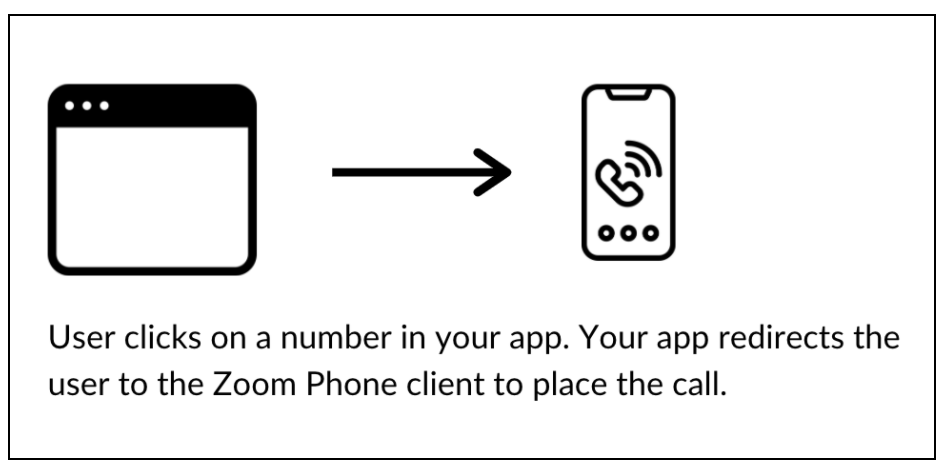
This guide provides you with an overview of the supported URI schemes you can use to redirect your app users to the Zoom Phone client to make outbound calls.
Prerequisites
To use these schemes, the caller must meet the following prerequisites:
- Install the latest version of Zoom client and stay logged in before initiating a call from another app.
- Have a valid Zoom Phone number.
Supported URI schemes
Zoom supports these URI schemes to launch the Zoom Phone client and place calls.
calltotelzoomphonecall
Notes:
- Basic
zoomphonecallURI support to exclude iOScalleridandseccallparameters.- No
zoomphonecallandtelsupport for Android due to the system security limitations.
callto and tel URI schemes
The callto and tel URI schemes are popular industry standard schemes. You can use either of these schemes to launch the Zoom Phone client.
Implement the callto scheme with the following URL format:
callto:{phoneNumberToCall}- Example:
callto:+123456789
Implement the tel scheme with the following URL format:
tel:{phoneNumberToCall}- Example:
tel:+123456789
zoomphonecall URI scheme
You can use the zoomphonecall scheme to make calls.
The callerid parameter
You can change how the user's default caller ID displays using this parameter. The zoomphonecall://{1234567}?callerid={10001} calls out with 10001 as the caller ID, although it is actually 20002. For example, note that the caller ID has to be an extension or an E.164 number. Use of this parameter does not change the default caller ID in the Zoom Phone client.
CLI examples
Use these examples to test or integrate URI schemes using the command line.
Zoom --url="zoomphonecall://+15551234567"
Zoom --url="zoomphonecall://+15551234567?callerid=+15557654321"
Zoom --url="zoomphonecall://+15551234567?cat=report&bind=abc123"
Zoom --url="zoomphonesms://+15551234567?callerid=+15557654321"
Autodial
Upon successful execution of zoomphonecall://{phoneNumbertoCall}, the Zoom client launches and auto-dials the number.