Integrate with Zoom Phone using API and Webhooks
You can strengthen your engagement with customers when you integrate with Zoom Phone services, such as:
This document provides an overview of popular features that you might want to implement in your Zoom Phone integration.
Before you begin
-
Learn the basics on how to build with the Zoom APIs.
-
Try the Zoom Phone APIs with our Postman Collection.
To try these APIs, you must have a Pro or a higher plan with a Zoom Phone plan.
-
Learn about webhooks and how to get data delivered to your designated URL.
Popular integration flows
- Your app has a built-in form that prospective sales leads can use to submit service inquiry requests with their phone number. A sales representative reviews the interest form and chooses the phone number of the lead from your app.
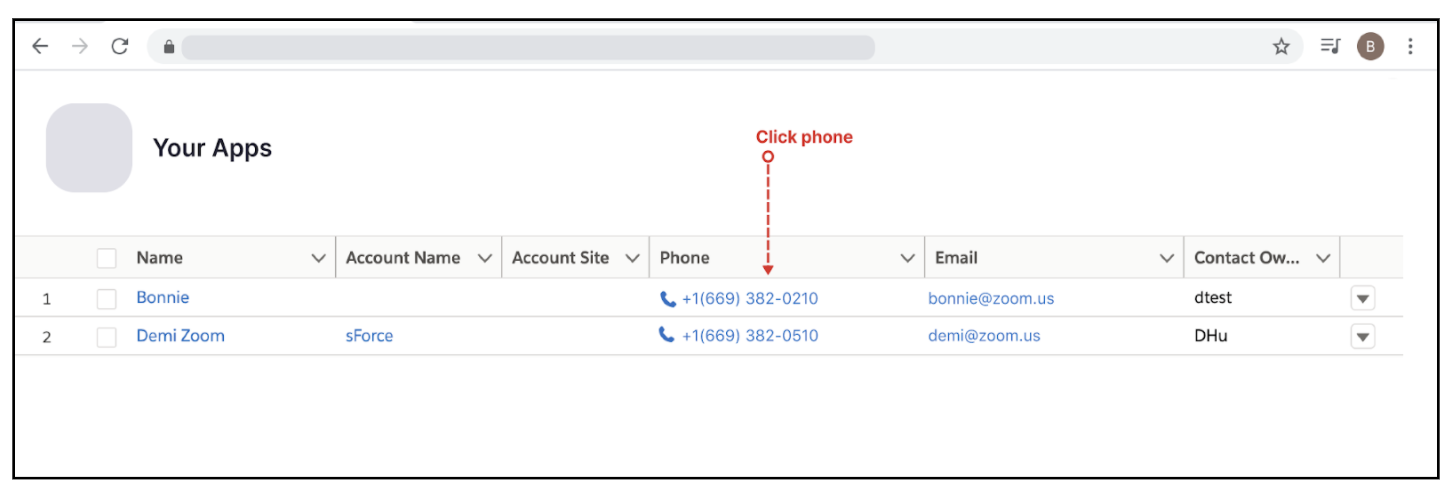
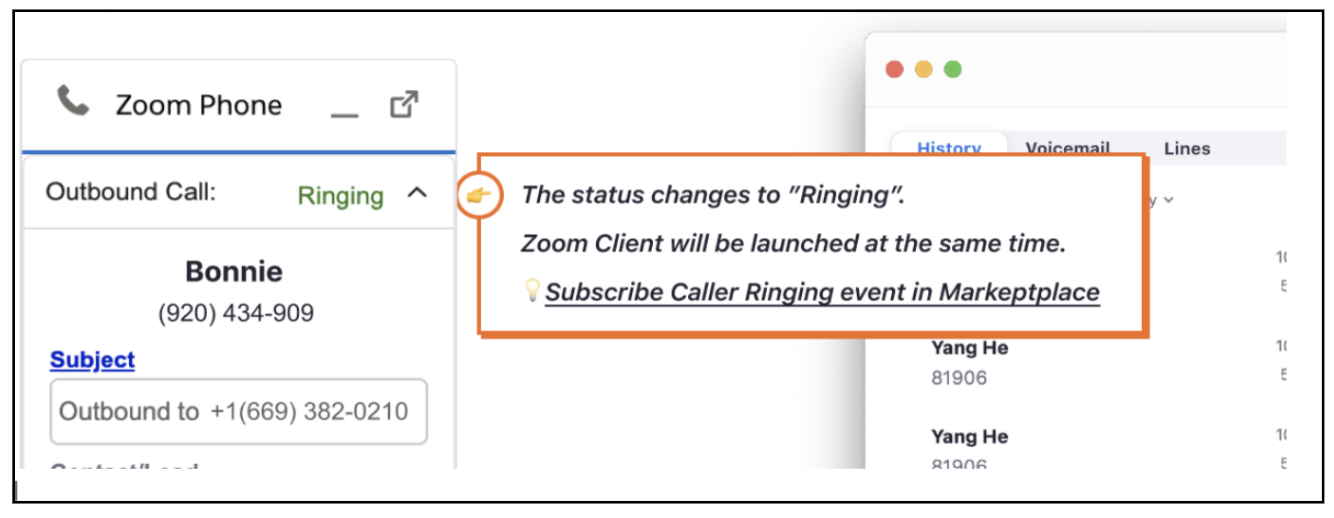
- When you choose the hyperlinked phone number, your app programmatically launches the Zoom Phone client and Zoom Phone places the call. Your app tracks the call status with webhooks and displays the real time status.
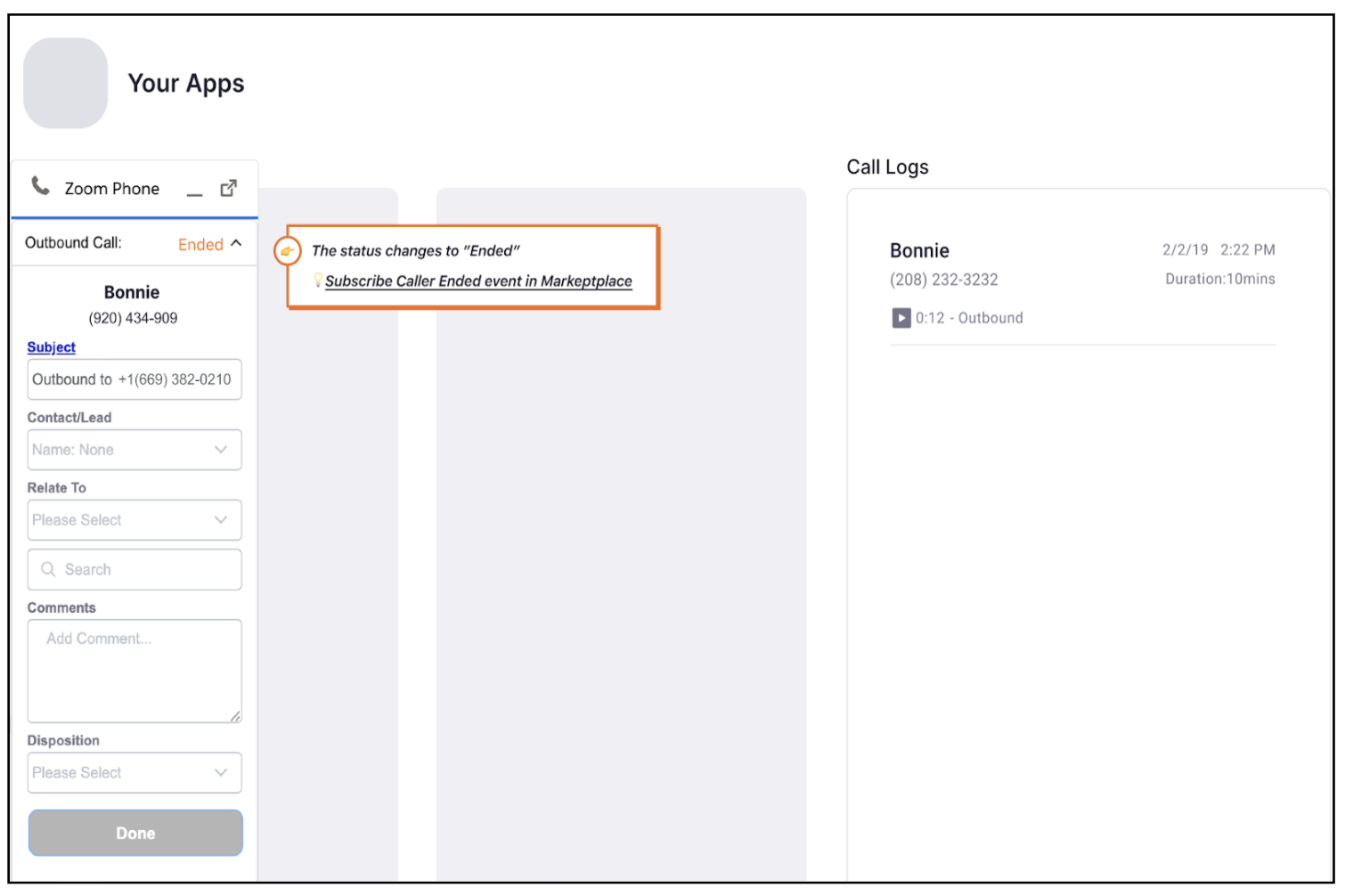
- Zoom notifies your app when the call ends. Your app displays the call log and prompts the sales representative (caller) to enter additional information about the call.