See some troubleshooting tips for the demo app, and learn how to add an interface to the C# wrapper.
Learn to download the SDK with the C# wrapper and run the included demo app.
Troubleshooting
If you come across any issues running the demo app, check through these tips.
.NET Framework
If you're using a newer version of Visual Studio, the automatic upgrade wizard might change some configuration settings.
- Make sure that the Target framework is identical in both the
zoom_sdk_dontnet_wrapandzoom_sdk_demoprojects. - When you right-click on either of these projects in Solution Explorer > Properties, the Application Tab should show you the Target Framework, such as
.NET Framework x.x.x. For example, if thezoom_sdk_dontnet_wrapproject targets.NET Framework 4.7.2, change the target framework forzoom_sdk_demoto.NET Framework 4.7.2as well.
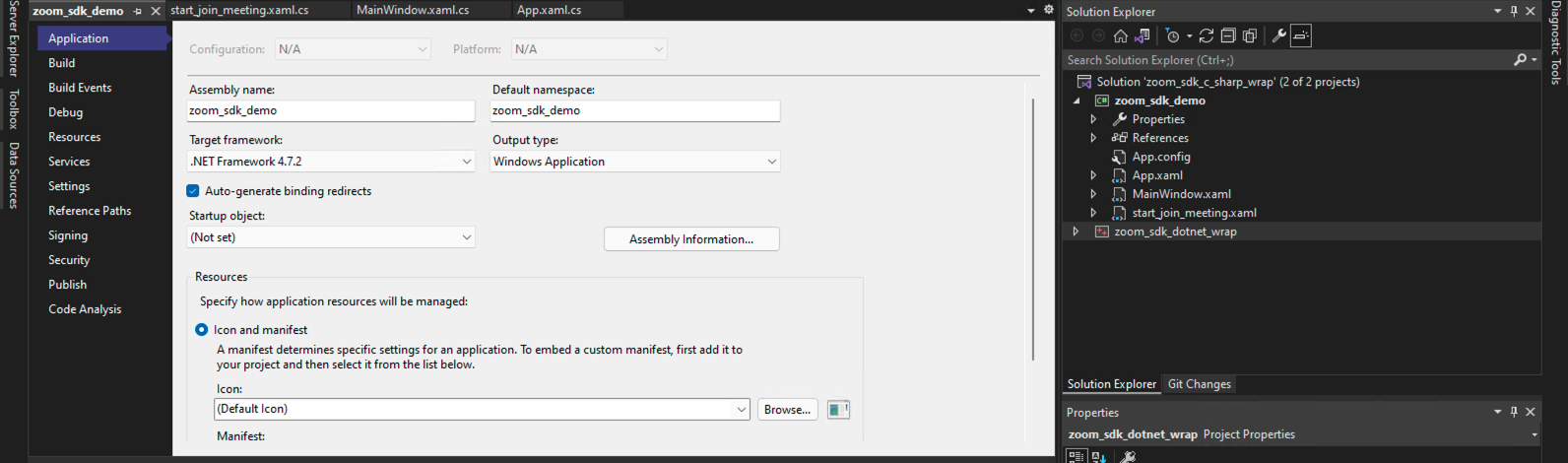
Build configuration
- If you are running the x64 version of the C# wrapper, set the Configuration to Release and Platform to target
x64. - If you are running the x86 version of the C# wrapper, set the Configuration to Release and Platform to target
x86.
Targeting Any CPU for Platform can be ambiguous. Explicitly set the Platform target.
-
Right-click on your Solution, such as
Solutionorzoom_sdk_c_sharp_wrap, and choose Configuration Manager. -
In Configuration Manager, add
x86orx64as the target platform if they don't already exist.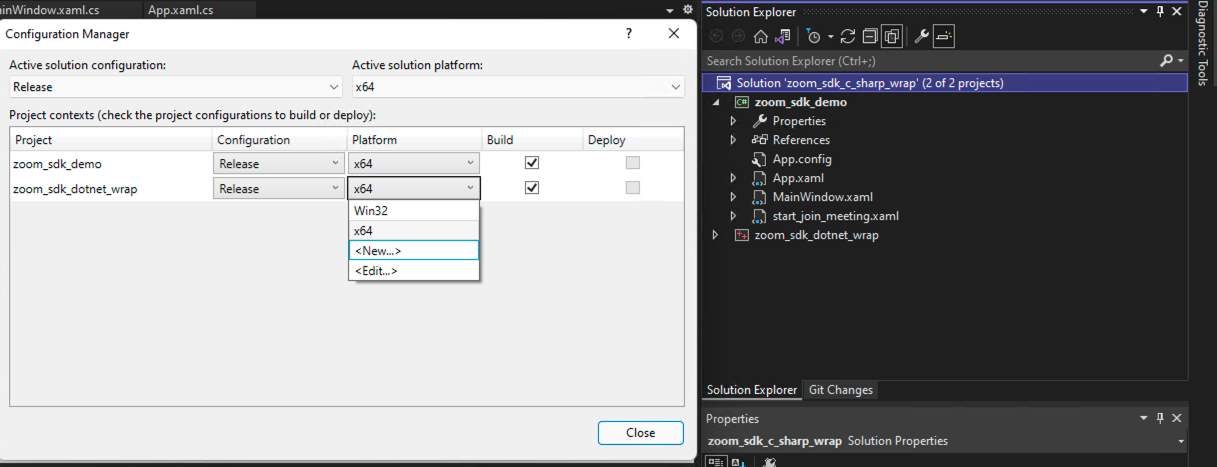
Add a new interface
Since the C# wrapper is a community project, it may not include all interfaces available in the Windows SDK. However, as long as an interface is available in the Windows SDK, developers may configure the C# wrapper and make any interfaces available in the C# wrapper.
We'll use AskAttendeeToStartVideo as an example.
If your goal is to recompile the C# wrapper without adding new interfaces, only follow steps 1-3.
-
Download the latest C# wrapper from the App Marketplace .
-
In Visual Studio, go to the
zoom_sdk_c_sharp_wrapfolder and open the solution filezoom_sdk_c_sharp_wrap.sln.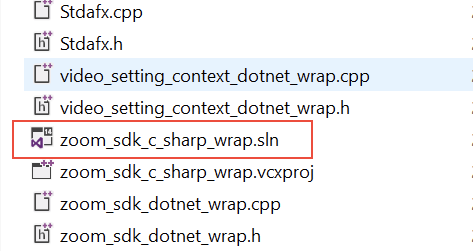
-
Once the project is opened, you'll see the project
zoom_sdk_dotnet_wrap, which is the C# wrapper we'll be modifying.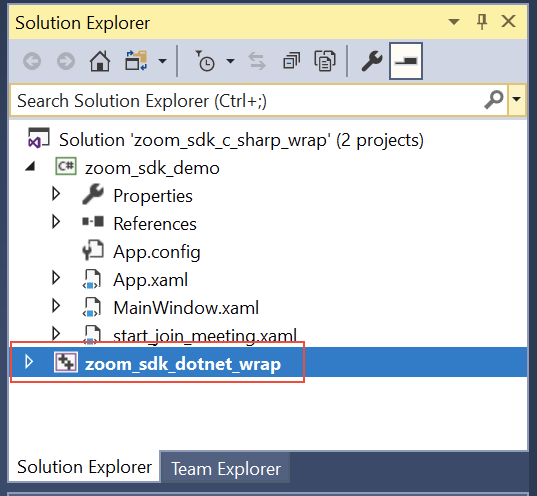
If your goal is just to recompile the wrapper, rebuild the solution now.
-
To add
AskAttendeeToStartVideo, go to theIMeetingVideoControllerDotNetWrapclass and add the newAskAttendeeToStartVideointerface.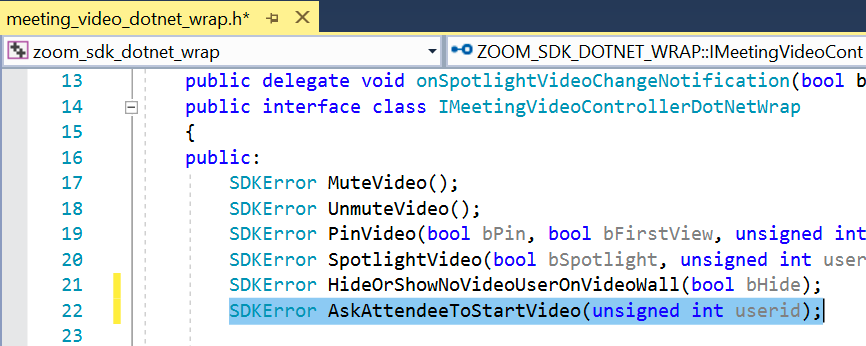
-
Add the same interface in the private ref class in
meeting_video_dotnet_wrap.h. -
Go to
meeting_video_dotnet_wrap.cppand add theAskAttendeeToStartVideofunction.
-
Rebuild the C# wrapper project. Once rebuilt, use this interface in your project.
Repeat the same steps for all other interfaces that you want to add.