# Create a custom UI
**File:** ZoomSDK.h
**Interface:** `(void)initSDK:(BOOL)customizedFlag`
**Usage:** `[[ ZoomSDK sharedSDK] initSDK:YES ]`, set
`CustomizedFlag = YES` to use the customized SDK.
## Authorization
**File:** `ZoomSDKAuthService.h`
Use the following code snippets:
```objectivec
//Get Auth Service Object
ZoomSDKAuthService *authService = [[ZoomSDK sharedSDK] getAuthService];
//Interface
(ZoomSDKError)sdkAuth:(NSString*)key appSecret:(NSString*)secret;
//Set web domain
[[ZoomSDK sharedSDK] setZoomDomain: yourwebdomain]
//Auth using ClientID/Secret
if (authService)
{
[authService sdkAuth:key appSecret:secret];
}
```
> Important
>
> See [UI legal notices](/docs/meeting-sdk/ui-notices/) for Zoom legal notices and how to display them in your app.
## Start or join a meeting
### Start meeting interface
```objectivec
//Interface
(ZoomSDKError) startMeeting:
(ZoomSDKUserType) userType userID:
(NSString * ) userId userToken:
(NSString * ) userToken displayName:
(NSString * ) username meetingNumber:
(NSString * ) meetingNumber isDirectShare:
(BOOL) directShare sharedApp:
(CGDirectDisplayID) displayID isVideoOff:
(BOOL) noVideo isAuidoOff:
(BOOL) noAuido vanityID: (NSString * ) sdkVanityID;
//Use the interface
[meetingService startMeeting: *** ]
```
### Start meeting with a ZAK
```objectivec
//Interface
(ZoomSDKError) startMeetingWithZAK:
(NSString * ) zak userType:
(SDKUserType) type userID:
(NSString * ) userId userToken:
(NSString * ) userToken displayName:
(NSString * ) username meetingNumber:
(NSString * ) meetingNumber isDirectShare:
(BOOL) directShare sharedApp:
(CGDirectDisplayID) displayID isVideoOff:
(BOOL) noVideo isAuidoOff: (BOOL) noAuido vanityID:
(NSString * ) sdkVanityID;
//Use the interface
[meetingService startMeetingWithZAK: *** ]
```
### Join meeting interface
```objectivec
//Interface
-(ZoomSDKError) joinMeeting:
(ZoomSDKUserType) userType toke4enfrocelogin:
(NSString * ) toke4enfrocelogin webinarToken:
(NSString * ) webinarToken participantId:
(NSString * ) participantId meetingNumber:
(NSString * ) meetingNumber displayName:
(NSString * ) username password:
(NSString * ) pwd isDirectShare:
(BOOL) directShare sharedApp:
(CGDirectDisplayID) displayID isVideoOff:
(BOOL) noVideo isAuidoOff:
(BOOL) noAuido vanityID:
(NSString * ) sdkVanityID;
//Use the interace
[meetingservice joinMeeting: ** * ]
```
### Create a custom UI
**File:** ZoomSDKVideoContainer.h
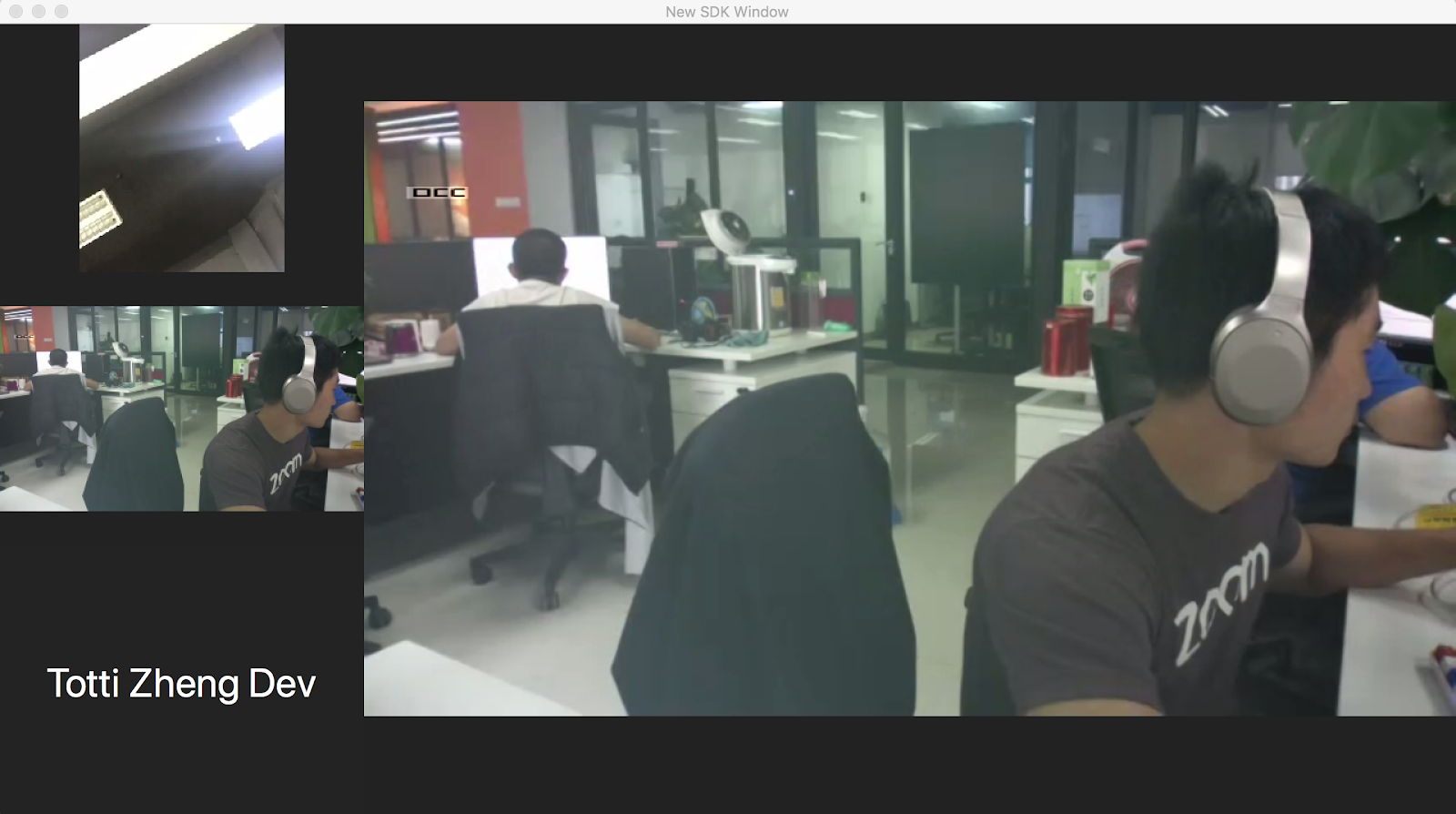
### Demo layout
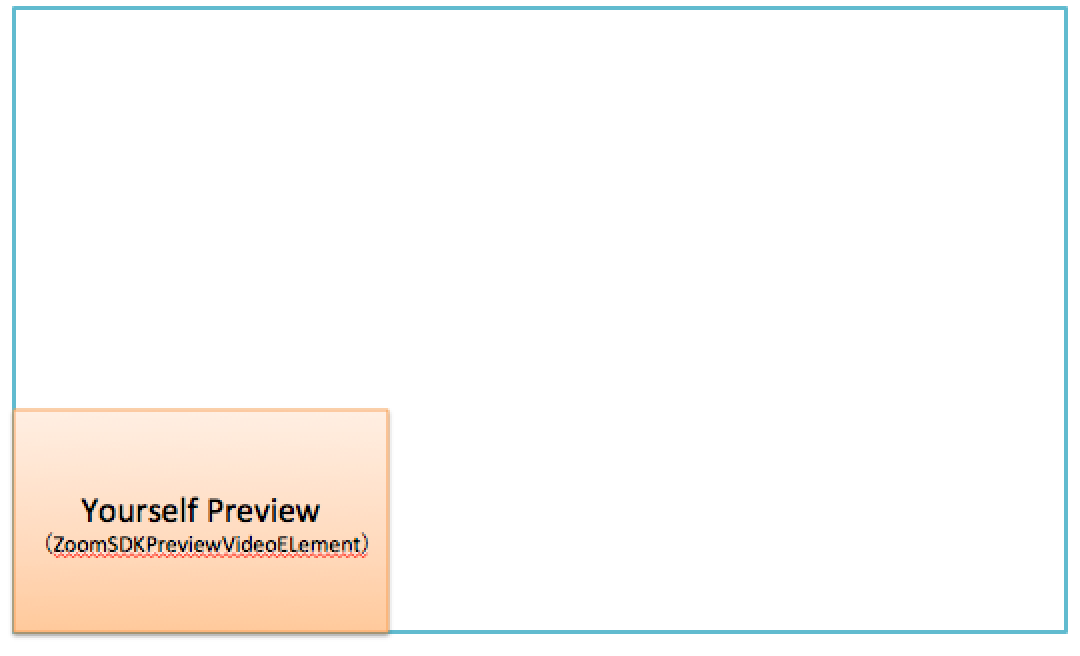
When you start a meeting, you can see a preview of your video.
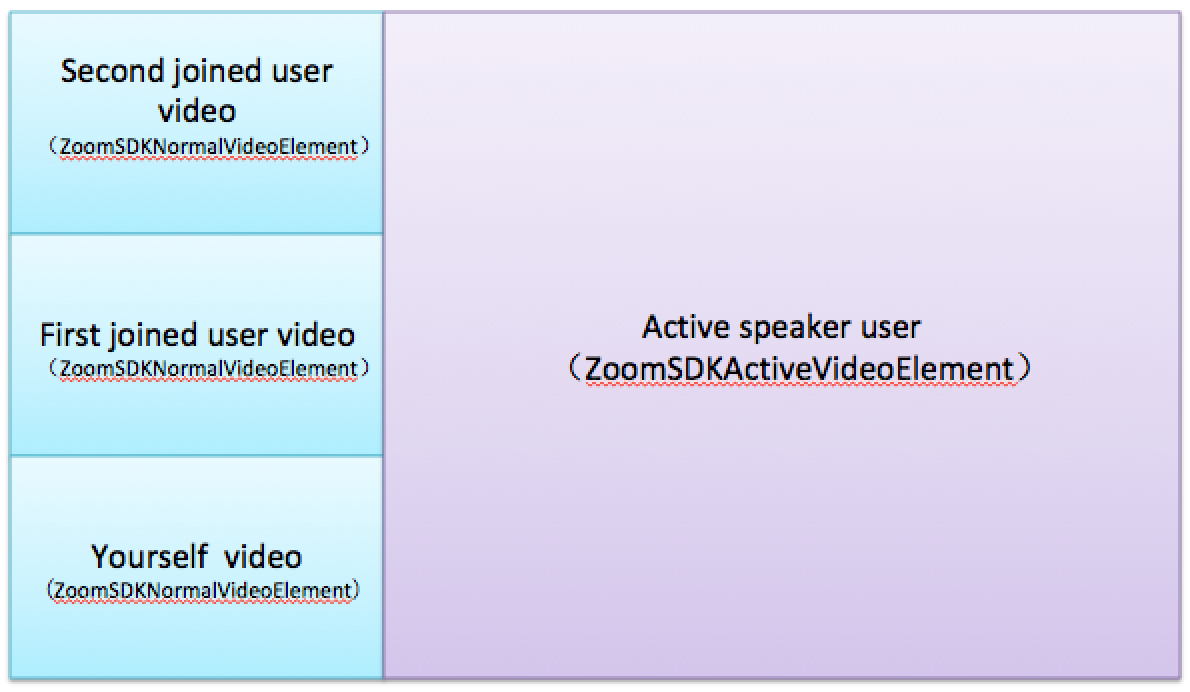
After another two users successfully join your meeting, the layout will
change to:
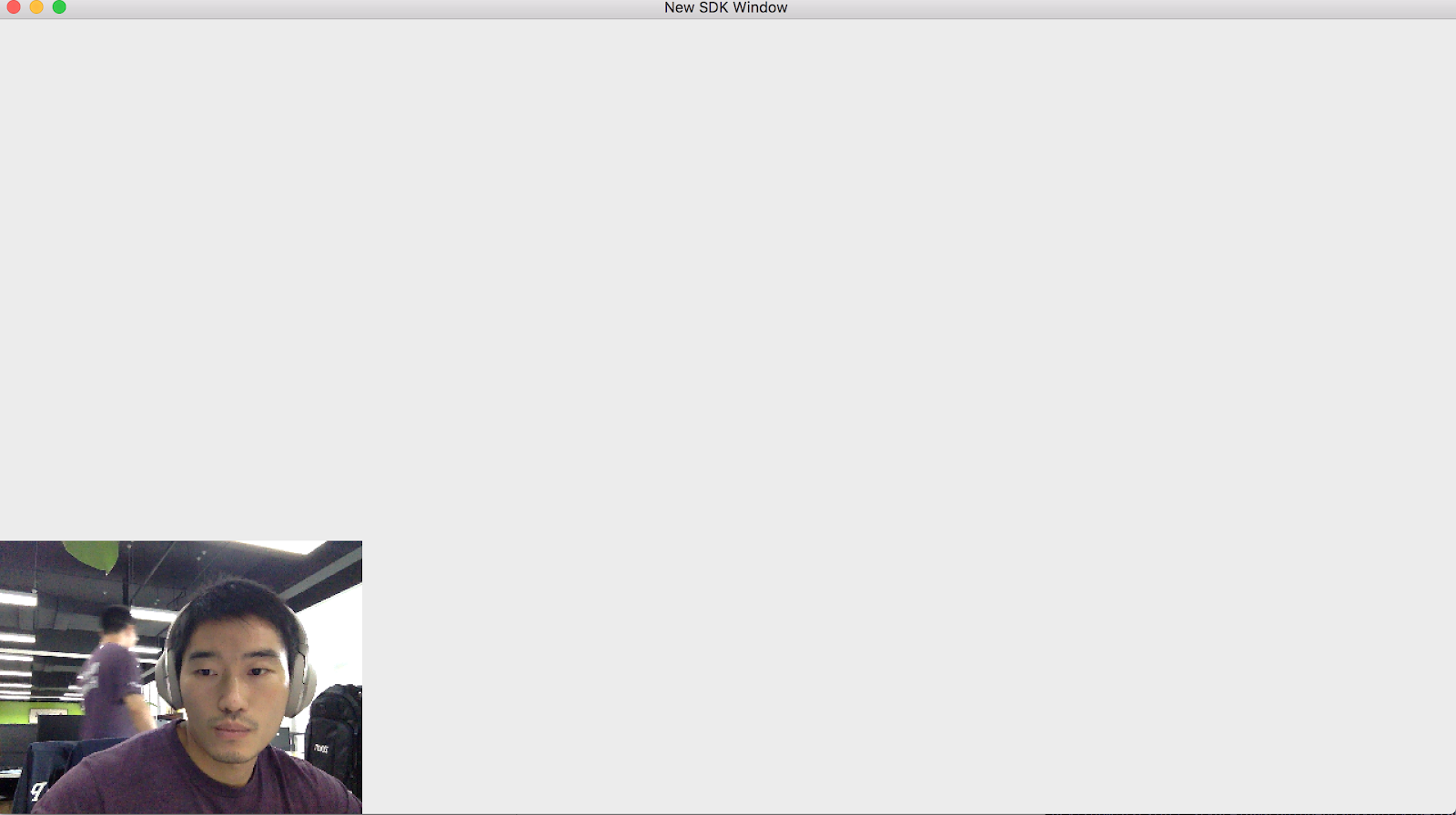
Self-preview video
Host in meeting and video muted, show avatar view, and a guest joined
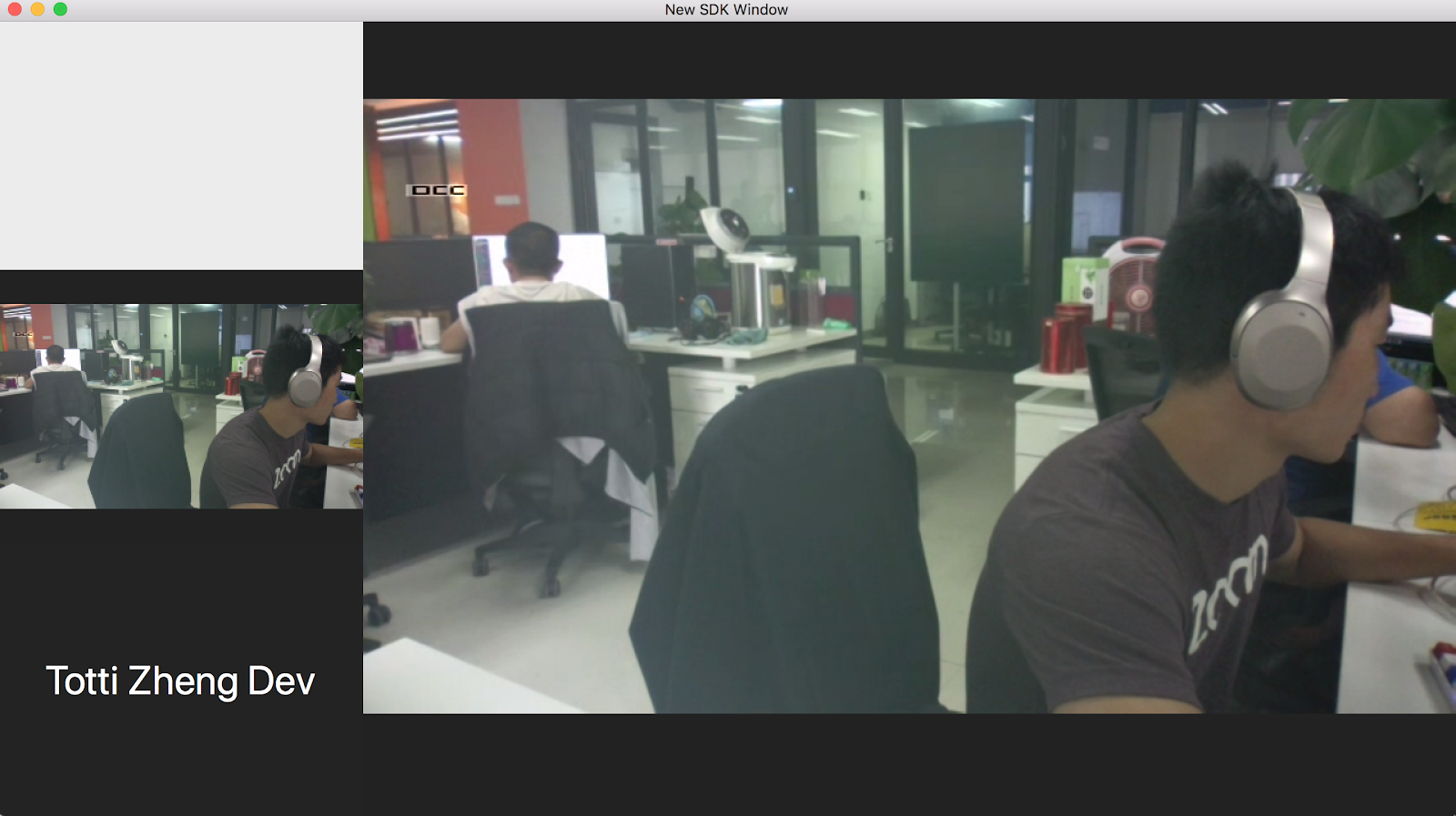
Host in meeting and video muted, show avatar view, and a guest joined
### Get the `ZoomSDKVideoContainer` class reference.
```objectivec
ZoomSDKVideoContainer * videoContainer = [
[
[ZoomSDK sharedSDK] getMeetingService
] getVideoContainer
];
```
### Preview video
While the meeting status shows the `ZoomSDKMeetingStatus_Connecting` function you can show the user's video preview.
To do this use the following code snippets:
```objectivec
//object class
ZoomSDKPreViewVideoElement
//Usage
ZoomSDKPreViewVideoElement * preElement = [
[ZoomSDKPreViewVideoElement alloc] initWithFrame: NSMakeRect(0, 0, 320, 240)
];
[videoContainer createVideoElement: & preElement];
[previewElement startPreview: YES];
```
### In-meeting video
Once the meeting status shows the `ZoomSDKMeetingStatus_InMeeting` function you can show the participant video view.
Use the following code snippets:
```objectivec
//In callback:
-(void) onMeetingStatusChange: (ZoomSDKMeetingStatus) state meetingError: (ZoomSDKMeetingError) error EndReason: (EndMeetingReason) reason
//object class
ZoomSDKNormalVideoElement
//Usage
ZoomSDKNormalVideoElement * normalElement = [
[ZoomSDKNormalVideoElement
alloc
] initWithFrame: NSMakeRect(0, 0, 320, 240)
];
[videoContainer createVideoElement: & normalElement];
```
```objectivec
//In callback:
-(void) onMeetingStatusChange: (ZoomSDKMeetingStatus) state meetingError: (ZoomSDKMeetingError) error EndReason: (EndMeetingReason) reason
//object class
ZoomSDKNormalVideoElement
//Usage
ZoomSDKNormalVideoElement * normalElement = [
[ZoomSDKNormalVideoElement
alloc
] initWithFrame: NSMakeRect(0, 0, 320, 240)
];
[videoContainer createVideoElement: & normalElement];
```
### Active speaker video
Show the active speaker's video. This feature will only work when the meeting participant count is greater than or equal to three participants. The meeting status must be set to the `ZoomSDKMeetingStatus_InMeeting` function.
```objectivec
//object class
ZoomSDKActiveVideoElement
//Usage
ZoomSDKActiveVideoElement * activeElement = [
[ZoomSDKActiveVideoElement
alloc
] initWithFrame: NSMakeRect(0, 0, 320, 240)
];
[videoContainer createVideoElement: & activeElement];
```
### Add video views
`[yourUI addSubview:[preElement getVideoView]];`
`[yourUI addSubview:[normalElement getVideoView]];`
`[yourUI addSubview:[activeElement getVideoView]];`
### In callback
`(void)onVideoStatusChange:(BOOL**)videoOn UserID:(unsigned int)userID`.
```objectivec
-(void) onVideoStatusChange: (BOOL) videoOn UserID: (unsigned int) userID {
ZoomSDKUserInfo * userInfo = [
[
[
[ZoomSDK sharedSDK] getMeetingService
]
getMeetingActionController
] getUserByUserID: userID
];
if ([userInfo isMySelf]) {
normalElement1.userid = userID;
} else if (normalElement2.userid == 0 || normalElement2.userid == userID) {
normalElement2.userid = userID;
} else if (normalElement3.userid == 0 || normalElement3.userid == userID) {
normalElement3.userid = userID;
}
}
```
### Clean up
When the meeting ends you should clean up the video elements you created to make resources available again.
Use the following code snippets:
```objectivec
-(void) onMeetingStatusChange: (ZoomSDKMeetingStatus) state meetingError: (ZoomSDKMeetingError) error EndReason: (EndMeetingReason) reason {
ZoomSDKVideoContainer * videoContainer = [
[
[ZoomSDK sharedSDK] getMeetingService
] getVideoContainer
];
switch (state) {
case ZoomSDKMeetingStatus_Ended:
{
if (normalElement) {
[videoContainer cleanVideoElement: normalElement];
NSView * videoview = [normalElement getVideoView];
[videoview removeFromSuperview];
[normalElement release];
normalElement = nil;
}
if (activeElement) {
[videoContainer cleanVideoElement: activeElement];
NSView * videoview = [activeElement getVideoView];
[videoview removeFromSuperview];
[activeElement release];
activeElement = nil;
}
}
}
```
### Share screen or view
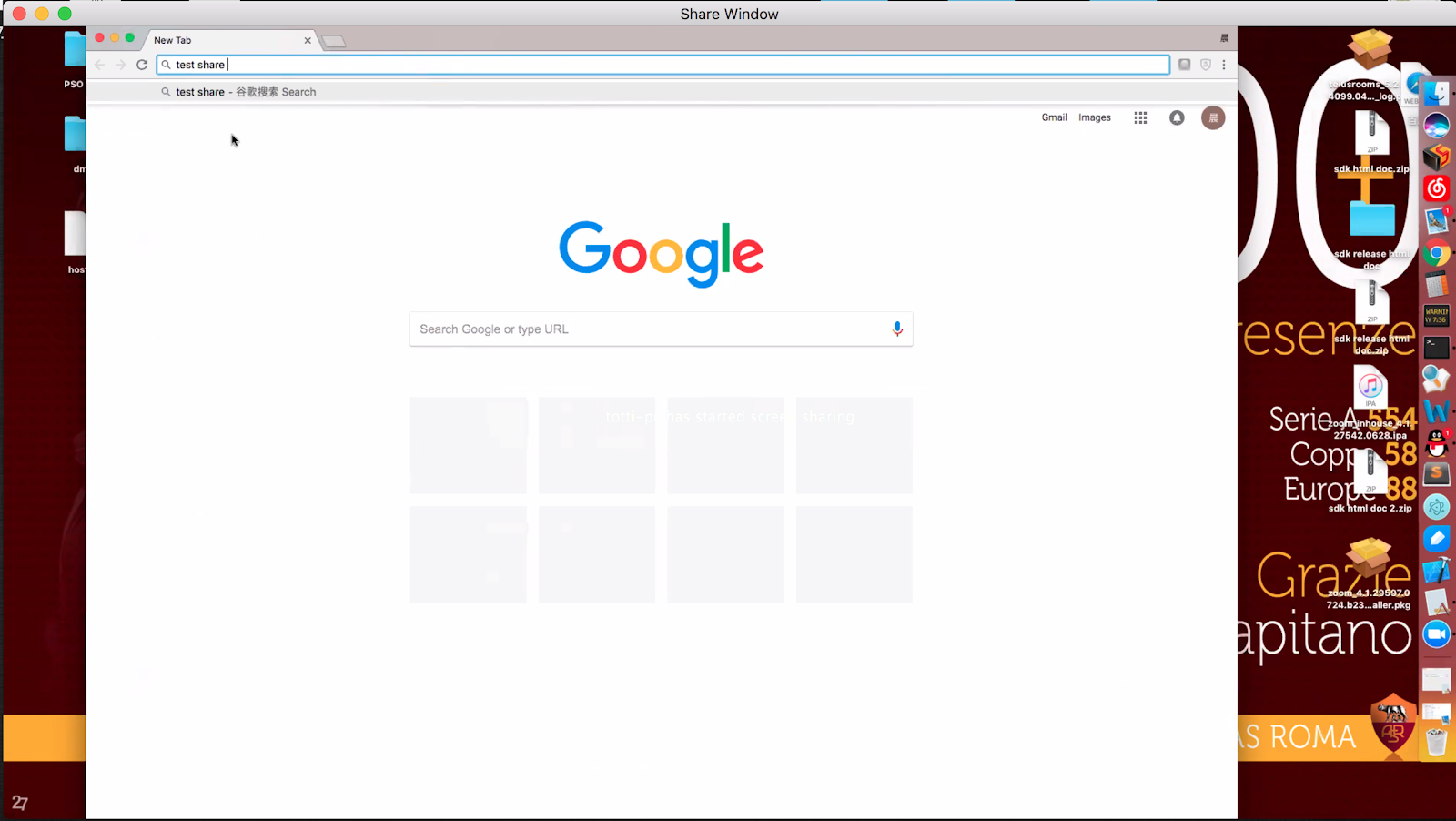
**Demo layout**
**Design**: Create an nswindow object whose content view is the shared
view.
**Screenshot:**
### Create share view
**File:** ZoomSDKShareContainer.h
**Get share container:**
`ZoomSDKShareContainer* container = [[[[ZoomSDK sharedSDK] getMeetingService] getASController] getShareContainer];`
Receive either of the share statuses:
- `ZoomSDKShareStatus_OtherBegin`
- `ZoomSDKShareStatus_SelfBegin`
Or use the following code to start the shared view:
```objectivec
-(void) onSharingStatus: (ZoomSDKShareStatus) status User: (unsigned int) useID {
switch (status) {
case ZoomSDKShareStatus_OtherBegin:
{
ZoomSDKShareElement * shareElement = [
[ZoomSDKShareElement alloc]
initWithFrame: NSMakeRect(0, 0, 1280, 720)
];
[container createShareElement: & shareElement];
shareElement.userId = the userid your want to watch his share content
shareElement.viewMode = ViewShareMode_LetterBox;
[shareElement ShowShareRender: YES];
NSView * shareView = [shareElement shareView];
[yourUI addSubview: shareView];
}
}
}
```
### Stop viewing shared content
```objectivec
- (void)onSharingStatus:(ZoomSDKShareStatus)status User:(unsigned
int)useID{
switch (status) {
case ZoomSDKShareStatus_OtherEnd:
{
if(shareElement.userId == userID)
{
[shareElement ShowShareRender:NO];
NSView* shareView = [shareElement shareView];
[shareView removeFromSuperview];
[container cleanShareElement:shareElement];
[shareElement release];
shareElement = nil;
}
}
}
```
### Register callback
We have a delegate in each main class object.
For example, the `ZoomSDKMeetingService` class reference has the following delagate: `ZoomSDKMeetingServiceDelegate`.
Use this code:
```objectivec
-(void) onMeetingStatusChange: (ZoomSDKMeetingStatus) state meetingError: (ZoomSDKMeetingError) error EndReason: (EndMeetingReason) reason in ZoomSDKMeeting - ServiceDelegate
//response
NSObject
```