Voice to insights: modernize customer Support with the Zoom Scribe API
Customer support runs on conversations: calls, voicemails, and recorded sessions filled with insights. The real value comes when that audio becomes structured, searchable text. That's what the Zoom Scribe API delivers: production-ready transcription at scale, with support for submitting up to 1,000 files per job directly from your S3 bucket. The Zoom Scribe model is ranked #1 on the Open ASR Leaderboard making it the most accurate for speech recognition.
Once transcribed, conversations become actionable. You can run sentiment analysis to flag at-risk customers, detect keywords like cancel or refund to trigger workflows, and generate summaries to pre-fill tickets or support coaching. Segment-level text and optional word-level timestamps make it easy to power QA automation and deeper analysis.
Prerequisites
- A Zoom developer account on the Build platform
- For batch: IAM credentials to access an S3 bucket
- Node v24+
Get started
The quickstart app uses a Node.js/Express server to proxy requests to the Scribe API and includes a web playground for file uploads and batch jobs.
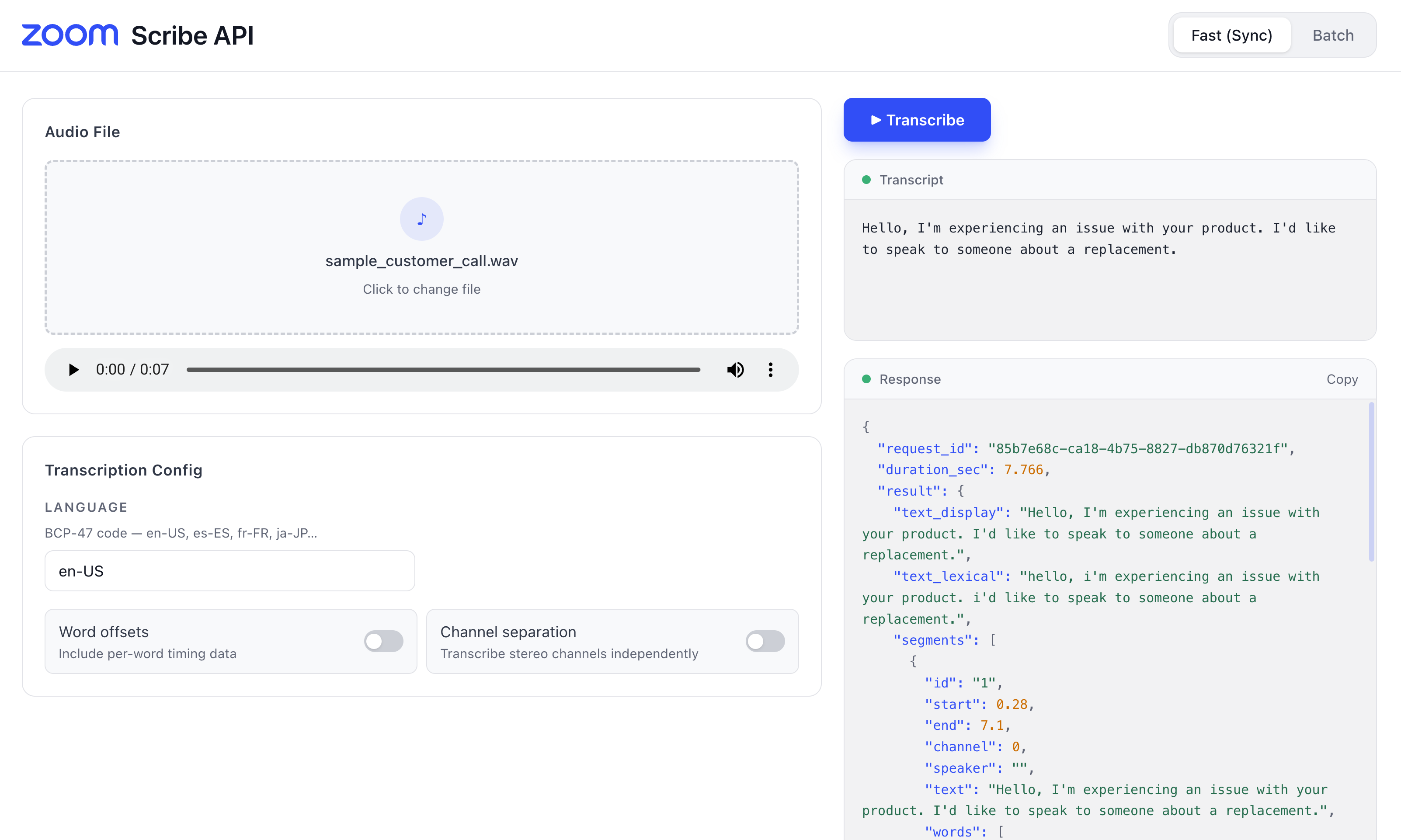
To run it locally:
-
Clone the repository
git clone https://github.com/zoom/ai-services-quickstart.git cd ai-services-quickstart npm install -
Configure your environment
- Copy
.env.exampleto.env. - Open the
.envfile and fill in your Zoom API credentials and AWS IAM STS credentials:
ZOOM_API_KEY= ZOOM_API_SECRET= AWS_ACCESS_KEY_ID= AWS_SECRET_ACCESS_KEY= AWS_SESSION_TOKEN= - Copy
-
Start the server
npm run startThe server runs at
http://localhost:4000. -
Run the playground
Open a second terminal window. From the project's root directory, run:
cd playground
npm install
npm run dev
Navigate to http://localhost:5173 to access the web UI, where you can upload files and create batch jobs easily.
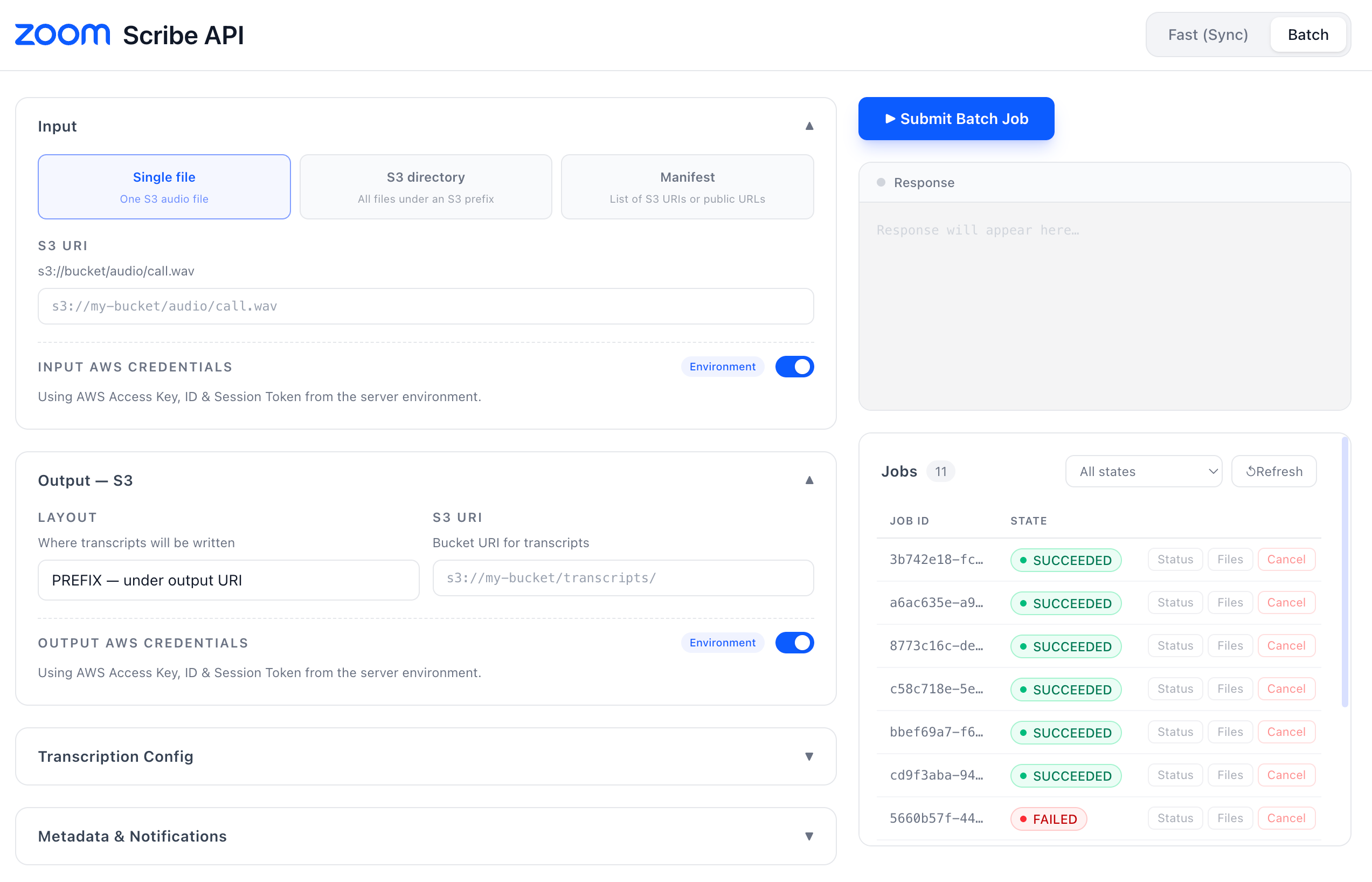
Use the Zoom Scribe API to make every conversation searchable, accelerate QA reviews, strengthen agent coaching, detect churn risks earlier, reduce average handle time, and gather clearer product feedback. You can learn more about the APIs in the Scribe docs.