

During our developer preview, we've worked with global enterprises and innovative startups to hone our now-launched Realtime Media Streams (RTMS) product to open up structured data for AI business applications.
As a pipeline to your meeting data, Realtime Media Streams unlocks new enterprise applications with real-time access and significantly improves data structure and user experience.
Realtime Media Streams provides enterprises with key advantages over previous alternatives:
- Admins and hosts gain important new controls over data access and in-meeting notices
- Audio, video, and transcript data comes highly structured with metadata, speaker diarization, and per-participant data streams.
- Data is sent directly to infrastructure without the need for intermediaries, "bots", or on-device recorders.
As AI infrastructure becomes enterprise-grade, new possibilities unlock for what we can deliver for employees and customers who demand value, not just hype. More than just excitement, we see teams deploying structured conversation data within AI infrastructure to deliver incredible outcomes quickly.
Delayed workflows can now be immediate. New possibilities are opened with high-fidelity, structured data like separate audio tracks, high resolution video, timestamped metadata, and meeting transcripts with diarization and translation.
In this post, I'll share examples with architecture diagrams and sample code you can use to get started today.
The AI frontier is moving rapidly, making it challenging to separate genuine value from hype. Here's what we're seeing create measurable value in enterprises today.
Sales teams with AI CRMs
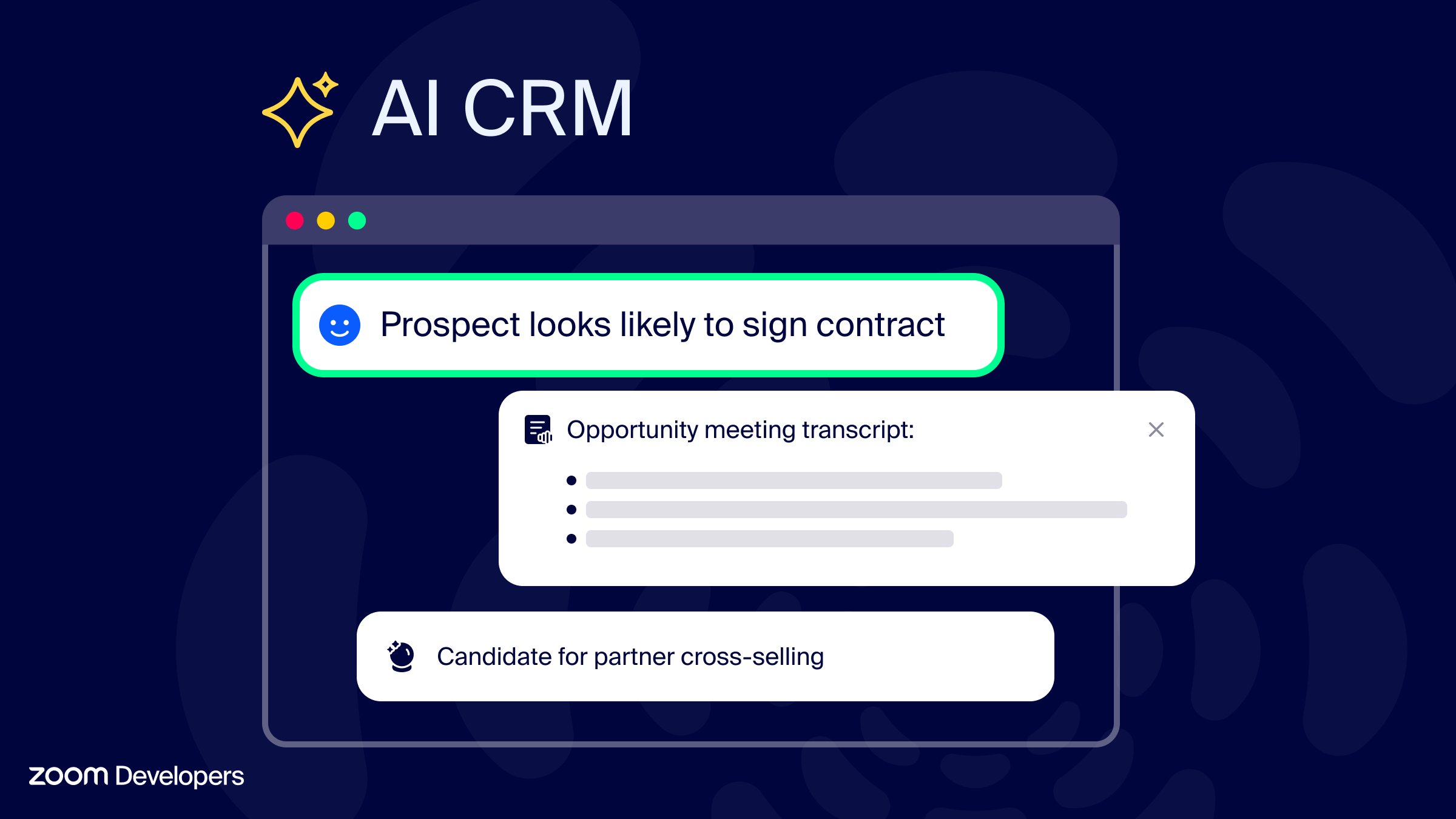
We've partnered closely with a multi-platform consumer technology company to bring AI powered productivity and insights to their sales teams.
When a sales team hosts or joins a meeting, their CRM receives and stores a structured data feed of diarized transcripts, translated for global availability. This eliminates manual data entry entirely—their CRM now automatically identifies opportunity status, measures customer sentiment, and enables more accurate forecasting.
In these meetings it is imperative that disclosure and information access should be clear without being disruptive. Realtime Media Streams meeting UI enhancements solve these needs with subtle but informative notices without the need for bots or hidden device recorders.
Here's how this architecture works in practice:
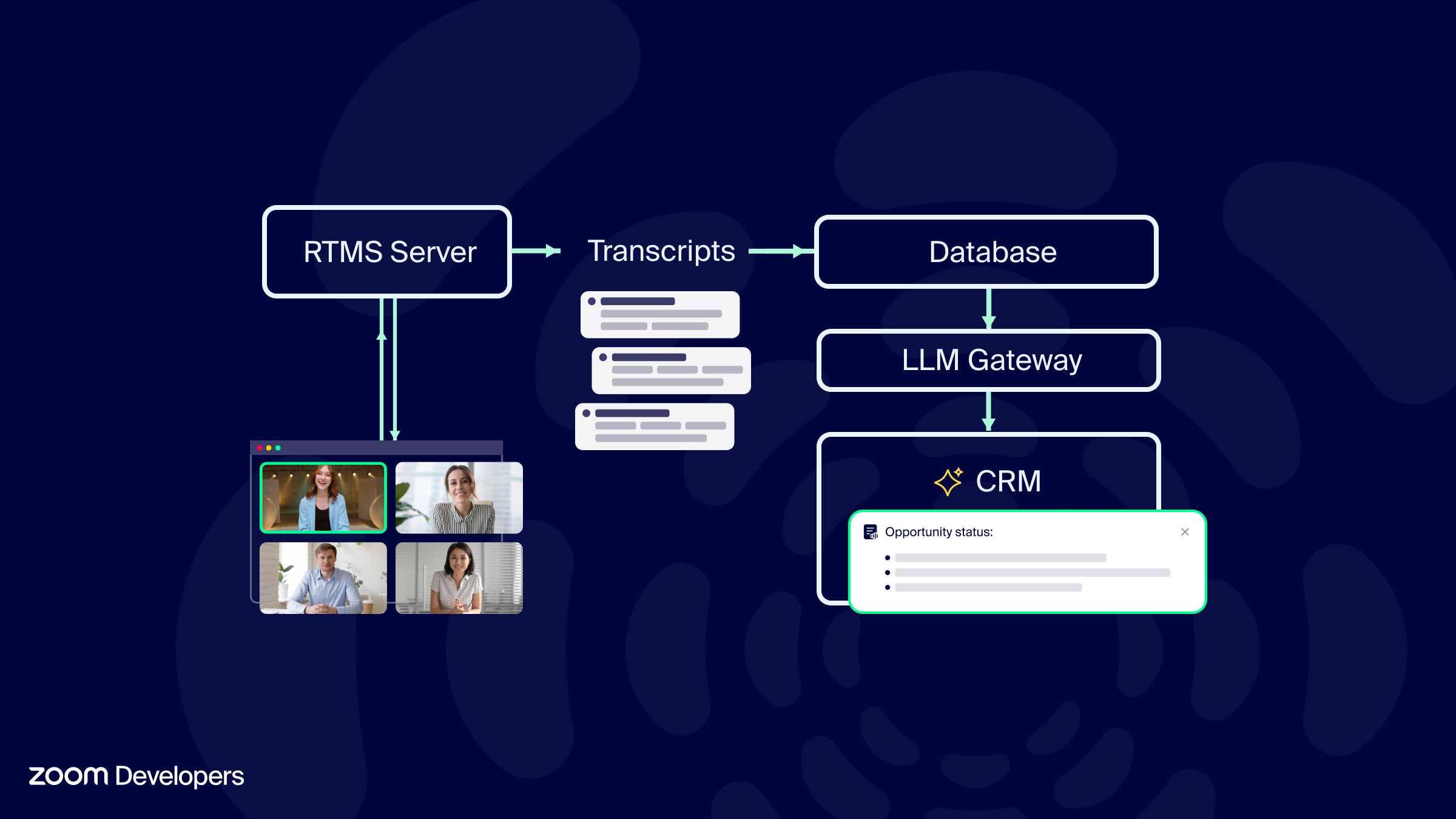
Realtime Media Streams launches automatically (auto-start) when a meeting begins. The RTMS media server then connects and begins sending structured, diarized transcripts to the customer's database for storage. Transcripts are delivered per-participant, with timestamps and speaker identification. Transcripts are delivered in the language spoken in the meeting, available in 18 languages.
The stored transcripts are then made available to the LLM gateway for analysis. LLMs are used to extract insights from the transcripts, such as sentiment analysis, named entity recognition, and topic modeling.
Analysis and insights from the transcripts are then made available to the CRM for use in sales workflows. No more manual data entry or meeting notes for updating opportunity status.
Identity resolution through realtime voice recognition
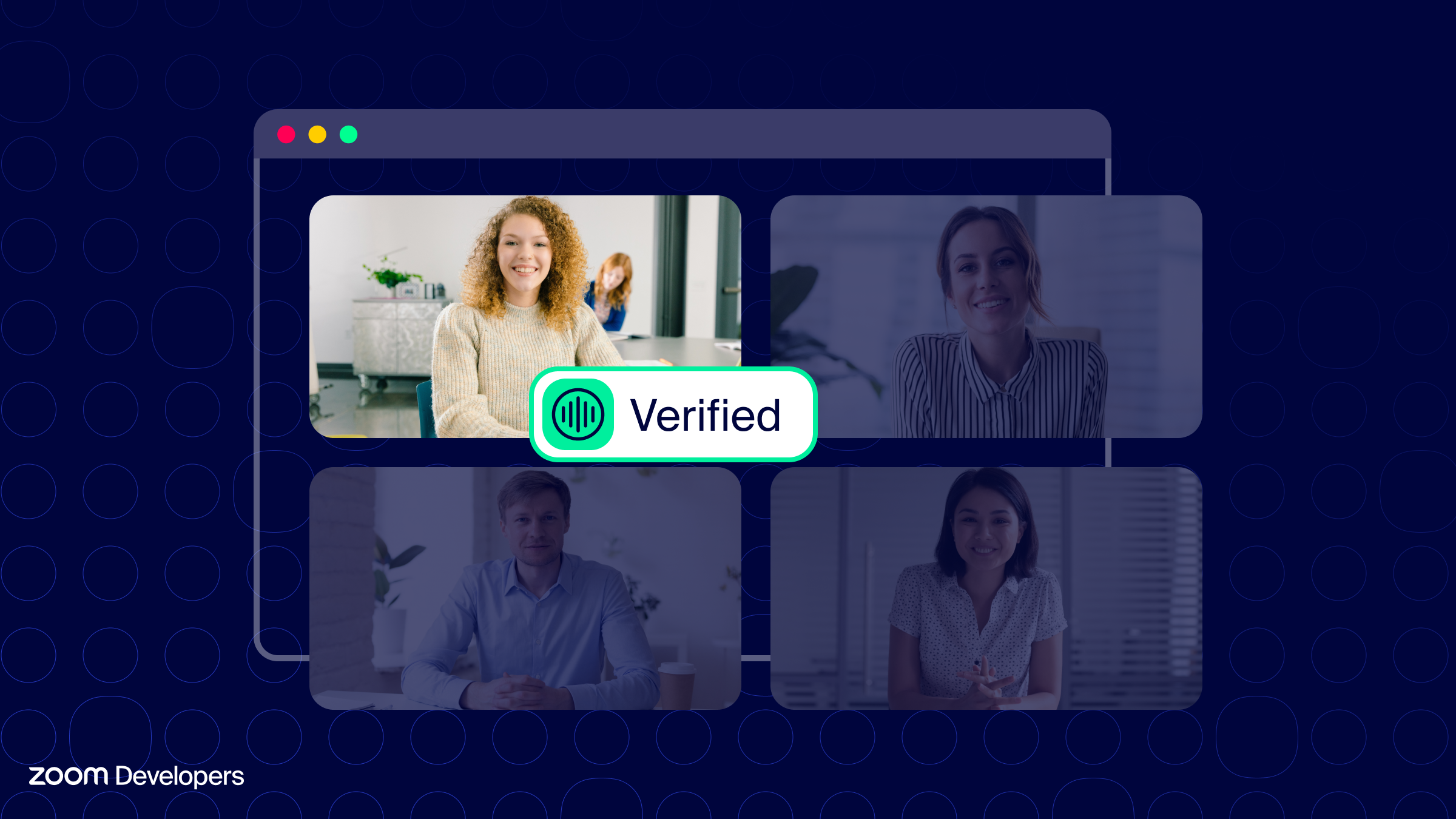
Financial services leaders we work with constantly weigh the competitive pressure to deliver consumer experiences all while seeking to minimize risk at every vector.
Client services teams need confidence and assurance in the conversations they have with external teams. Internal compliance risk teams are increasingly being held to deliver live risk mitigation across disparate devices and networks.
Previous workflows in this space often relied on post-meeting analysis. With Realtime Media Streams, structured audio and transcript data is delivered directly to voice authentication systems to identify risk assessments as they occur.
While this diagram is simplified—these systems often involve complex custom infrastructure and regulatory logging—here's the core workflow:
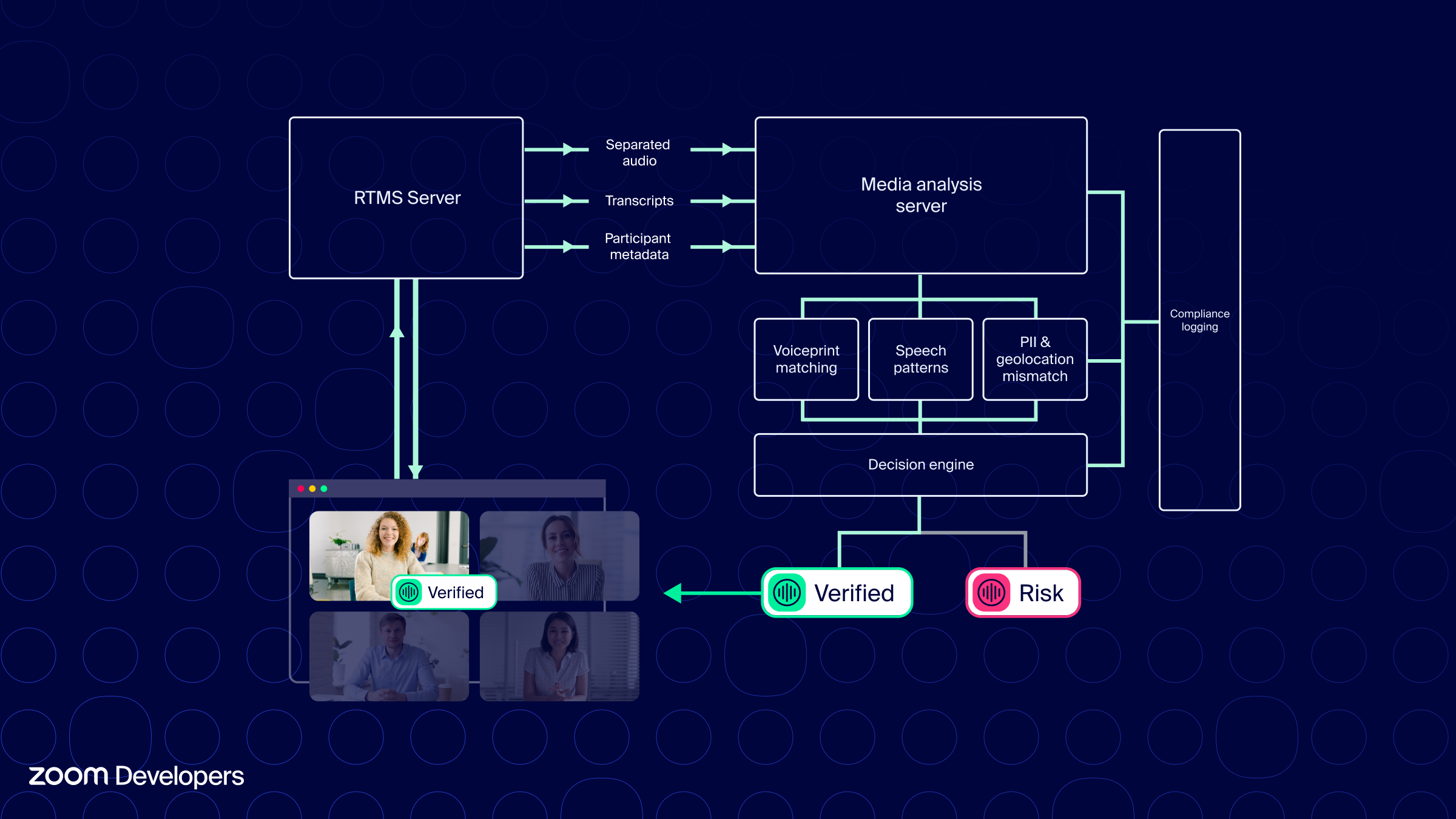
When a client-facing team has a meeting with external participants, the host triggers an identity verification workflow using a Realtime Media Stream server to connect. The RTMS server sends individual participant audio streams, diarized transcripts, and participant metadata to a media analysis and signaling server.
This media analysis server connects to internal services for voiceprint matching, speech patterns, and other enrichment for Know Your Customer (KYC) data. This data feeds a decision engine that helps to gauge risk in the external conversation.
Throughout this process, rich metadata and timestamps feed compliance logging systems, creating comprehensive audit trails.
Leading enterprises leverage robust real-time streaming infrastructure like Amazon Kinesis Video Streams for scalable media ingestion. Reference our RTMS to Amazon Kinesis (KVS) sample for an example of an ingestion layer using GStreamer and the AWS C++ KVS SDK
Specialized agents in Meeting surfaces
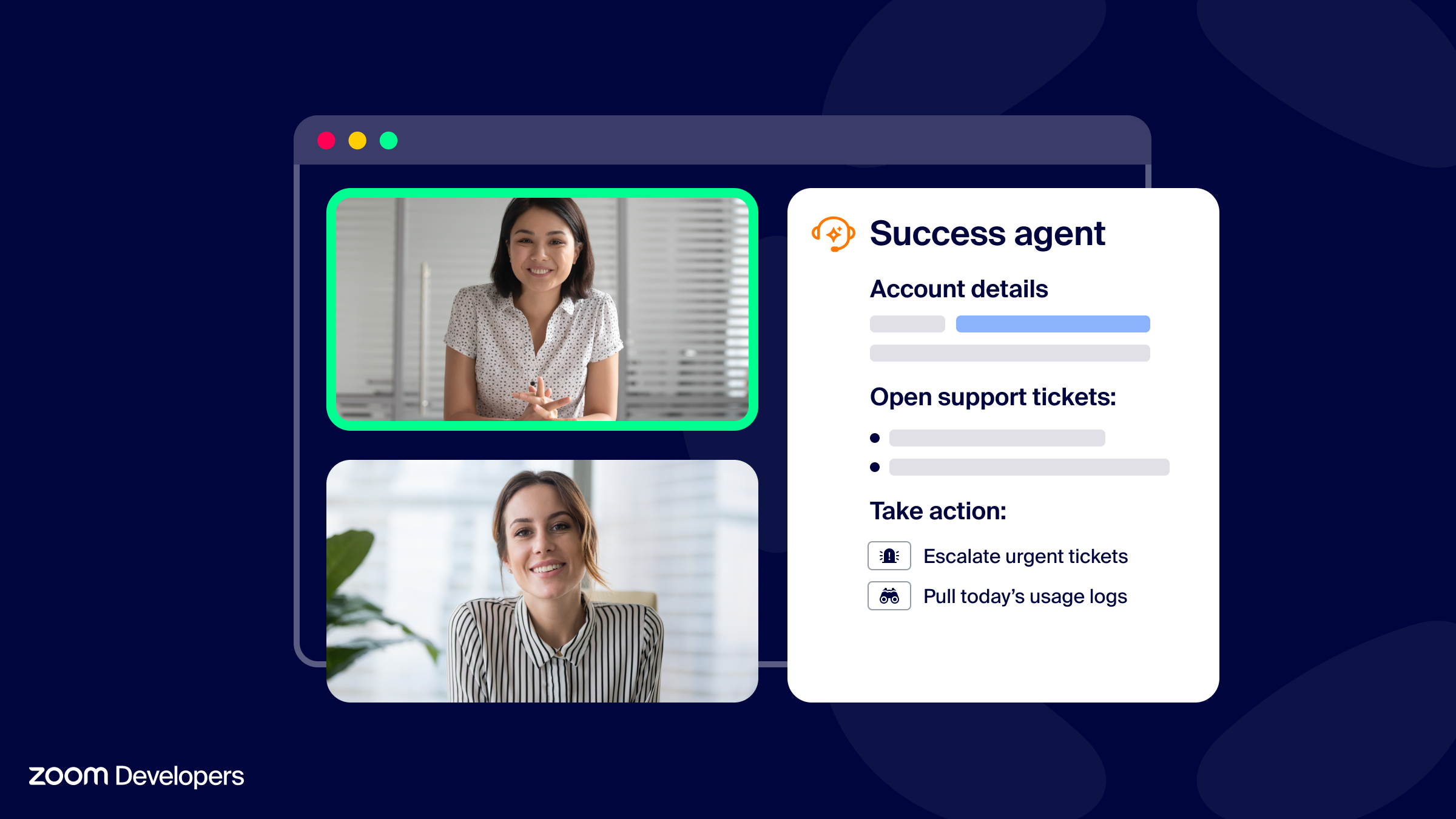
The extensibility of the Zoom platform allows customers to deeply enhance the in-meeting experience with custom-built web applications and agents. During our developer preview, we worked with a global technology firm operating at the largest scale to deploy an internal-built agent to tens of thousands of employees.
Combining RTMS with a Zoom App running in the meeting allows this customer to bring their specialized AI productivity agent into the meeting. Here, the customer's application very closely mirrors our Advanced Zoom Apps Sample , recently updated to include an RTMS server .
With specialized requirements for authorization, the application opts to not use client-side APIs and instead uses server-side REST API requests to start, pause, resume, and stop the RTMS app in the meeting (API Reference: Update participant Real-Time Media Streams (RTMS) app status).
The app uses status APIs and callbacks from the Zoom Apps JS SDK including getRTMSStatus() and onRTMSStatusChange() to update application state and show user controls, consent notices, and disclosures important to their business.
Here's a rough diagram of how they've architected their solution:
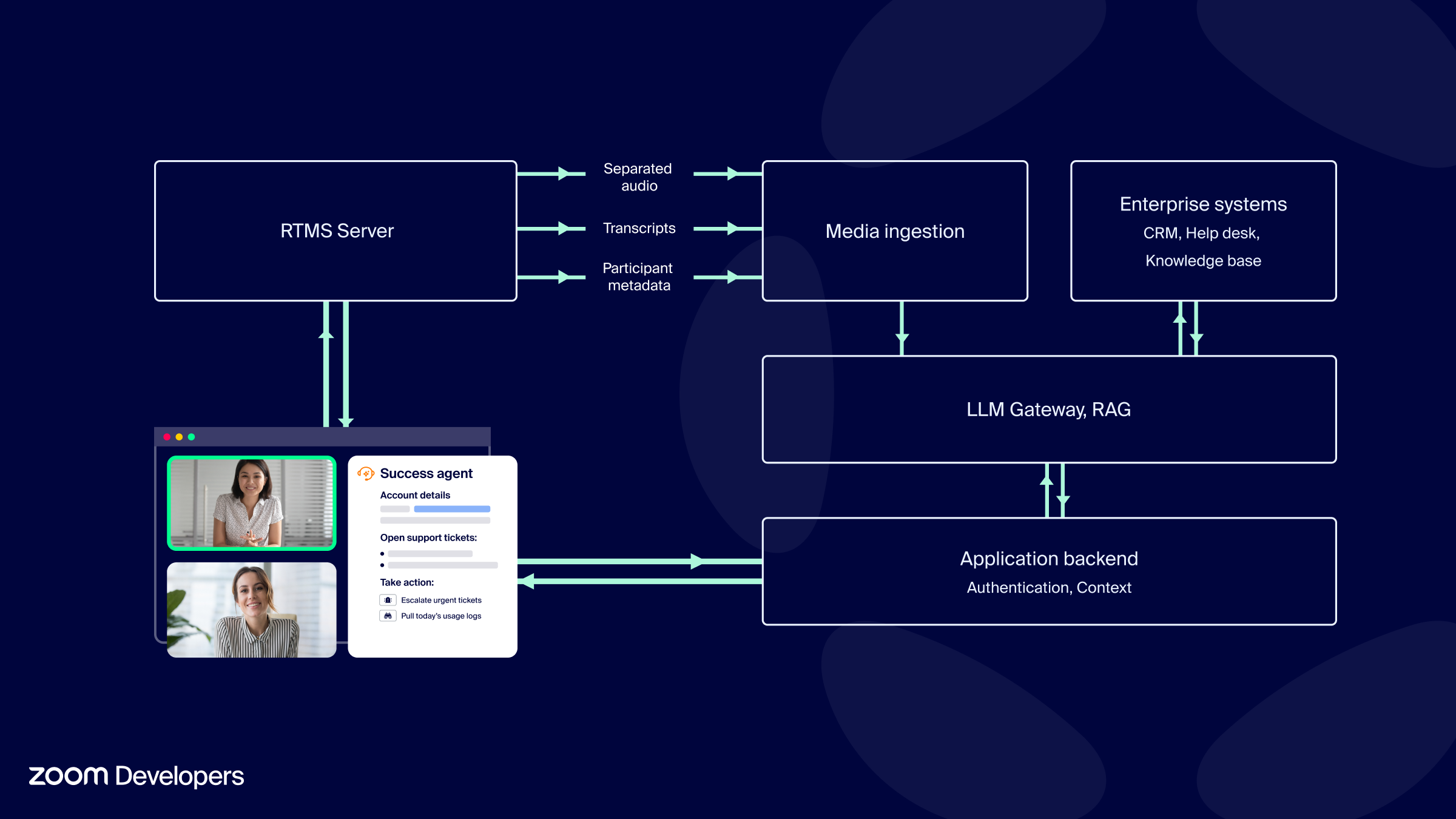
The agent is developed with a Zoom Apps frontend, an application backend, and an RTMS server.
When a meeting begins, the application presents hosts with a button that sends a request using a REST API to update the stream status to start. (You may also choose to use the startRTMS() API of the JS SDK.) This initiates a connection to RTMS.
The RTMS server then sends separated audio, transcripts, and participant metadata to a media ingestion server. This media ingestion server connects to an LLM gateway that uses retrieval to documents, knowledge bases, and connectors to enterprise systems.
This LLM infrastructure then informs the application backend to provide the frontend with context and agentic capabilities.
Transform your meeting data
These enterprise implementations demonstrate how structured conversation data is becoming the foundation for next-generation workplace AI solutions. For innovative teams and dynamic challenges, RTMS enables intelligent, context-aware applications that transform how we collaborate and work.
To get started, dive into our documentation, explore our GitHub samples , or connect with our team to discuss your specific requirements.