Attendee makes capturing RTMS meeting data simple
If you've ever wanted to capture Zoom meeting data without complex infrastructure, you're not alone. Luckily, we have powerful open source developer tools like Attendee to build with.
Attendee is an open source, self-hostable API that handles data ingestion from Zoom's Realtime Media Streams (RTMS) so you can capture and process audio, video, and transcript data from meetings within your own environment. In this blog, we'll walk through where Attendee fits in the open-source stack we're using to build AI meeting apps.
RTMS provides valuable context. Attendee helps you build with it.
Realtime Media Streams (RTMS) is a data pipeline that provides apps with real-time meeting data including audio, video, and transcripts. It's ideal for building AI apps like notetakers, meeting agents, or sales assistants that need live meeting context.
RTMS has dramatically simplified the way apps can access meeting data. Check out the RTMS SDK in action (and compare this to complexity of meeting bots):
- Get Zoom transcripts in 5 lines of code by Michael Harrington - 07-23-2025
Attendee.dev gives you a production-ready backend for capturing and storing the meeting data you get from RTMS. It includes a powerful API for stored meeting content, plus a web UI for transcripts, live captions, speaker overlays, and playback.
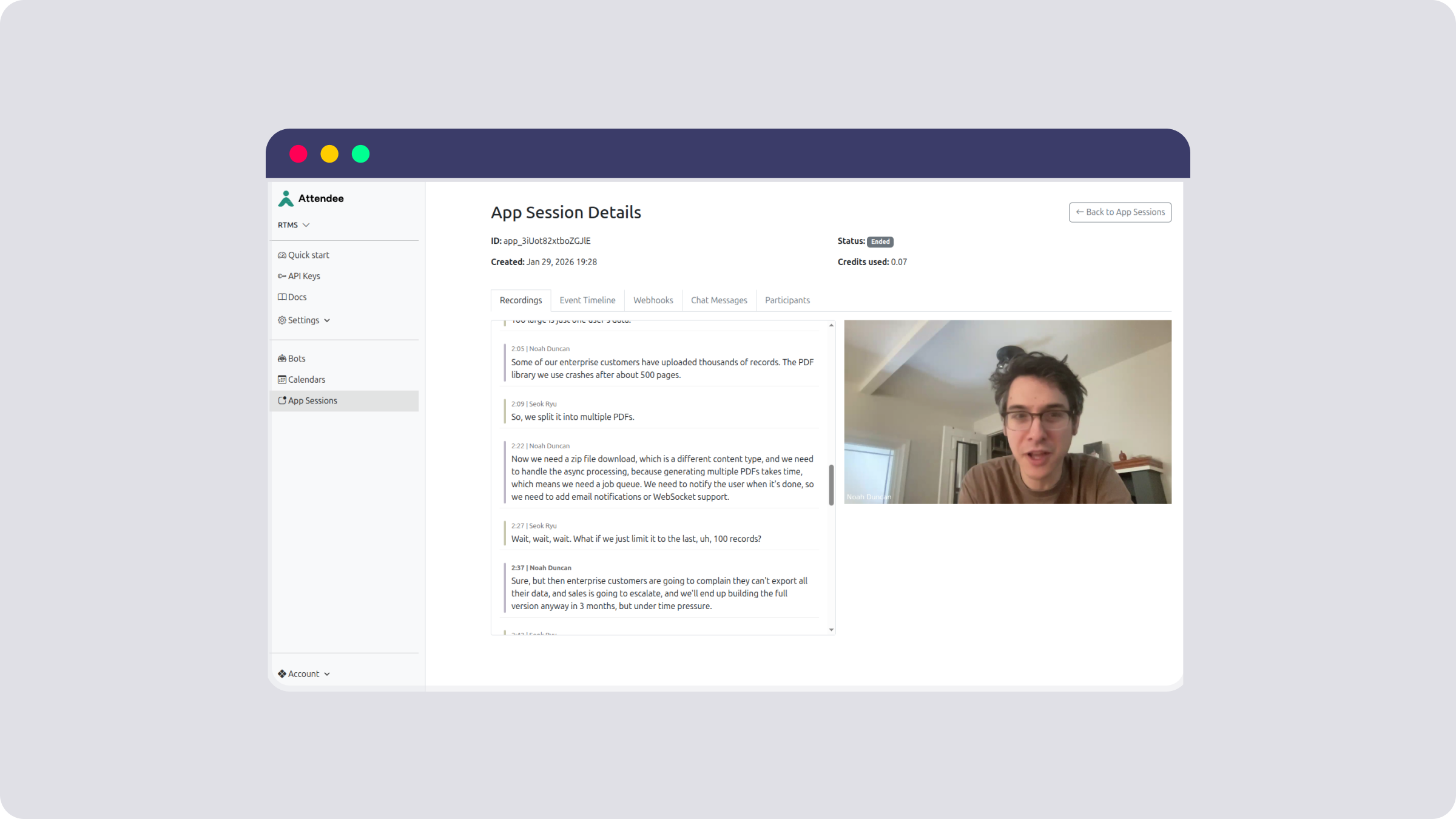
Because Attendee is self-hostable, it's a great fit for teams that want full control of their data and prefer to keep meeting content within their own environment. If you want to get to production fast, Attendee offers cloud hosting and enterprise support for self-hosted deployments.
If you've been using a meeting bot to capture or analyze meetings, RTMS and Attendee provide a smoother, improved alternative that greatly improves user experience and runs on your own infrastructure.
To see how Attendee works in practice, watch this walkthrough from Noah, founder of Attendee.dev. He demonstrates a simple RTMS-powered app that captures transcripts and recordings using Attendee as a clean, developer-friendly layer on top of Zoom Realtime Media Streams.
The demo shows how Attendee handles session management, audio and video muxing, transcription events, and media generation, so you can focus on building product features instead of infrastructure.
Watch video, Building an RTMS app with Attendee:

Attendee solves the complexity in conversational intelligence
RTMS makes it easy to access structured meeting data, but we still need a simple way to receive and leverage it in our apps. Attendee fills this complexity gap by handling ingestion and offering scaled storage with easy access through APIs and an admin UI.
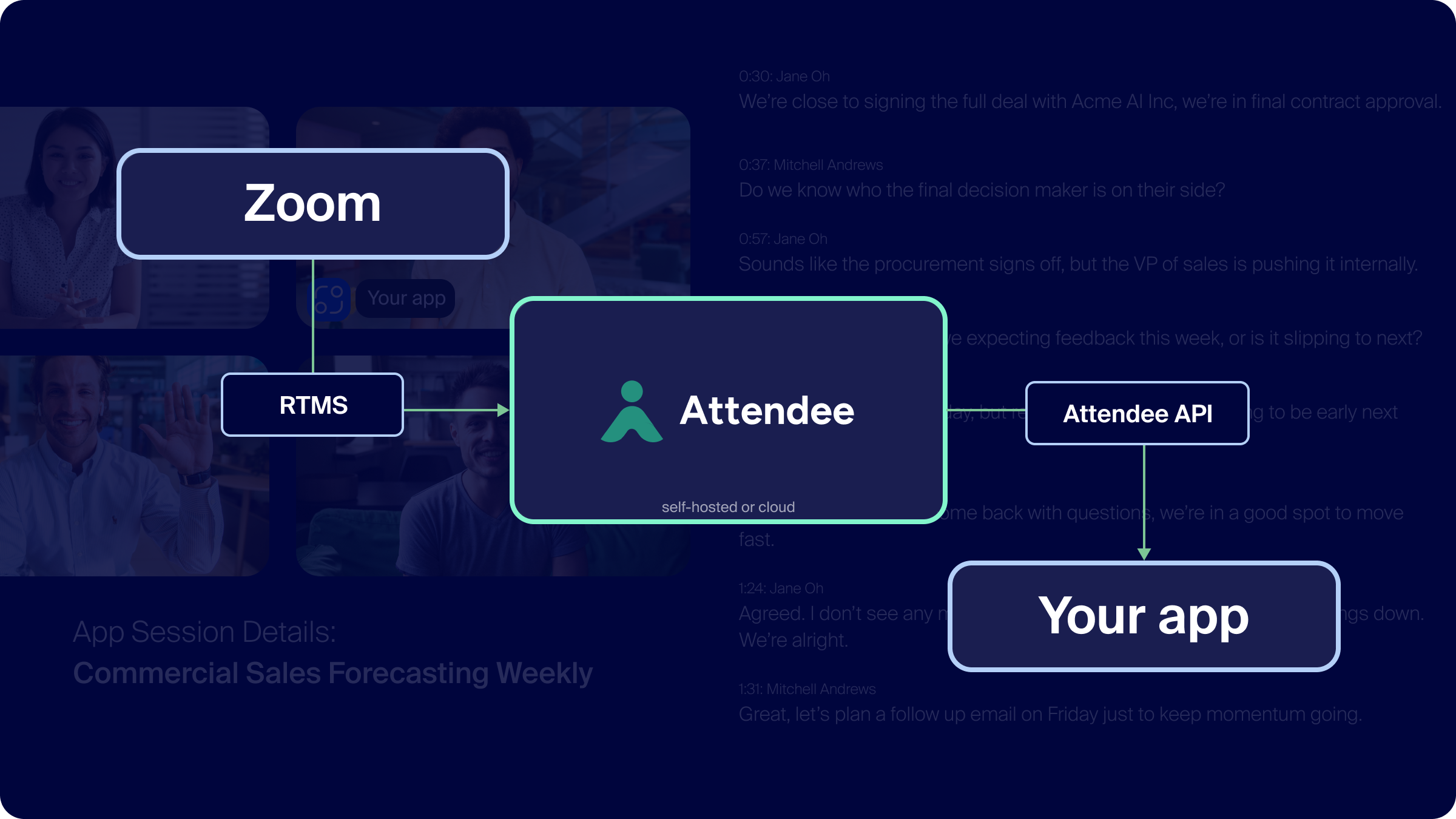
If you've ever tried to build a meeting assistant from scratch, you know how complex the business logic and maintenance can be. Attendee solves the heavy lift while still maintaining your infrastructure and data control.
Here are two examples of how you can use Attendee to build meeting apps:
Example 1: Build a meeting notetaker without the bot
If you want to build a meeting notetaker that records and transcribes meetings without joining as a "bot," start with the Attendee Zoom notetaker example: attendee-labs/rtms-notetaker-example
This example shows how to:
- Connect to Realtime Media Streams
- Pipe audio streams into a transcription model such as Whisper, Deepgram, or OpenAI Realtime.
- Store the transcript in your own application/user interface.
PS - Attendee's READMEs are straight forward and solid
Example 2: Build a sales coach meeting app
For something more advanced, check out the sales coach Zoom app: attendee-labs/rtms-sales-coach-example. This example layers analysis and real time feedback on top of the same RTMS feed.
As a Zoom app running in the meeting, it demonstrates how to:
- Monitor speaker ratios and talk time
- Use language models to detect objection handling or keyword mentions
- Send real time coaching cues to the representative through WebSocket
This is a great starting point for internal enablement tools or custom AI assistants.
Start building with RTMS and Attendee
RTMS opens up new possibilities for building meeting aware apps, and Attendee makes that power accessible to any developer. By combining Zoom's secure media infrastructure with Attendee's open source toolkit, you can build fully self-hosted assistants that deliver real-time value to your users.
To get started, create a Zoom app on the App Marketplace and add RTMS features.
Sign up for a free account on Attendee's hosted instance here.
To run the self-hosted version of Attendee, install Docker and follow the instructions on the Attendee GitHub repo.
Let us know what you build! Find us in the Zoom Developer Forum and the Attendee community.