

Zoom Contact Center has rolled out a new framework for programmatic dataset access. CX Analytics provides rich data reports and flexible analysis. Use this guide to confidently make the switch to CX Analytics, correlating the legacy API endpoints to the new framework.
Overview of CX Analytics
With CX Analytics , which replaces our legacy reporting framework, developers have access to:
- Dataset-based endpoints for broadened analytics
- Coverage of flows, outbound campaigns, customer journeys, and expert assist
- Endpoints built with role-based, fine-grained permissions
- Designed for both API calls and integration with dashboards and subscriptions
- Industry standard metric-names
If you gained access to Zoom Contact Center reporting post-release (CX Analytics was released May 16th, 2025), you've already been using this new framework. For anyone enrolled prior to this date, plan to make the switch to CX Analytics reporting as soon as possible.
Mapping old to new
While the changes are not a complete one-to-one correlation for the legacy Zoom Contact Center API endpoints, this mapping chart serves as a reference:
| Legacy API | Purpose | CX Analytics Dataset | Differences |
|---|---|---|---|
| Reporting(Legacy API) | — | CX Analytics Dataset | — |
List agent leg reports/analytics/agents/leg_metrics | Metric/performance summary reporting | List historical agent performance dataset data/dataset/historical/agent_performance | Engagement/session-centric reporting Includes transfers, holds, conferences, inbound/outbound splits |
List agent's status history report/analytics/agents/status_history | Status change history of agents | List historical agent timecard dataset data/dataset/historical/agent_timecard | Status included within agent timecard |
List agent's time sheet reports/analytics/agents/time_sheets | Agent work hours | List historical agent timecard dataset data/dataset/historical/agent_timecard | Agent work hours and agent performance separated |
List historical queue reports/analytics/historical/queues/metrics | Queue performance | List historical queue performance dataset data/dataset/historical/queue_performance | Can filter by inbound, outbound, callbacks |
List historical agent reports by queue/analytics/historical/queues/agents/metrics | Historical reports of agents from a specific queue | List historical queue performance dataset data/dataset/historical/queue_performance [with agent dimension] | One dataset for both queue and agent-level performance |
| No legacy equivalent | — | List historical flow performance dataset data/dataset/historical/flow_performance | Flow-level analytics available |
| No legacy equivalent | — | List historical outbound dialer performance dataset data/dataset/historical/outbound_dialer_performance | Campaign and dialer performance |
| No legacy equivalent | — | List historical Zoom Phone to Contact Center call journey data/log/historical/journey | Customer journey of a call across both Contact Center and Zoom Phone |
| No legacy equivalent | — | List operation logs | View monthly Zoom Contact Center related admin operation details (admin and account owners only) |
Note: Some metrics in legacy APIs will not have a direct one-to-one mapping in CX Analytics. In these cases, equivalent or expanded fields are available, but you may need to adjust downstream calculations.
Migration steps for existing customers
If you're currently using the legacy reporting system, follow these steps below to migrate to configure CX Analytics within your web portal:
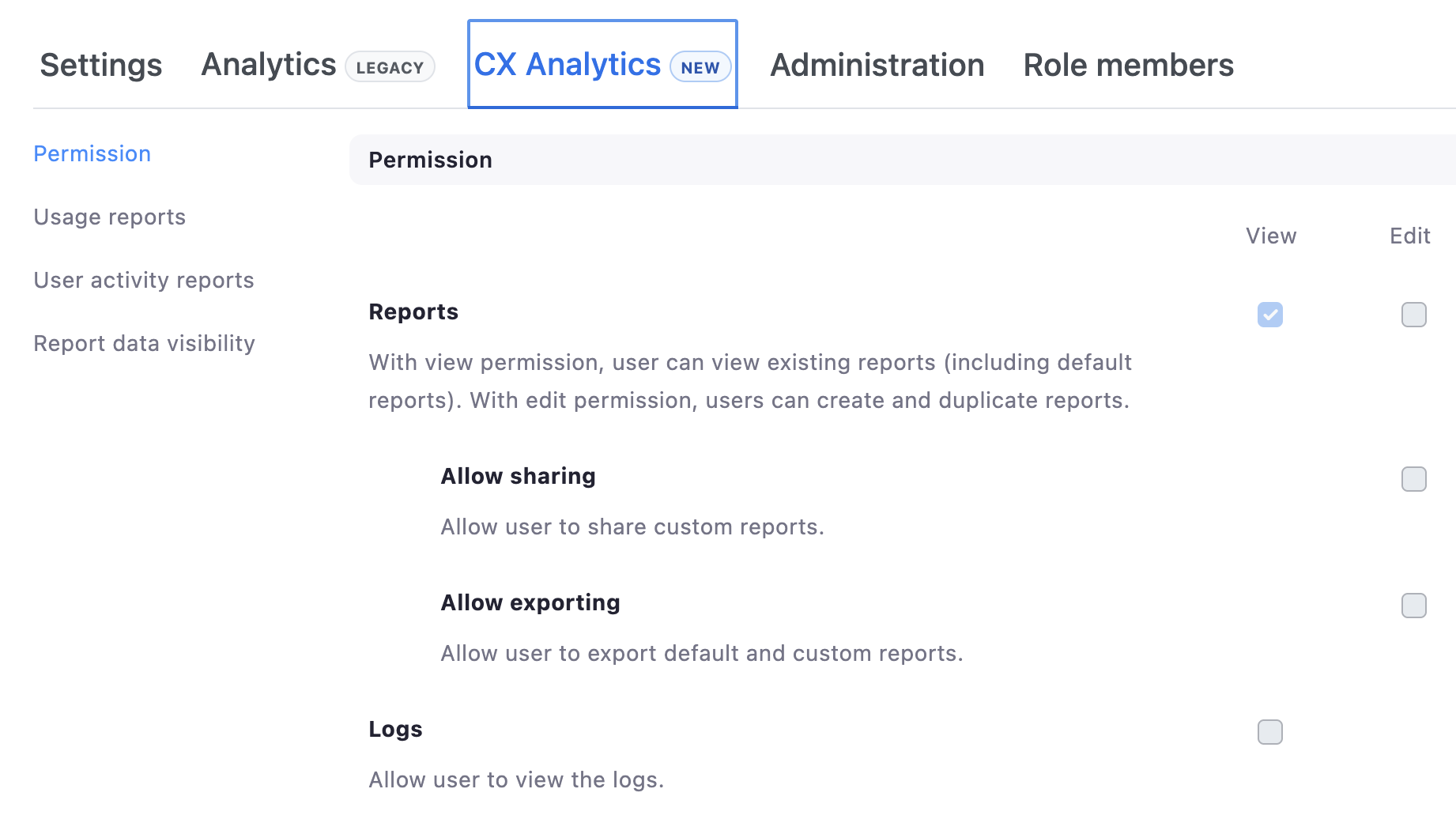
- On your account homepage (logged-in as an admin), navigate to Admin → Contact Center Management → Roles
- Configure permissions for each role
- Once configured, head over to Personal → Analytics & Reports → CX Analytics, and select "Try CX Analytics"
- Use this page to manage dashboards and historical reports
Once configured, follow these general steps for a smooth migration:
- Inventory your current Legacy API calls: note endpoints, parameters, and any downstream data processing.
- Find the new dataset equivalent (where applicable): use the mapping table above as your reference.
- Adjust your parameters: especially for required time ranges and any new filter names.
- Update your field mappings: expect more columns and slightly different naming conventions.
- Test in small batches: use short date ranges first to verify accuracy before scaling.
Common use-cases:
Let's walk through a couple common use-cases for Contact Center APIs, and how the process looks with the new dataset vs the old one.
| Use-Case | Legacy Reporting | CX Analytics Reporting | What's different |
|---|---|---|---|
| View agent handle times (talk, wrap-up, hold, etc.) | - List agent leg reports | - List historical agent performance dataset data | Engagement based data with new metrics such as conference and transfer metrics |
| Check agent timecard/status history | - List agent's status history reports - List agent's time sheet reports | - List historical agent timecard dataset data | Two endpoints merged into one with timecard and status both available. Performance and timecard now separate |
| Tracking queue performance (wait duration, callbacks, etc.) | - List historical queue reports - List historical queue's agents reports | - List historical queue performance dataset data | Two endpoints merged into one, with callback metrics now included |
Further reading
For more information on the new dataset reporting framework, check out Zoom's Expert Insights article on CX Analytics . And for further guidance on dataset terminology, use Zoom's Contact Center Data Dictionary .