

Welcome back to the Zoom API querying tips series, where we take a deep dive into the world of Zoom APIs.
In this specific blog post, we're going to continue navigating and discovering practical hacks that can help when querying specifically to the Zoom Meeting API.
Occurrences
As you might be familiar with, there are various meeting types available in Zoom. The recurring meeting is a type of meeting that is scheduled to occur regulartly at specified intervals, such as daily, weekly, monthly, etc. Instead of creating separate meeting instances for each occurrence, you can set up a recurring meeting once, and the meeting occurrences will get generated based on a recurrence setting.
When creating recurring meetings with fixed time (type 8), you will have the option to configure a recurrence object that will allow you to define settings for this meeting type, including the frecuency of the meetings, the days of the week on which the meeting will be held and various other available options:
"recurrence" : {
    "end_date_time" :  date-time,
    "end_times" : integer,
    "monthly_day" : integer,
    "monthly_week" : integer,
    "monthly_week_day" : integer,
    "repeat_interval" : integer,
    "type" : integer,
    "weekly_days" : enum,
    "schedule_for" : string
}
After the meeting is created, an occurrence array will be generated, containing a collection of objects for each occurrence of the meeting.
It is important to make emphazis here that all newly created occurrences of the meeting, will be associated with the same meeting ID.
What is an Occurrence ID?
It is an unique identifier that distinguishes an occurrence of a recurring meeting or webinar, and it can have a maximum of 50 occurrences.
For example, in the following set of images you will see that if you schedule a meeting type 8 (a recurring meeting with fixed time), with the value end_times to 5 in the reccurrence object, you will get a recurring meeting with 5 occurrences and each ocurrence will have it's own occurrence_id:
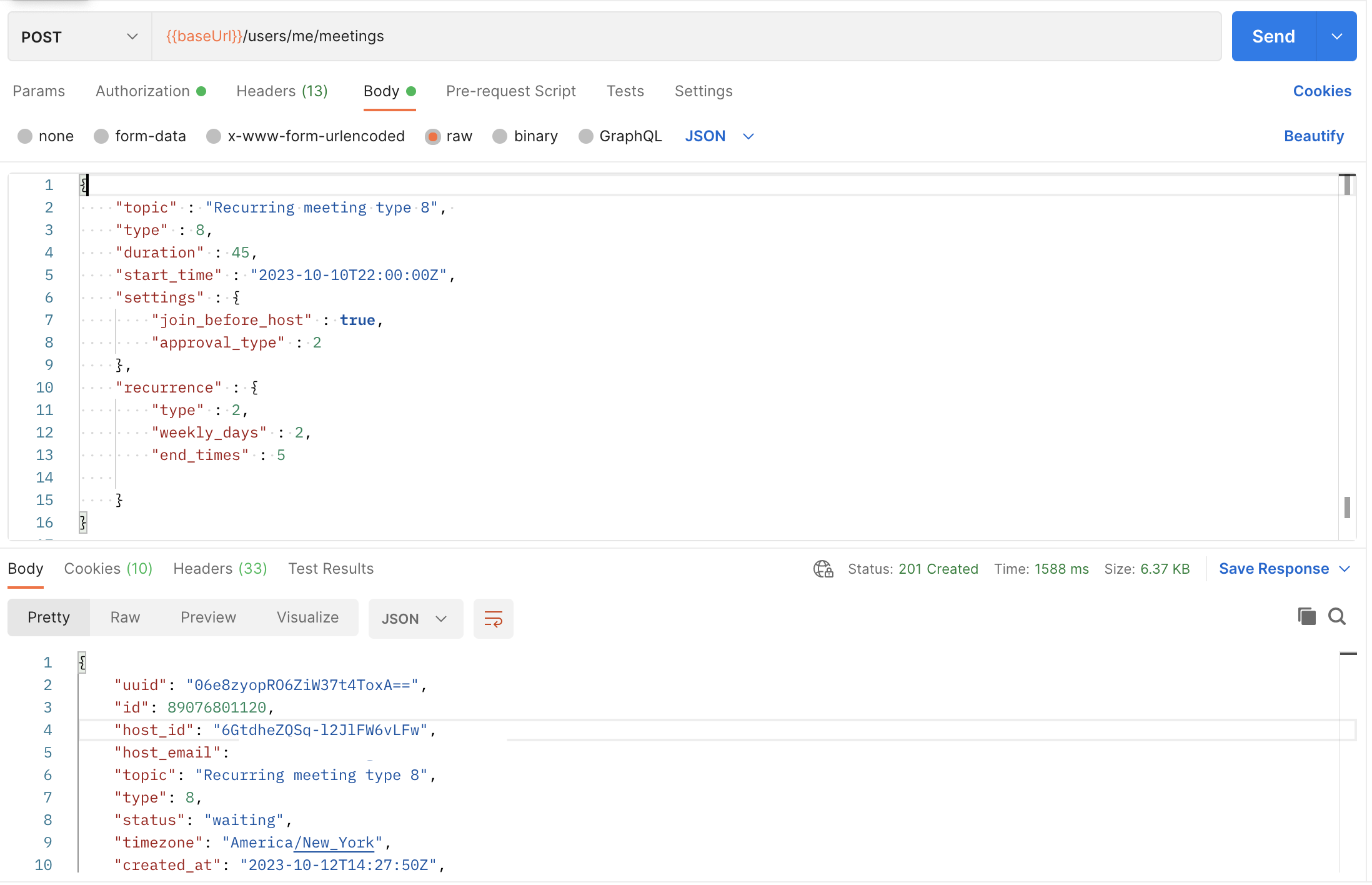
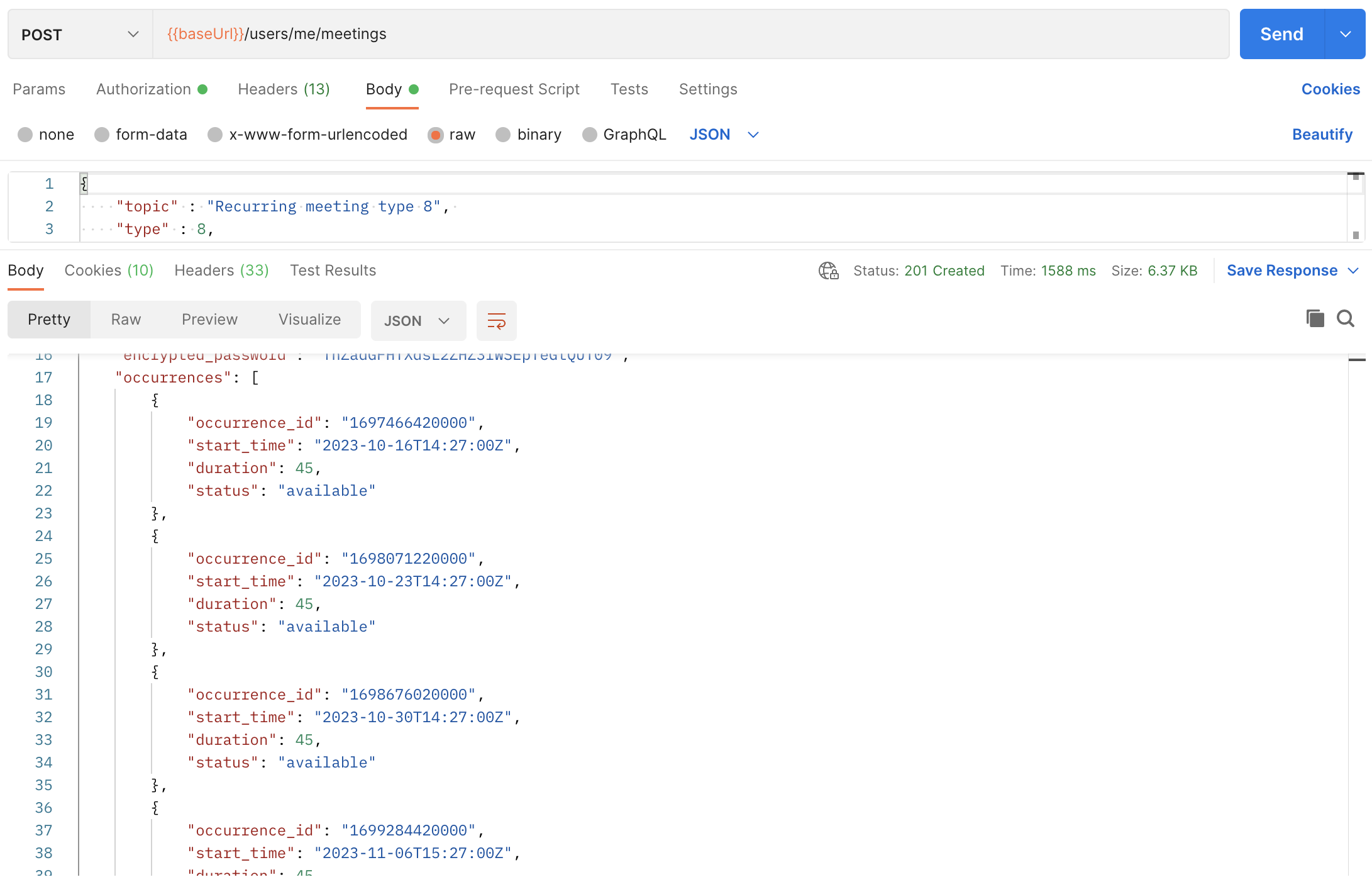
It is important to make emphazis to the fact that all occurrences ID are associated to the same meeting ID.
When and why should I use the occurrence ID?
If you want to query specific data from a certain occurrence, you will need to use the occurrence_id associated with the meeting to get data from that occurrence:
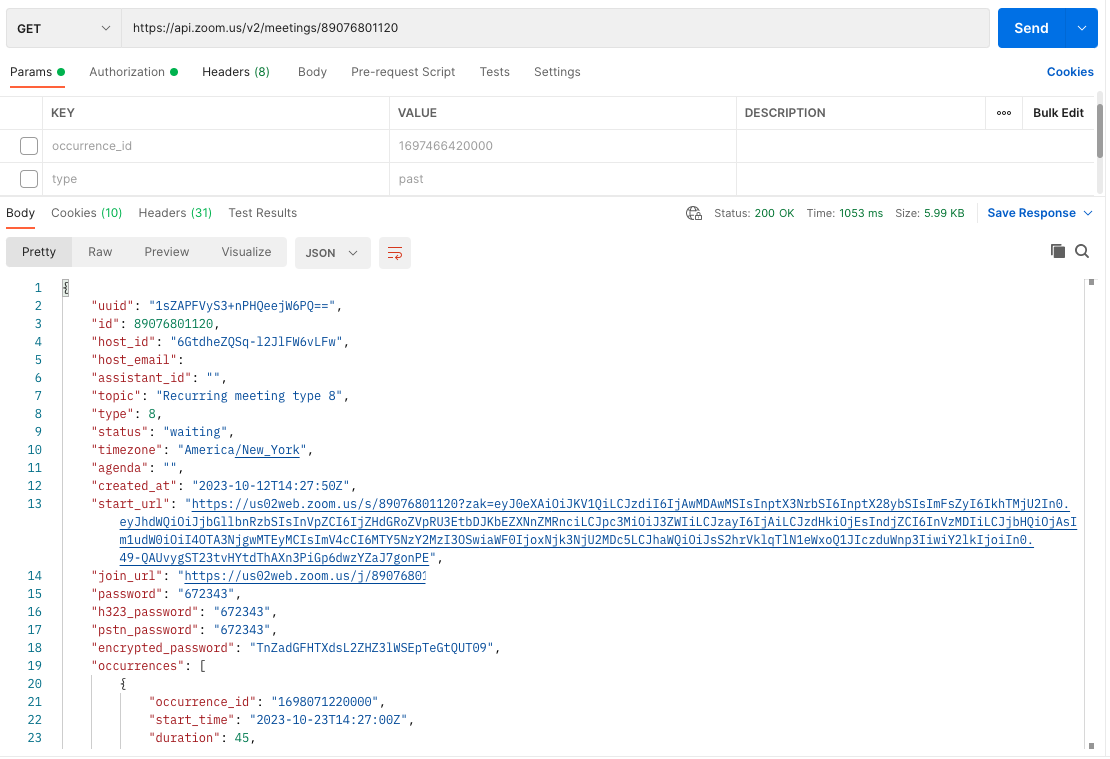
Note how in the example avobe to GET https://api.zoom.us/v2/meetings/{meetingID} endpoint and using only the meeting ID, the response body includes all the information about the meeting, including all occurrences.
In the following images, the same call is being made to GET https://api.zoom.us/v2/meetings/{meetingID} endpoint but the occurrence_id is being included as a query parameter and the response is different on each of the calls (note how the start_time is different for each occurrence)
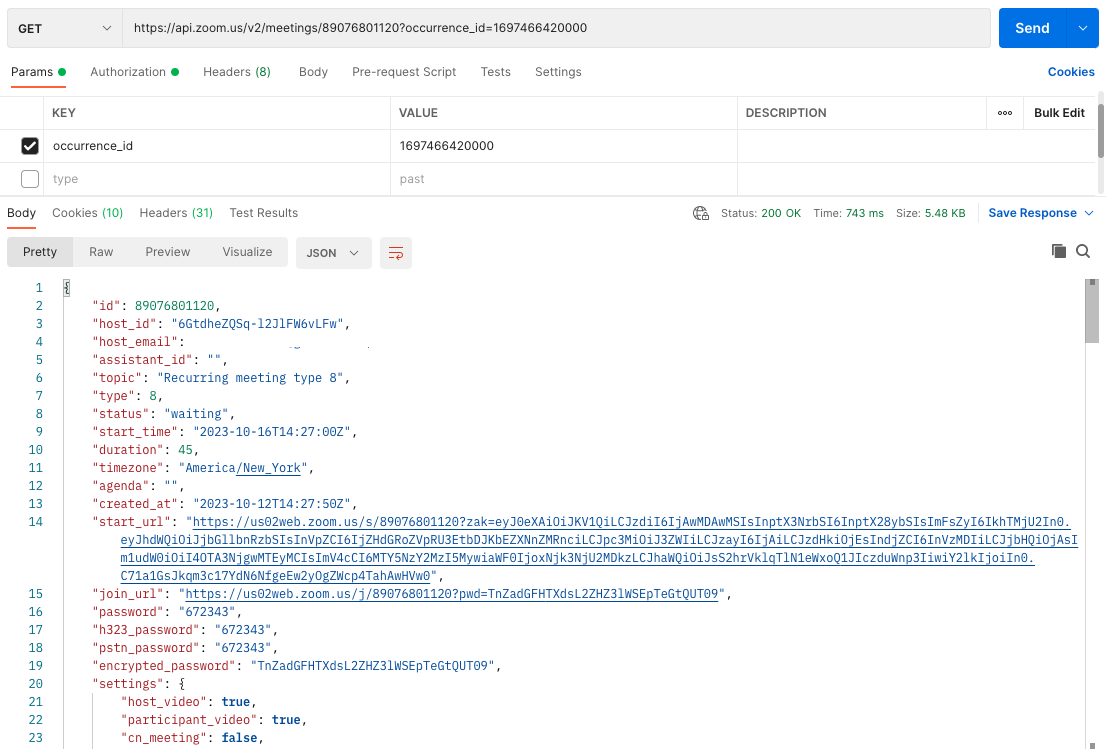
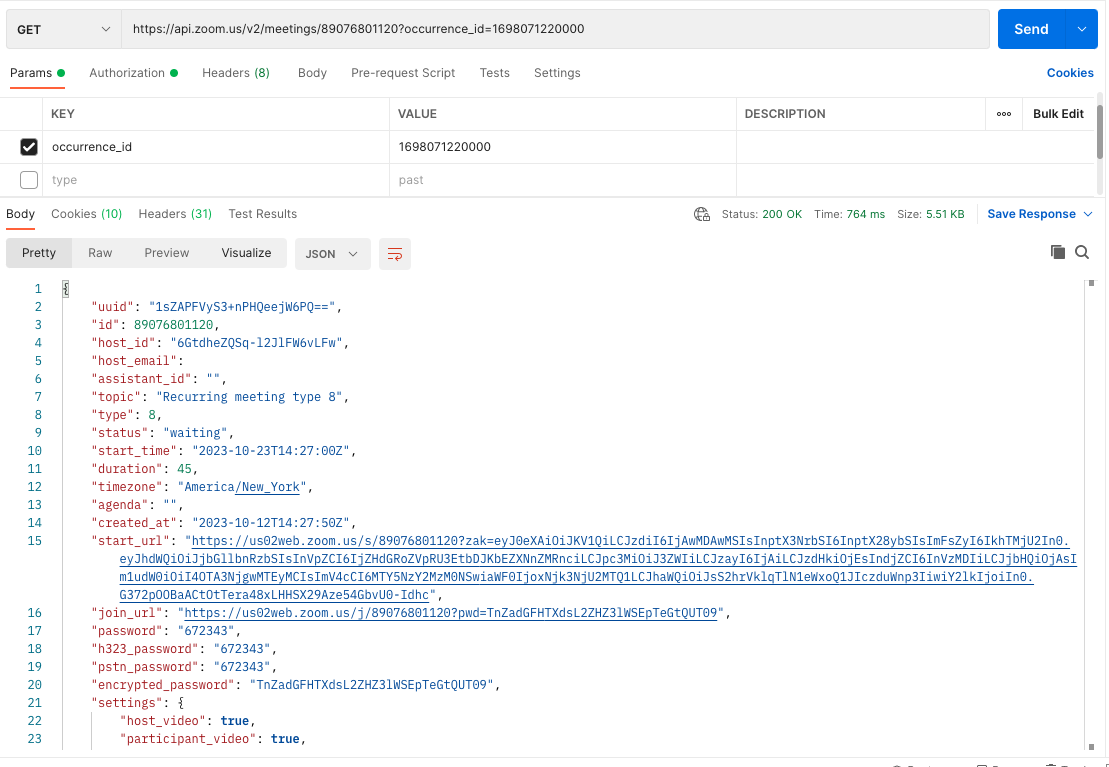
You should always use the ocurrence_id if your goal is to query certain occurrence and if you want to take action on it.
But what is an instance then?
Everytime a meeting is created, we get a meeting ID and a meeting UUID associated with it, and if it is a recurring with fixed time meeting, a set of occurrences IDs will get generated too.
Each instance of a meeting will have it's own, unique meeting UUID. Once a meeting is held under a given meeting ID, the past instance of the meeting will remain the same and a new meeting UUID will be generated for the next instance of the meeting (if the meeting gets started again)
Calling the GET https://api.zoom.us/v2/past_meetings/{meetingID}/instances endpoint will retrieve all the instances associated with the meeting that were held in the past:
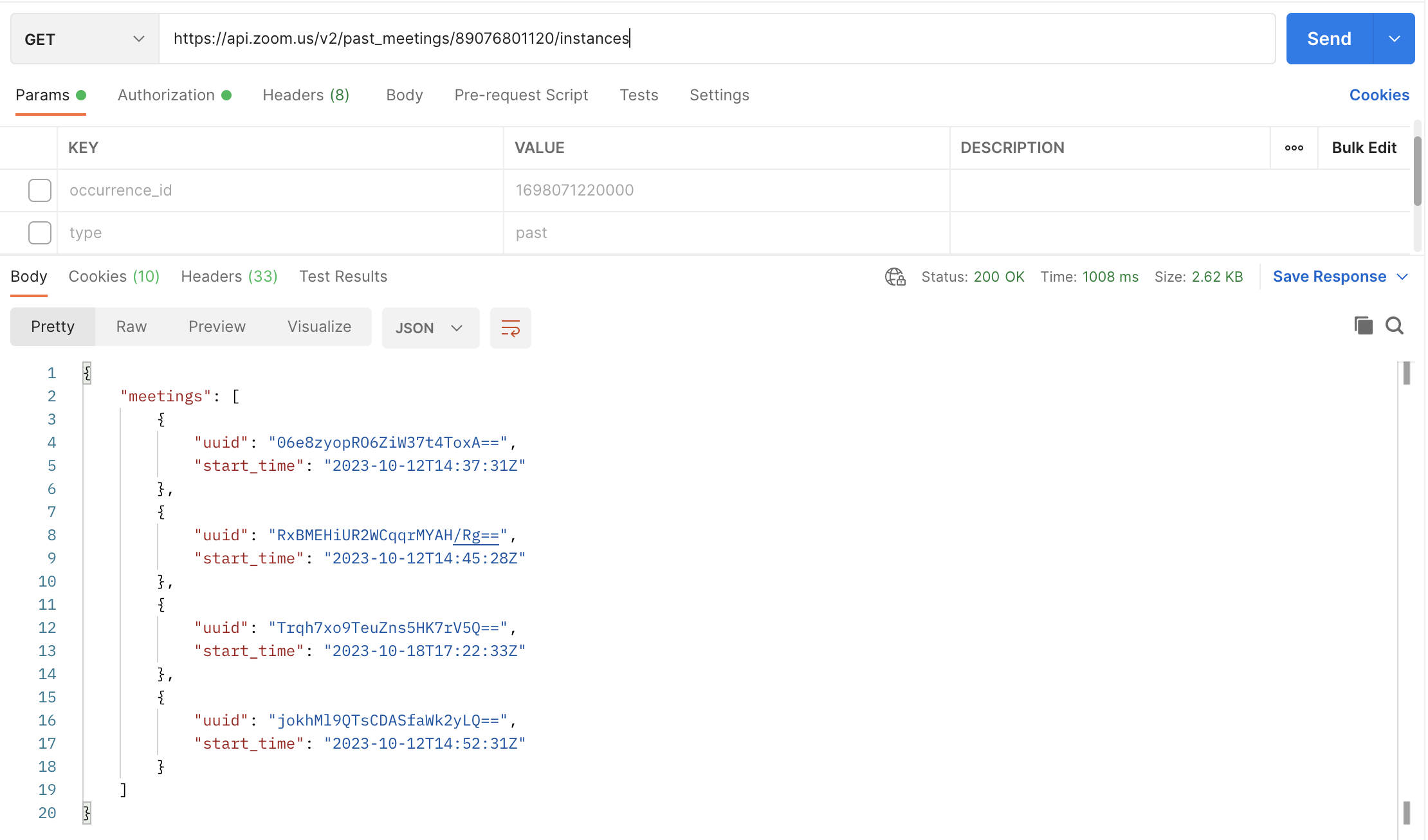
In the image above, the same recurring meeting was used to query the GET https://api.zoom.us/v2/past_meetings/{meetingID}/instances endpoint and in the response body for this call all the past occurrences of the meeting that were held were returned.
The meeting UUIDs returned in this call will correspond to specific occurrences and should be used to retrieve data from each of them when using any other endpoints.
Important to keep in mind
- When using recurrening meetings, make sure to store the occurrences IDs so you can use those IDs to retrieve data from each specific occurrence when and if needed.
- All occurrences IDs generated for a meeting, are part of the same series and should always be queried along with the meeting ID.
- Every time you start a meeting a new instance of it gets generated. So, if the same meeting occurrence is started twice, two different meeting UUIDs will be generated to differentiate one instance from another.
Thanks for reading and using Zoom APIs!