Zoom Meeting API querying tips - One person meetings and webinars
Welcome back to the Zoom API querying tips series, where we take a deep dive into the world of Zoom APIs. With each upcoming post, we'll uncover new tips, tricks, and insights that are desinged to empower you in maximizing the potential of Zoom APIs.
In this specific blog post, we're going to continue navigating and discovering practical hacks that can help when querying specifically to the Zoom Meeting API.
One person meetings and webinars
The Dashboard and Report endpoints are great tools for Zoom customers looking to get detailed data of a variety of Zoom features primarily for the purpose of generating comprehensive reports.
It's worth noting, however, that the behavior of the Zoom REST API undergoes a subtle shift in the presence of meetings or webinars with just a single participant.
In theses instances, it becomes necessary to invoke the relevant endpoints with the right parameters that align with the specific type of meeting that developers are trying to query.
In the documentation for Dashboard and Reports, you will notice that for some of the available endpoints, the query parameter type can get three values past, pastOne and the default value live that will help you differentiate what type of meeting you are trying to query:
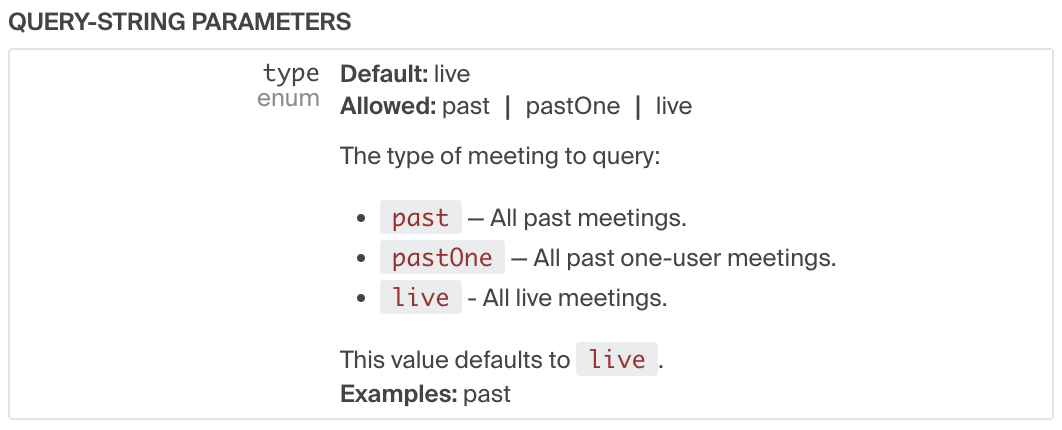
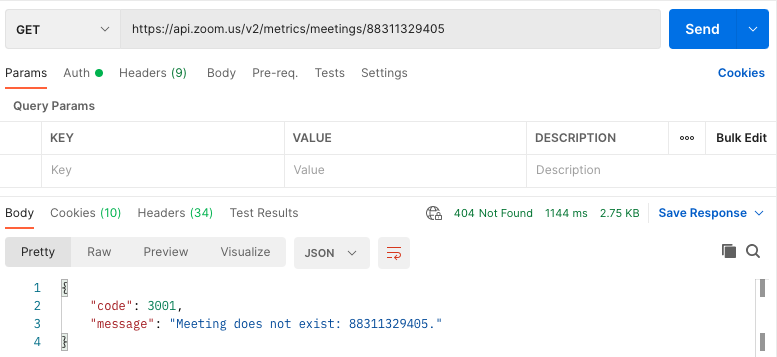
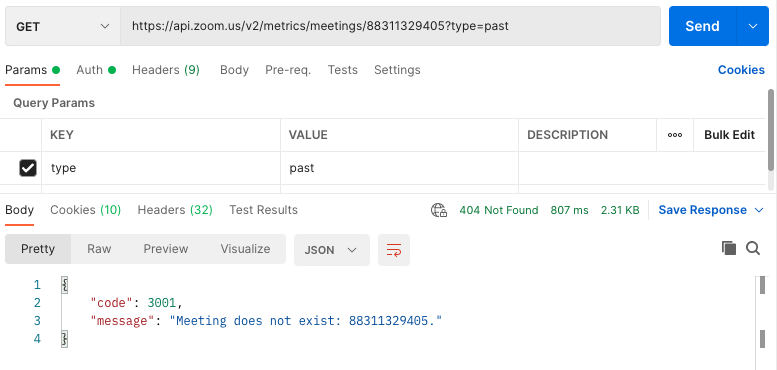
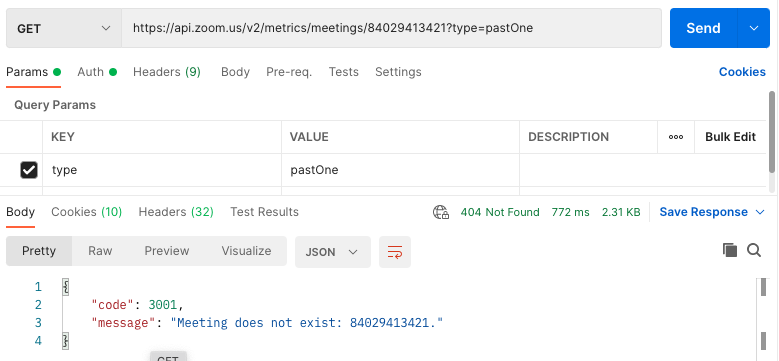
It is expected that if you call some of our Report and Dashboard endpoints, using a meeting ID for a meeting that only had one participant without specifying the type of meeting it is or using the wrong value past, you will get a 404 Not Found error with an error message "Meeting does not exist". This is demonstrated in the examples below to GET https://api.zoom.us/v2/metrics/meetings/{meetingID} and GET https://api.zoom.us/v2/metrics/meetings/{meetingID}?type=past , where the response you get is "Meeting does not exist" with a 404 Not Found:
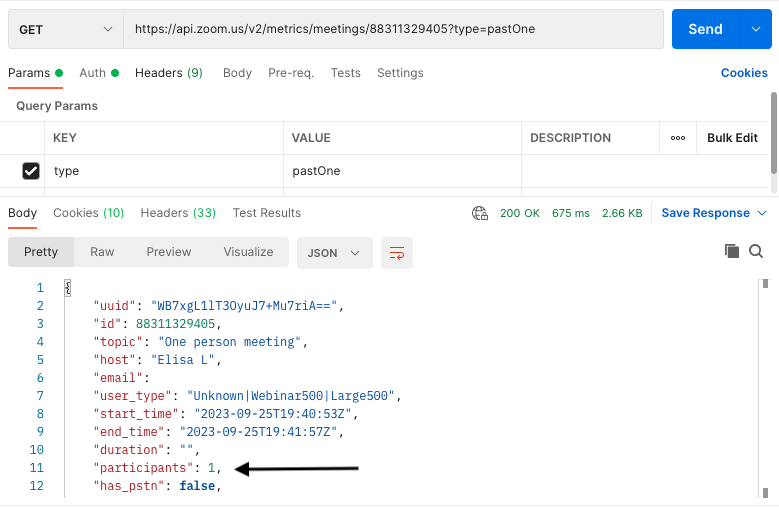
Now on the other hand, If you add the query param type "pastOne" to query the same meeting, you will get a 200 Ok response with the expected data to be returned. Also note how the participant field value is 1:
NOTE: When calling these endpoints programmatically, to avoid the need to change the query parameter "type" from "past" to "pastOne" in every API request, Zoom provides a feature that enables developers to make requests for all types of past meetings (including those attended by only one user), using the query parameter "type" set to "past" across all meeting instances. This ensures that all relevant meetings are included in the response.
Enabling "Show one person meetings and webinars on Dashboard and Reports"
Prerequisites:
- The account needs to be on a Business or higher plan.
How to enable this feature:
-
This account settings feature (disabled by default) needs to be enabled by the Admin's account by heading to
Account Management Tab > Account settings > Admin Options

After enabling this feature, all new meetings with one participant only, will be able to be queried using the value "past".
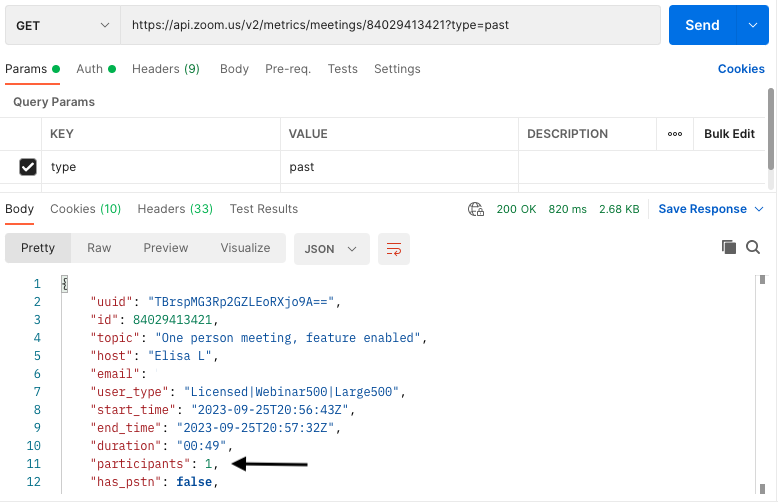
Note how using the parameter "pastOne" for One person meetings, will end up throwing the same 404 Not Found error "Meeting does not exist":
Important things to keep in mind
- Once you enable this setting in your account, this feature will be applied to all new meetings created and held AFTER the feature was enabled in the account, so for older meetings you will have to continue using the value "pastOne" for one person meetings and webinars.
- If using an Oauth app, make sure that it is an Account level app, since these endpoints can only be queried by Admins or Account onwers.
- When using Server-to-Server Oauth apps, make sure that the role that you have, has Dashboard and Reports permissions enabled under the Role Settings tab, so you can access these endpoints.
- Only Business and higher plans can access Dashboard endpoints.
- Only Pro or higher plans can access Report endpoints.