Extract Intelligence from Transcripts with the Zoom Summarizer API
Most teams ranging from customer support to sales orgs face the same problem: thousands of call and meeting transcripts but not enough time to read them. A transcript archive is most useful when it becomes structured data—recaps your CRM can store, action items your ticketing system can track, summaries your managers can actually read.
That's what the Zoom Summarizer API delivers. It accepts conversational data from any system (VTT, SRT, or plain text) and returns structured summaries. You can process up to 10,000 files from your own storage bucket in a single batch request. For real-time use cases, fast mode summarizes inline transcript text synchronously in seconds.
Why use Zoom for summarization
Zoom's AI models are built for conversational data. Instead of treating a transcript like generic text, the Summarizer API is designed for meeting and call patterns: speakers making commitments, teams revisiting decisions, customers raising issues, and participants leaving with next steps.
That matters when you need automation, not just prose. General-purpose models can produce useful summaries, but their output format can vary across prompts, model versions, or input styles. The Summarizer API gives you consistent task-specific outputs like recaps, summaries, and action items that downstream systems can reliably store, route, and act on.
What you can build
The API supports four summarization tasks per request:
| Task | Output |
|---|---|
recap | A brief narrative recap of the conversation |
action_items | A list of commitments and next steps |
summary | A concise summary of the main points |
full_summary | All three above in one response |
Combine these with your existing pipelines: push recaps into your CRM after every sales call, auto-fill support tickets with summaries, or generate compliance audit trails from call archives overnight.
The API returns output in any of nine supported languages: English, Chinese, Japanese, Spanish, French, German, Portuguese, Italian, and Arabic.
Get started
You'll run the quickstart app locally, summarize a transcript inline with fast mode, then submit an S3 batch job from the same playground.
Prerequisites
- A Zoom developer account on the Build platform
- For batch: IAM credentials to access an S3 bucket
- Node v24+
The quickstart app uses a Node.js/Express server to proxy requests to the Summarizer API and includes a web playground for summarizing transcript text and submitting batch jobs.
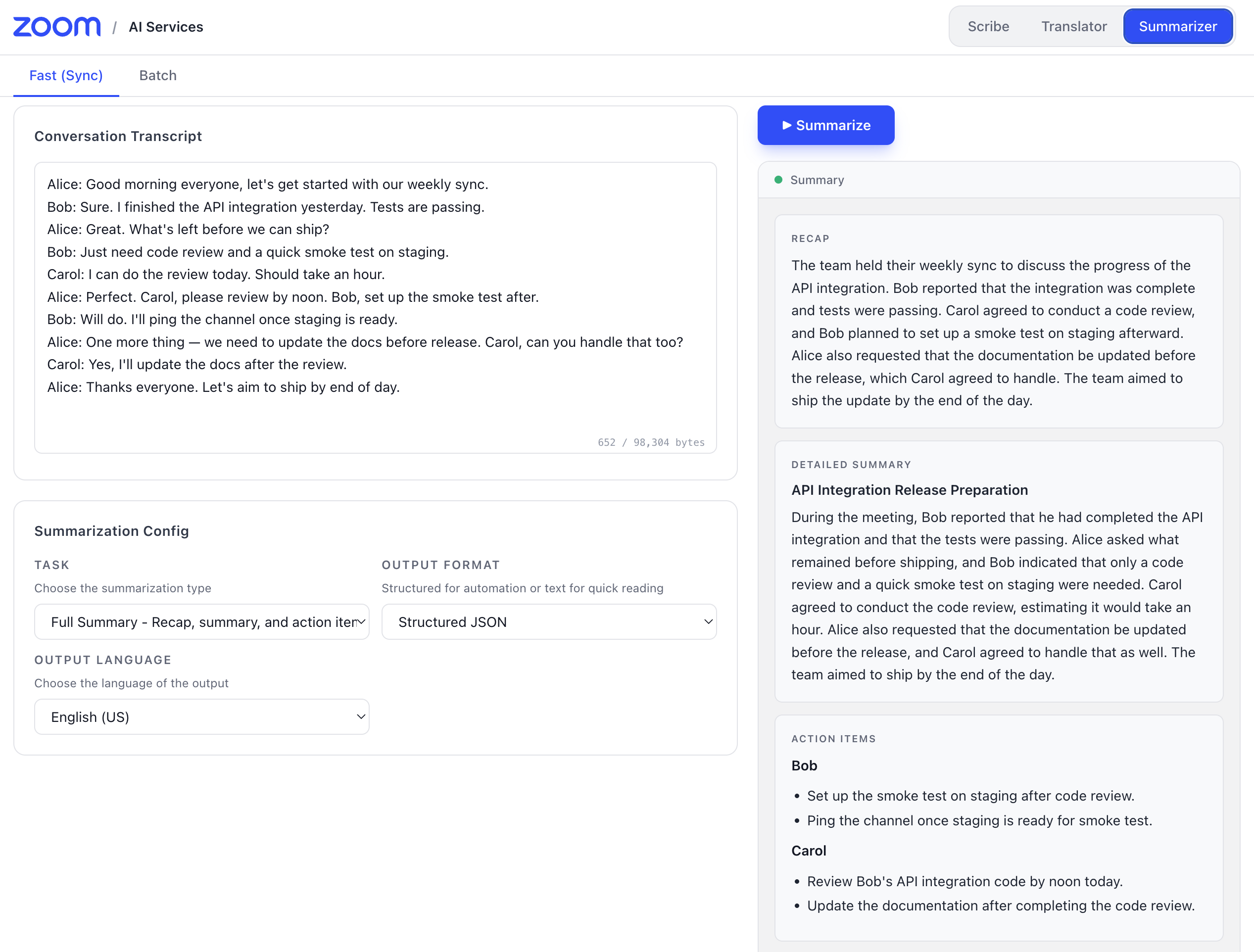
To run it locally:
-
Clone the repository
git clone https://github.com/zoom/ai-services-quickstart.git cd ai-services-quickstart npm install -
Configure your environment
- Copy
.env.exampleto.env. - Open the
.envfile and fill in your Zoom API credentials and AWS IAM STS credentials:
ZOOM_API_KEY= ZOOM_API_SECRET= AWS_ACCESS_KEY_ID= AWS_SECRET_ACCESS_KEY= AWS_SESSION_TOKEN= - Copy
-
Start the server
npm run startThe server runs at
http://localhost:4000. -
Run the playground
Open a second terminal window and run:
cd playground
npm install
npm run dev
Navigate to http://localhost:5173 and select summarizer in the top right menu. You can paste transcript text, choose a summarization task, view the results and even submit batch jobs.
Summarize an S3 archive in batch
For large archives, the API has a batch mode that accepts files directly from your S3 bucket. The playground wraps the same endpoint so you can iterate on a job config before scripting it.
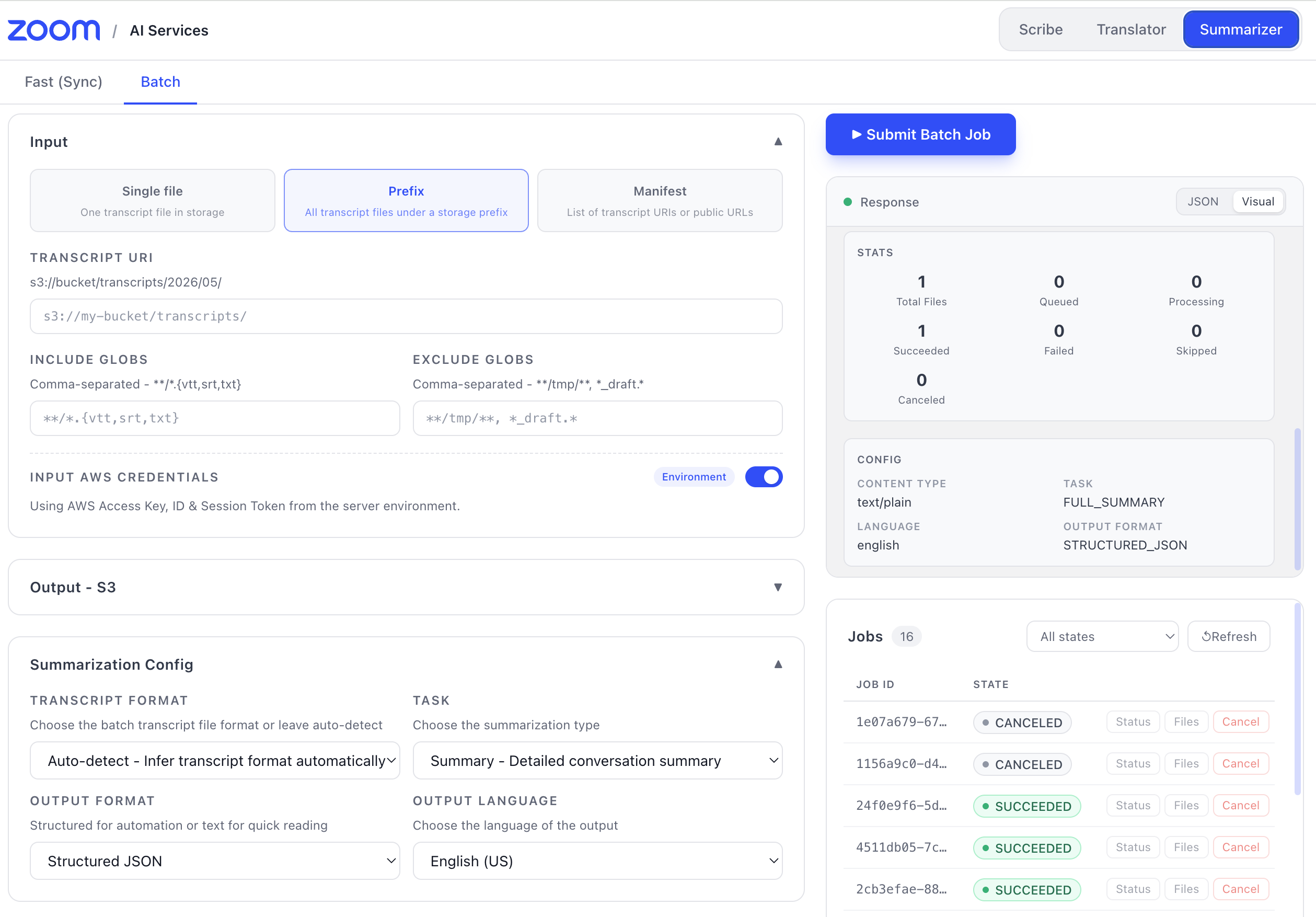
You can use the playground to submit a batch job or directly call the API endpoint:
curl -X POST https://api.zoom.us/v2/aiservices/summarizer/jobs \
  -H "Authorization: Bearer $TOKEN" \
  -H "Content-Type: application/json" \
  -d '{
    "input": {
      "mode": "PREFIX",
      "source": "S3",
      "uri": "s3://bucket/transcripts/",
      "filters": { "include_globs": ["**/*.vtt", "**/*.txt"] },
      "auth": {
        "aws": {
          "access_key_id": "AKIA...",
          "secret_access_key": "wJalrX...",
          "session_token": "FwoGZXIvYXdzE..."
        }
      }
    },
    "output": {
      "destination": "S3",
      "uri": "s3://bucket/summaries/",
      "layout": "PREFIX"
    },
    "config": {
      "task": "full_summary",
      "language": "en-US"
    },
    "notifications": {
      "webhook_url": "https://example.com/hooks/summarizer",
      "secret": "hmac-secret"
    }
  }'
Each job returns a job_id you can use to poll status or cancel the job. When the notifications object includes a webhook_url, the API delivers a signed webhook on completion—so your downstream systems can act immediately without polling.
Note: The example above uses STS credentials in the request payload for clarity. For production, prefer short-lived credentials issued per job and rotate the webhook
secretregularly.
Next steps
- Clone the quickstart app and run a fast-mode summary against one of your own transcripts.
- Wire batch-job webhooks into your CRM, ticketing, or QA pipeline so recaps and action items land where your team already works.
- Read the Summarizer docs for the full job schema, status codes, and webhook signature verification.