

Shipping a product globally means translating your docs, changelogs, support articles, and UI strings into every market language. That usually means a localization vendor, a manual review cycle, and a release bottleneck—every time something changes.
The Zoom Translator API removes that bottleneck. Point it at an S3 prefix of text files and it translates the entire archive asynchronously, writing one output file per input to your destination bucket. For individual strings, fast mode handles on-demand translation in a single synchronous call. Both modes support bidirectional translation between English and eight other languages: Chinese (Simplified), Japanese, Spanish, French, German, Portuguese, Italian, and Korean.
What you can build
Fast mode is for anything that has to translate in the request/response loop—support chat messages, UI strings rendered on the fly, event Q&A, or short-form user feedback. Batch mode is for bulk content you can translate ahead of time—documentation, knowledge-base articles, email templates, release notes, and survey transcripts.
Get started
Prerequisites
- A Zoom developer account on the Build platform
- For batch: S3 bucket and IAM credentials for access
- Node v24+
The quickstart app uses a Node.js/Express server to proxy requests to the Translator API and includes a web playground for translating text strings and submitting batch jobs.
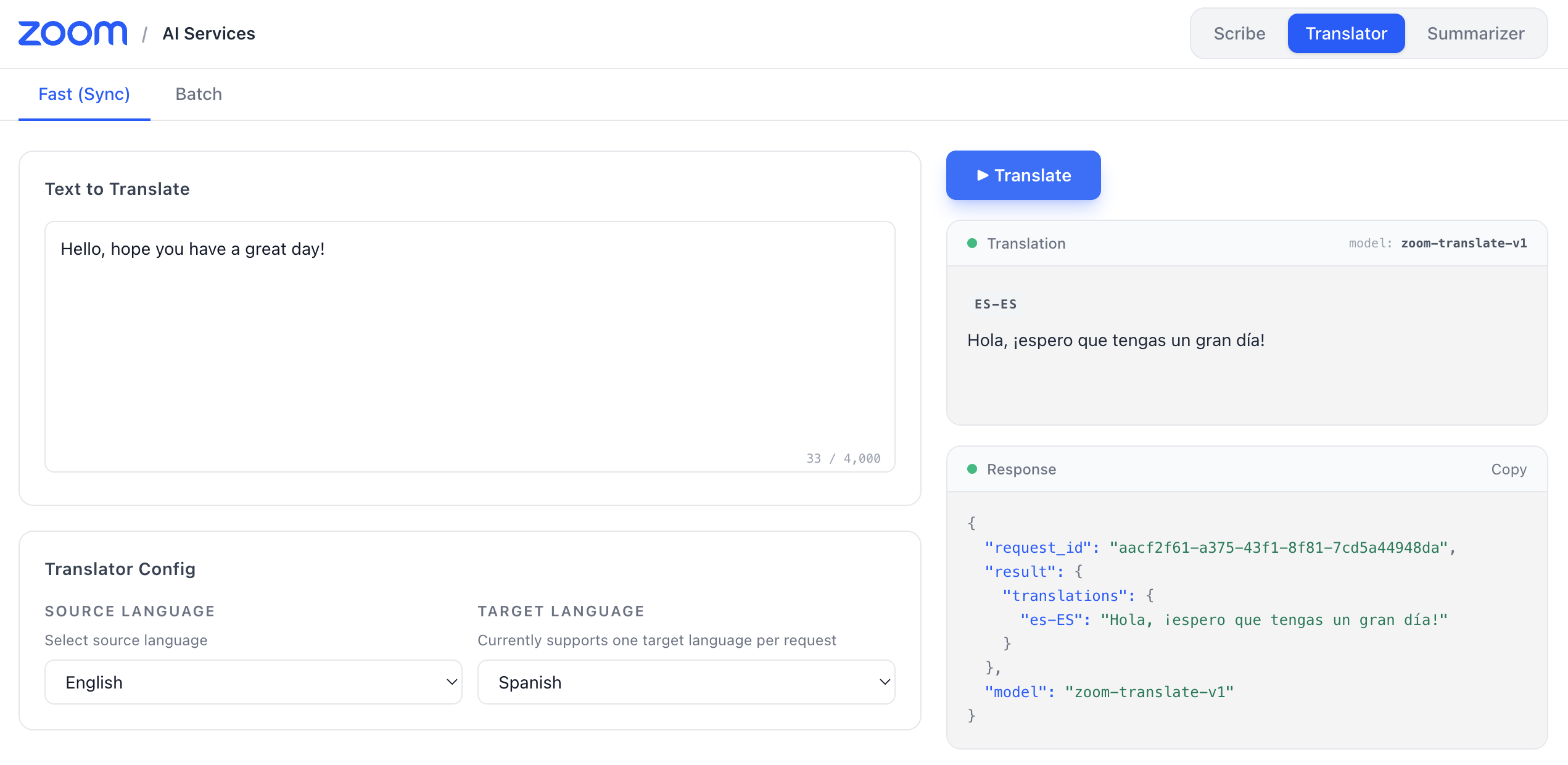
To run it locally:
-
Clone the repository
git clone https://github.com/zoom/ai-services-quickstart.git cd ai-services-quickstart npm install -
Configure your environment
- Copy
.env.exampleto.env. - Open the
.envfile and fill in your Zoom API credentials and AWS IAM STS credentials :
ZOOM_API_KEY= ZOOM_API_SECRET= AWS_ACCESS_KEY_ID= AWS_SECRET_ACCESS_KEY= AWS_SESSION_TOKEN= S3_INPUT_URI= S3_OUTPUT_URI= - Copy
-
Start the server
npm run startThe server runs at
http://localhost:4000. -
Run the playground
Open a second terminal window and run:
cd playground
npm install
npm run dev
Navigate to http://localhost:5173 and select translator in the top right menu. You can translate text strings in fast mode or submit batch jobs against your S3 bucket.
Translate an S3 archive in batch
For large content collections, the API has a batch mode that accepts files directly from your S3 bucket. The playground wraps the same endpoint so you can iterate on a job config before scripting it.
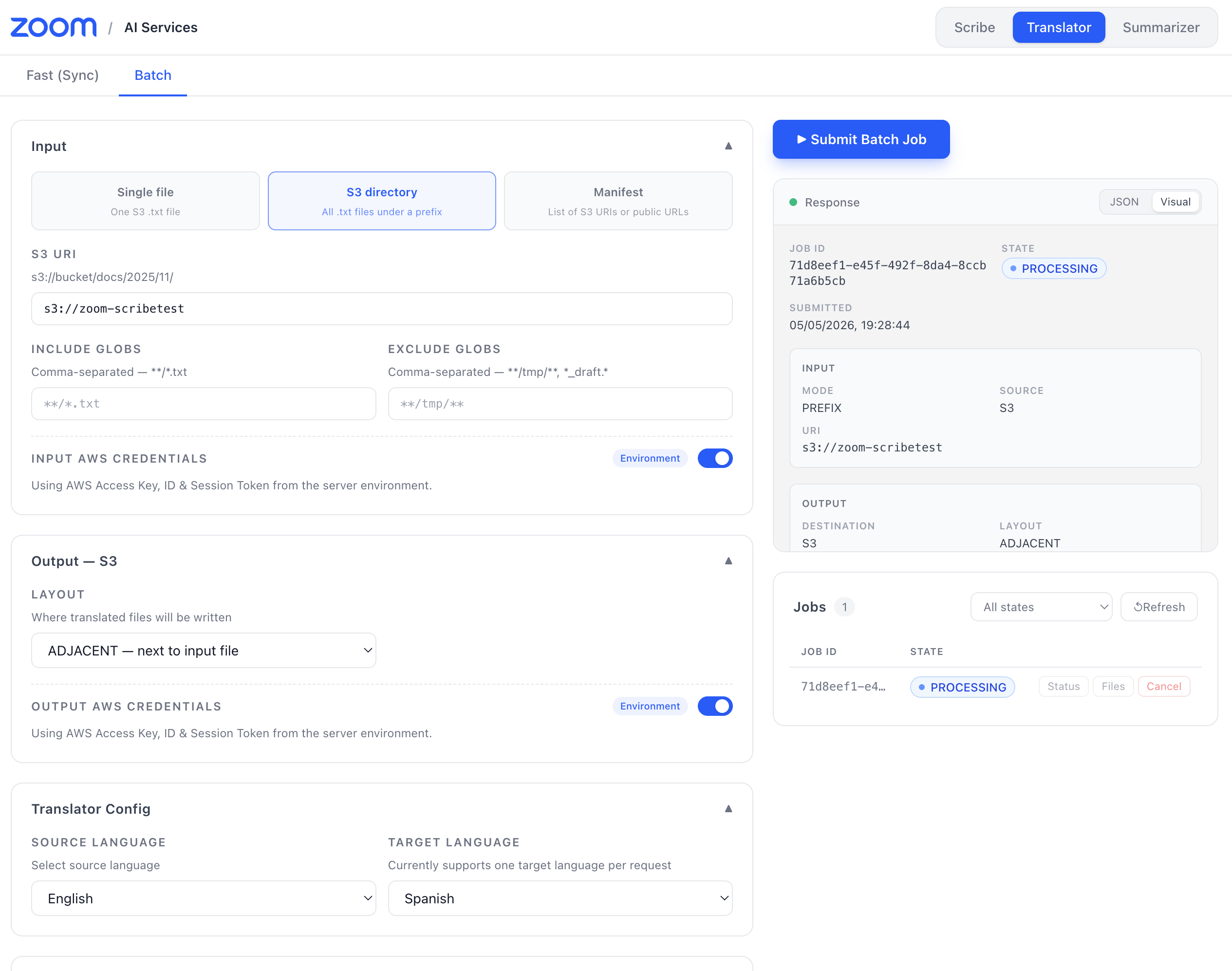
You can use the playground to submit a batch job or directly call the API endpoint:
curl -X POST https://api.zoom.us/v2/aiservices/translator/jobs \
  -H "Authorization: Bearer $TOKEN" \
  -H "Content-Type: application/json" \
  -d '{
     "input": {
        "mode": "PREFIX",
        "source": "S3",
        "uri": "s3://bucket/docs/en/",
        "filters": { "include_globs": ["**/*.txt"] },
        "auth": {
          "aws": {
             "access_key_id": "AKIA...",
             "secret_access_key": "wJalrX...",
             "session_token": "FwoGZXIvYXdzE..."
          }
        }
     },
     "output": {
        "destination": "S3",
        "uri": "s3://bucket/docs/es/",
        "layout": "PREFIX"
     },
     "config": {
        "source_language": "en-US",
        "target_languages": ["es-ES"]
     },
     "notifications": {
        "webhook_url": "https://example.com/hooks/translator",
        "secret": "hmac-secret"
     }
  }'
The API returns a job_id immediately. When you include a webhook_url, a signed notification fires when the job completes—so your publishing pipeline can pick up translated files and deploy without polling. Use the Zoom Translator API to ship localized docs on the same day as your English release, keep support articles in sync across every market, and serve UI strings in your users' native language without a manual localization step. You can learn more in the Translator API docs.